Cart
0
How to Create the Ultimate Home Theater Experience: A Complete Guide
Transform your living space into a cinema-quality retreat by mastering the essentials of home theater design—from room selection and seating arrangement to audio systems and smart technology integration.
Key Takeaways
- Choose a dedicated room with ideal dimensions and controlled lighting for the best acoustic and visual experience.
- Balance your visual setup by selecting either a large 4K TV or a projector based on your room and preferences.
- Incorporate Dolby Atmos-enabled audio systems for an immersive sound environment.
- Optimize seating comfort, sightlines, and lighting to enhance viewer experience.
- Employ smart automation and HDMI 2.1 technology to future-proof your home theater.
- Adjust your setup according to budget, balancing value and high-end customization.
Table of Contents
- 1. Choosing the Right Room for Your Home Theater
- 2. Selecting the Perfect Visual Display
- 3. Crafting an Immersive Audio System with Dolby Atmos
- 4. Seating and Comfort: Designing for Sightlines and Accessibility
- 5. Controlling Lighting and Room Treatment for the Best Picture
- 6. Cabling, Integration, and Technology for a Clean and Future-Proof Setup
- 7. Entertainment Sources and Smart Home Theater Integration
- 8. Balancing Cost, Value, and Practicality
- Conclusion
- FAQ
1. Choosing the Right Room for Your Home Theater
The foundation of an exceptional home theater begins with selecting or designing the right room. Your room’s shape, size, and location deeply influence sound quality and viewing comfort.
Ideal Room Dimensions and Layout
Acoustic experts recommend maintaining a balanced proportion such as a 10-foot ceiling height, 16 feet width, and 24 feet length to ensure a natural distribution of sound and balanced bass response. These dimensions facilitate an immersive auditory environment ideal for movies and gaming.
Dedicated Spaces Work Best
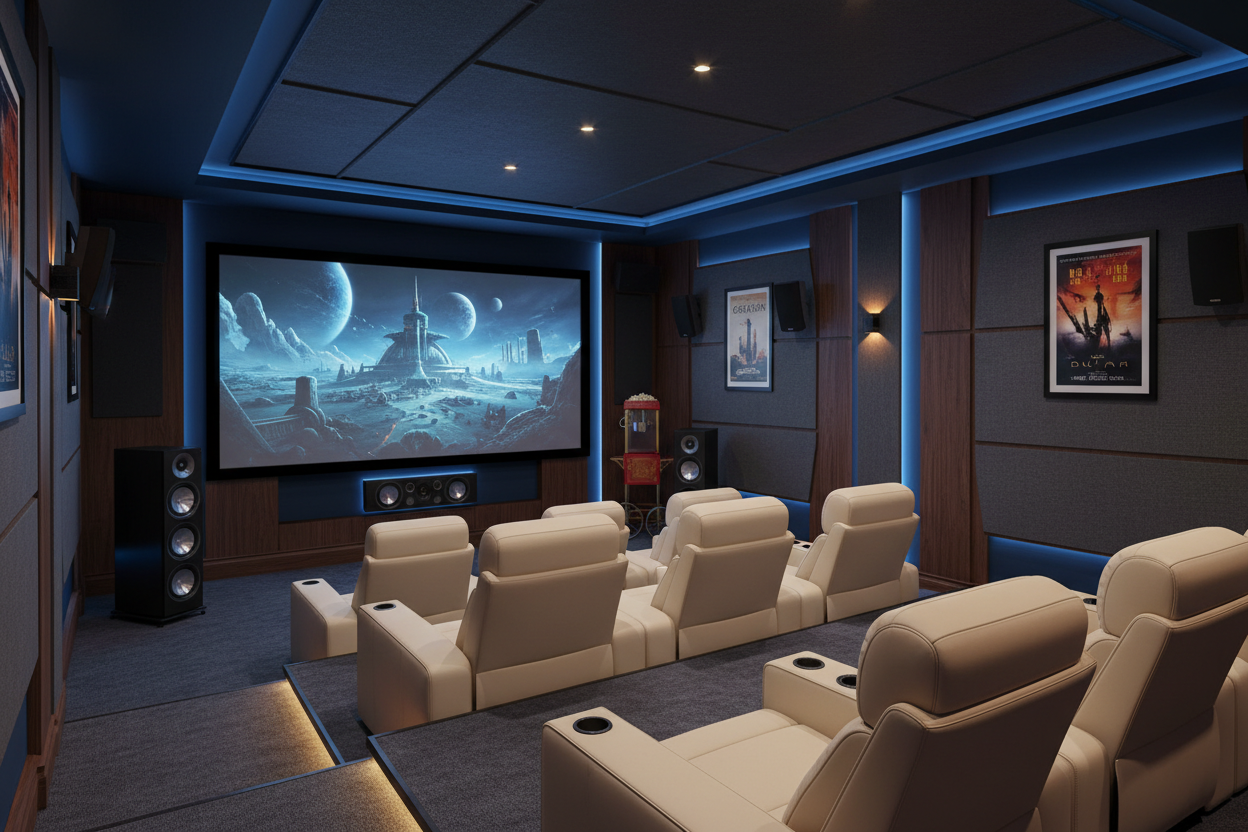
Basements or spare rooms with controlled lighting and minimal external noise are ideal for setting up your home theater. These spaces often provide better acoustic insulation and soundproofing capabilities, minimizing interruptions and enhancing the experience.
Seating Capacity and Ceiling Height
To accommodate multiple seating rows, maintain a minimum ceiling height of 9 feet to allow for risers approximately 12–16 inches high and 6–7 feet deep. Risers ensure unobstructed sightlines and improved viewing comfort for every guest.
Screen Placement and Wall Orientation
Position your screen on the shorter wall of the room, centered horizontally. This encourages balanced speaker placement, optimizing your surround sound system and creating a panoramic viewing experience.
2. Selecting the Perfect Visual Display
Your screen defines the cinema atmosphere of your home theater. Choose between large 4K TVs or projectors based on room characteristics and personal preferences.
Large 4K TVs vs. Projectors
Large 4K TVs are popular for their brilliant images, vivid contrast, and ease of installation. They work well even with some ambient light in the room. For optimal viewing, keep your seating distance between 1.5 to 2.5 times the screen’s diagonal.
Projectors offer true theater-sizing, often exceeding 100 inches, delivering an immersive experience. However, they require complete darkness, blackout curtains, ceiling mounting, and a quality projection screen to maximize picture clarity.
Panel Quality and Pixel Pitch
Consider OLED or premium LED TVs when prioritizing high contrast, color accuracy, and sharp pixel pitch. These panels generally produce brighter, sharper images outperforming many home projectors in well-lit environments.
3. Crafting an Immersive Audio System with Dolby Atmos
Exceptional audio is vital for cinematic immersion. Standard TV speakers can’t compare to Dolby Atmos-enabled systems that fill the room with multidimensional sound.
Soundbars with Dolby Atmos Support
Upgrade easily with Dolby Atmos soundbars such as the Bose Smart Ultra Soundbars or LG Sound Suite Immersive Suite 7 Pro. They deliver impressive spatial clarity without complex installations.
Adding Subwoofers and Surround Speakers
Complement soundbars with subwoofers like the Bose Bass Module 700 for rich, punchy bass. Wireless surround speakers positioned slightly above ear level complete the surround sound experience.
Speaker Placement Tips
Place front speakers and subwoofers to form a sound triangle around the listener. Surround speakers should be positioned at ear height or slightly higher to maximize immersion and clarity.
Calibration for Perfect Sound
Use automatic calibration tools like Bose ADAPTiQ to tailor audio settings for your room’s unique acoustics, ensuring balanced bass, crisp dialogue, and dynamic sound effects.
4. Seating and Comfort: Designing for Sightlines and Accessibility
Seating arrangement dramatically influences enjoyment. Careful design improves sightlines, comfort, and accessibility.
Seating Layout
Place seating centered and facing the screen to ensure clear views and balanced audio. Use risers for back rows in multi-row arrangements to prevent obstruction and enhance comfort.
Screen Height Adjustment
Set the screen’s bottom edge about 30-36 inches above the floor, aligning with viewer eye level to avoid neck strain and maximize comfort during extended viewing.
5. Controlling Lighting and Room Treatment for the Best Picture
Lighting control prevents glare and reflection, significantly affecting image quality and viewer comfort.
Light Blocking Solutions
Install blackout curtains or apply white vinyl light-blocking films on windows to reduce ambient light. Choose dark, matte paint finishes on walls and ceilings to minimize reflections.
Dimmable & Smart Lighting
Use dimmable light fixtures and integrate smart lighting systems compatible with Amazon Alexa, Google Assistant, or Apple Siri to adjust brightness remotely and effortlessly during viewing.
6. Cabling, Integration, and Technology for a Clean and Future-Proof Setup
A neat and advanced technological setup enhances both aesthetics and performance.
Cable Management
Run cables inside walls or use cord covers to conceal wiring. Ensure adequate ventilation around devices to maintain system reliability.
HDMI 2.1 Compatibility
Use HDMI 2.1 cables and AV receivers to support 4K at 120Hz, HDR, and Dolby Atmos audio, providing a seamless and future-ready media experience.
Simplified Control with Smart Automation
Utilize universal remotes and home automation systems to control lighting, sound, and video with ease, reducing complexity and enhancing convenience.
7. Entertainment Sources and Smart Home Theater Integration
Expand your home theater’s capabilities through diverse media sources and smart technology integration.
Media Devices
Choose streaming devices like Apple TV, Roku, or Nvidia Shield that support Dolby Vision and Dolby Atmos. Include Blu-ray players and consoles like Xbox Series X or PlayStation 5 for high-quality content and immersive gaming.
Smart Home Integration
Link your home theater system with smart home platforms to control lighting, volume, and playback via voice commands or smartphone apps, streamlining your entertainment experience.
8. Balancing Cost, Value, and Practicality
Your home theater should reflect your budget and entertainment ambitions.
Budget-Friendly Options
A combination of a large 4K TV and a Dolby Atmos soundbar offers excellent value, with many setups achievable without professional assistance.
High-End Custom Theaters
For a truly immersive experience, invest in professional multi-channel surround sound systems, AV receivers, and expert calibration for pristine audio and optimized speaker placement.
Enhancing Home Value
A well-designed media room increases your home’s resale appeal by attracting buyers seeking entertainment-ready spaces.
Conclusion
Creating your ultimate home theater is a blend of technical insight and attention to comfort and lifestyle needs. Careful planning of room choice, visuals, sound, seating, lighting, and technology integration allows you to build a captivating entertainment environment. Whether starting with a simple 4K TV and soundbar or an advanced Dolby Atmos surround setup, this guide will help you realize your cinematic vision. For more information about home theater equipment and services, visit Electroeshop, your one-stop electronic retailer.
FAQ
Q1: What is the ideal room size for a home theater?
A comfortable home theater room often follows acoustic-friendly dimensions such as 10 feet ceiling height, 16 feet width, and 24 feet length to provide balanced sound and space for seating and equipment.
Q2: Should I choose a projector or a large 4K TV?
Choose a large 4K TV for easier installation and ambient light tolerance. Opt for a projector if you want a large screen exceeding 100 inches and can control room lighting completely.
Q3: How important is Dolby Atmos for home theater audio?
Dolby Atmos significantly enhances audio immersion by adding height channels and spatial sound effects, creating a three-dimensional listening experience.
Q4: What lighting solutions work best in a home theater?
Blackout curtains, dark matte wall finishes, dimmable lighting, and smart home integration offer the best control over ambient light, reducing glare and enhancing picture quality.
Q5: How can I future-proof my home theater setup?
Use HDMI 2.1 compatible devices and cables, integrate smart automation for centralized control, and choose modular components that allow upgrades as technology evolves.