Conference phones are essential for efficient communication in business settings, offering a range of options from top brands like Polycom, Cisco, and Yealink. Our collection includes models suited for small to large conference rooms, with features like noise cancellation and HD audio quality. We ensure you receive reliable products that enhance collaboration and productivity, backed by a satisfaction guarantee and fast shipping.
Quickshop
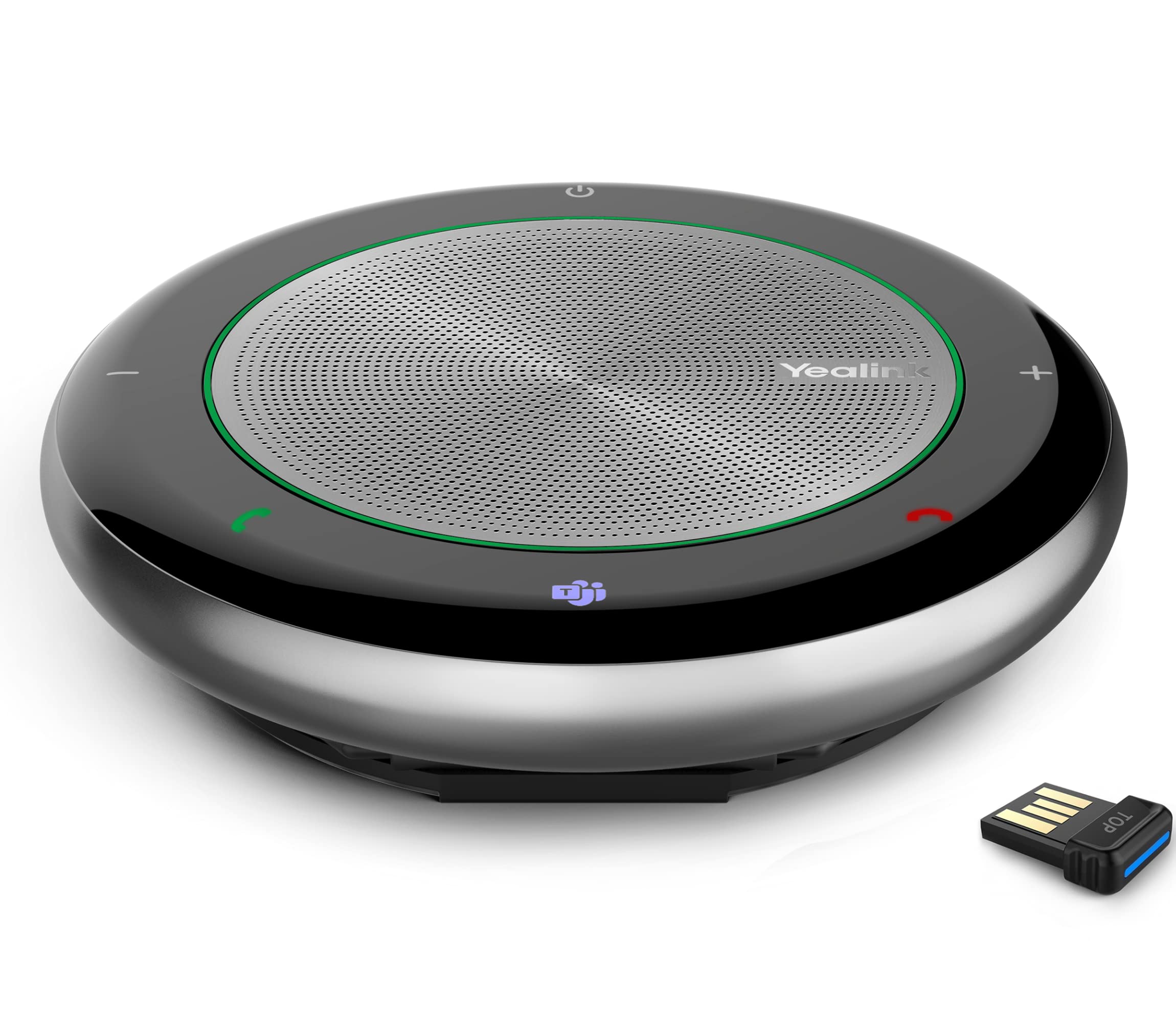
Yealink Conference Speakerphone with 8 Mic
Conference Phones Overview
Conference phones play a crucial role in modern business communication, enabling clear audio during meetings with multiple participants. Designed for various settings, from small huddle rooms to large conference halls, these devices facilitate seamless collaboration. Our selection features trusted brands like Polycom, Cisco, and Yealink, known for their advanced audio technologies and user-friendly interfaces. Whether you're hosting local or remote teams, investing in a quality conference phone ensures productive discussions and effective decision-making.
What's in This Collection
This collection includes a diverse range of conference phones tailored to meet different business needs. You'll find models such as the Polycom SoundStation 2 and the Cisco 8831, which are designed for medium to large conference rooms and feature superior sound quality and multiple connectivity options. Prices typically range from $150 to $1,200, depending on the features and capabilities of the phone. Many devices support Bluetooth and USB connections, allowing for easy integration with laptops and mobile devices.
How to Choose
When selecting a conference phone, consider the size of your meeting space and the number of participants. Devices like the Yealink CP960 are ideal for larger rooms, offering expansive coverage and high-definition audio. Look for features such as echo cancellation and noise reduction, which enhance audio clarity. Additionally, ensure the phone meets safety standards like FCC compliance and is compatible with your existing communication systems. These features are essential for both functionality and regulatory adherence.
Gift Ideas & Occasions
Conference phones make excellent gifts for businesses looking to upgrade their meeting capabilities, particularly during corporate events, office openings, or as part of a team-building initiative. They are suitable for various recipients, from office managers to executives, and serve as a thoughtful way to improve workplace communication. Celebrating milestones like promotions or anniversaries with a useful tool like a conference phone can enhance team productivity and collaboration.
Additional Resources
For those new to conference phone technology, we also provide resources on best practices for setting up and using these devices effectively. Whether you need guidance on placement for optimal sound or tips for troubleshooting common issues, our expert advice is designed to help you make the most of your conference phone investment. We encourage customers to explore our comprehensive guides and FAQs available on our website.
Frequently Asked Questions
What features should I look for in a conference phone?
When choosing a conference phone, consider features like echo cancellation, noise reduction, and multiple connectivity options (Bluetooth, USB). Additionally, check for HD audio quality and the number of microphones for optimal sound coverage.
What brands of conference phones do you carry?
We carry a variety of reputable brands, including Polycom, Cisco, Yealink, and Logitech. Each brand offers models suited for different meeting sizes and connectivity needs.
How do I set up a conference phone?
Setting up a conference phone typically involves connecting it to a power source and your communication system (like a phone line or computer). Follow the manufacturer's instructions for pairing Bluetooth devices or connecting via USB.
Are conference phones compatible with video conferencing tools?
Many modern conference phones are designed to integrate seamlessly with video conferencing platforms such as Zoom, Microsoft Teams, and Skype. Ensure compatibility by checking the product specifications.
What is the price range for conference phones?
Conference phone prices generally range from $150 for basic models to over $1,200 for advanced systems with multiple features. Your choice will depend on your specific needs and budget.
How do I maintain my conference phone?
Regularly clean the device to prevent dust buildup, and ensure the firmware is updated for optimal performance. Refer to the manufacturer's guidelines for specific maintenance tips.
What is the ideal placement for a conference phone?
The ideal placement for a conference phone is in the center of the meeting room, away from walls and obstructions, to ensure even sound coverage. Avoid placing it near noisy equipment.
Can I use a conference phone for remote work?
Yes, conference phones can be used for remote work by connecting to your computer or mobile device. They enhance audio quality during virtual meetings, making them a great tool for remote teams.


 Regular price $2,996.84Logitech 991000397 Roommate and Tap IP Appliance Bundle (no AV) D&H DistributingAdd to Cart
 Regular price $336.36IPEVO CM 590720800 VOCAL AI Beamforming Bluetooth Speakerphone Retail IPEVOAdd to Cart
 Regular price $172.36Yealink CP700 Wireless Bluetooth Speakerphone for Teams - Full Duplex YealinkSold Out
 Regular price $146.04Anker PowerConf Speakerphone - Zoom Certified, 6 Mics, 360° Voice AnkerSold Out
 Regular price $433.33Vtech Vcs704 Erisstation Dect 6.0 Conference Phone With Four Wireless VTech
 Regular price $321.51Poly Sync 40 Smart Speakerphone (Plantronics) Flexible Work Spaces Connect HPI POLYSold Out
 Regular price $80.25Omni2P Conference Speaker compatible with Zoom 6Mics for 1520 Participants SVBONY
 Regular price $65.79Ynoonvon Conference Speakerphone with 360 Voice Pickup, AI Noise Reduction Ynoonvon
 Regular price $192.09SVN O1 Dual Conference Speaker Compatible with Zoom for Large SVBONY
 Regular price $61.83CofunKool Conference Speaker and Microphone for Desktop PC Computer Laptop CofunKool
 Regular price $132.88TONGVEO Bluetooth Speakerphone Conference Microphones, Wireless Conference Speaker 360Voice Pick TONGVEO
 Regular price $66.12Yealink Accessory 1300003 CP900 CP700 Bluetooth USB Dongle Retail YealinkSold Out
 Regular price $130.87Yealink Accessory 1308094 WHB620T(V1) Base Only for WH62 TEAMS Retail YealinkSold Out
 Regular price $115.28Yealink SP92 Bluetooth Speaker and Microphone with Dongle, Conference Speakerphone YealinkSold Out
![Yealink Video Conferencing Camera Black USB 1 Pack[s]](//electroeshop.com/cdn/shop/files/41ggsCldCgL.jpg?crop=center&height=1&v=1787823925&width=1)
 Regular price $98.91Yealink SP92 Conference Speaker and Microphone with Al Noise Cancellation, YealinkSold Out




![Yealink Video Conferencing Camera Black USB 1 Pack[s]](http://electroeshop.com/cdn/shop/files/41ggsCldCgL.jpg?v=1787823925&width={width})
