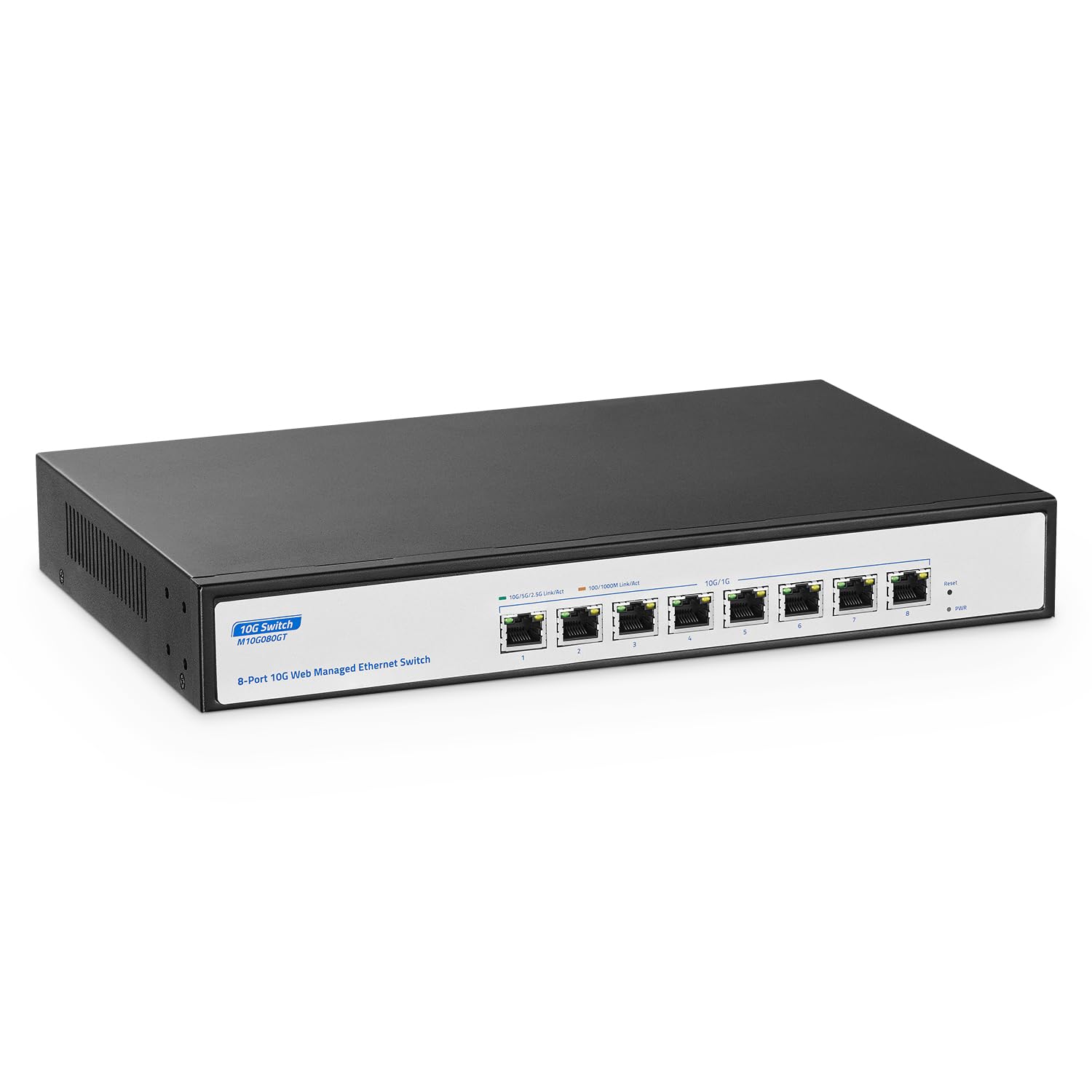
Yulinca 8 Port 10Gbps Managed Switch, Support 10G/5G/2.5G/1000M Auto-Negotiation, 160Gbps Bandwidth, Support Lacp/Qos/Vlan/Igmp, Easy Web Managed Ethernet Gaming Switch
⚠️ WARNING (California Proposition 65): This product may contain chemicals known to the State of California to cause cancer, birth defects, or other reproductive harm. For more information, please visit www.P65Warnings.ca.gov.
Frequently Asked Questions
Q: What are the specifications of the YuLinca 8 Port Managed Ethernet Switch?A: The YuLinca 8 Port Managed Ethernet Switch features eight ten gigabits per second ports and supports auto-negotiation for ten, five, two point five, and one thousand megabits per second speeds.
Q: What is the bandwidth capacity of this switch?A: The switch has a bandwidth capacity of one hundred sixty gigabits per second, allowing for non-blocking ten gigabit line speed forwarding.
Q: What network protocols does this switch support?A: This switch supports IEEE eight zero two dot three ae for ten gigabit Ethernet, IEEE eight zero two dot three bz for two point five and five gigabit Ethernet, and IEEE eight zero two dot three ab for gigabit Ethernet.
Q: Can I manage the YuLinca switch through a web interface?A: Yes, the YuLinca switch provides a web-managed interface for configuration and monitoring, allowing users to manage VLANs, QoS, and more.
Q: How do I install the YuLinca 8 Port Managed Ethernet Switch?A: You can install the switch by connecting it to your network devices using ethernet cables and either placing it on a desktop or mounting it on a rack.
Q: Is this switch suitable for gaming applications?A: Yes, this switch is optimized for gaming due to its high bandwidth capacity and support for low latency configurations.
Q: How should I clean the YuLinca Ethernet Switch?A: To clean the switch, turn it off and unplug it, then use a soft, dry cloth to wipe the exterior surfaces, avoiding any moisture inside the ports.
Q: What safety precautions should I take when using this switch?A: Always ensure that the switch is placed in a well-ventilated area to prevent overheating and avoid exposing it to liquids.
Q: Can I use the YuLinca switch in a rack mount setup?A: Yes, the YuLinca switch is designed for both desktop and rack mount configurations, and includes rack ears for easy installation.
Q: What should I do if the switch does not power on?A: If the switch does not power on, check that it is properly plugged into a power source and verify that the power outlet is functioning.
Q: What is the warranty period for the YuLinca switch?A: The YuLinca switch typically comes with a warranty period of one year, covering manufacturing defects.
Q: How can I reset the YuLinca switch to factory settings?A: To reset the switch, locate the reset button on the device and press it for about ten seconds until the indicator lights flash.
Q: What types of devices can be connected to this switch?A: You can connect various devices such as WiFi access points, network-attached storage, servers, and more, supporting high-speed connections.
Q: Is this switch compatible with older network equipment?A: Yes, the switch is backward compatible with older network equipment that supports lower speed connections.
Q: How do I save my configuration changes on the switch?A: After making configuration changes via the web interface, ensure to save your settings and reboot the switch to apply them.
Q: What is the maximum cable length for ten gigabit connections?A: For ten gigabit connections, the maximum cable length is limited to fifty meters when using category six cabling.