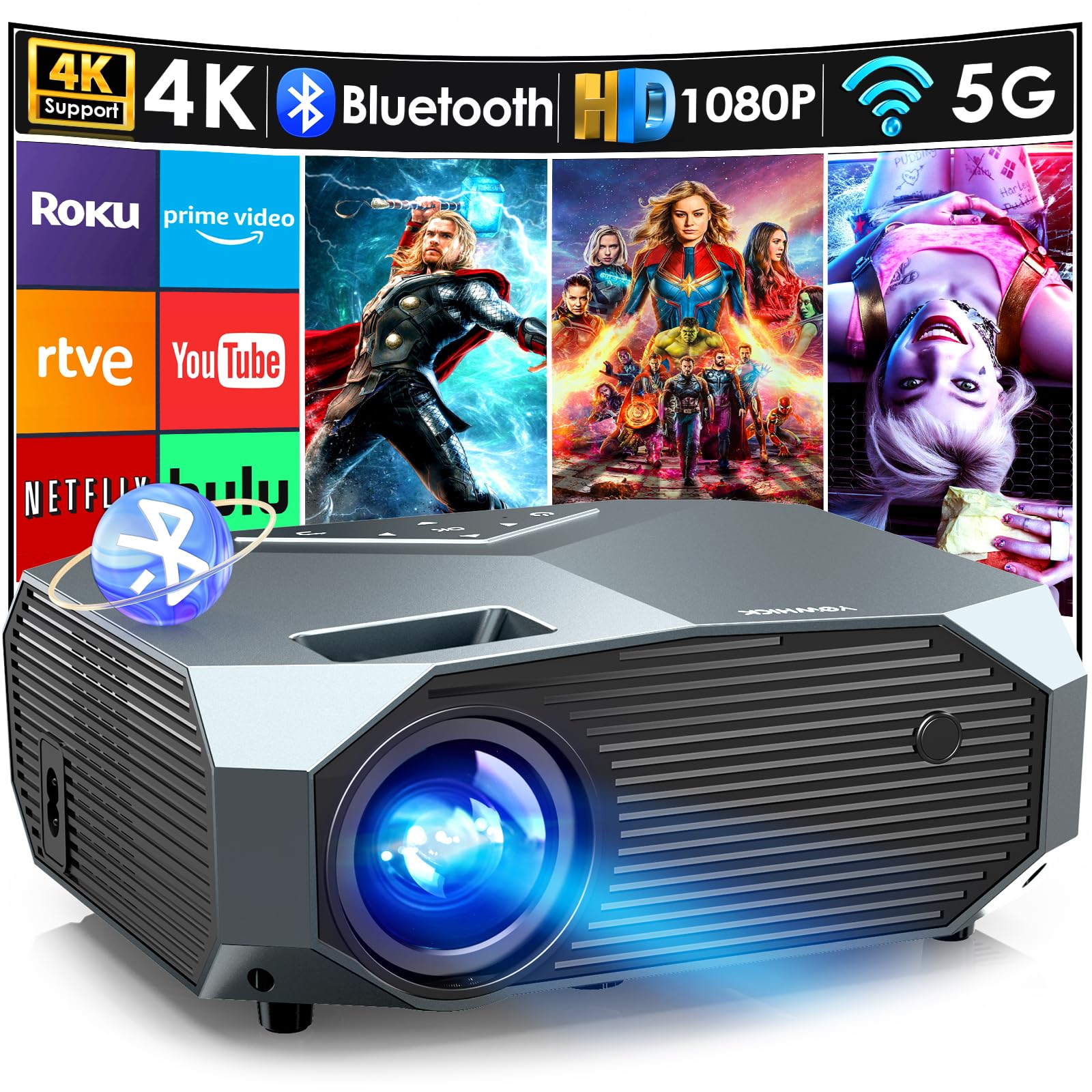
The YOWHICK DP03 is a high-performance 1080P projector designed for home theater enthusiasts and outdoor movie lovers. With advanced features and versatile connectivity options, this projector delivers stunning visuals and rich sound for an immersive viewing experience.
This projector boasts a native resolution of 1920x1080, ensuring sharp and clear images. With a contrast ratio of 20000:1 and brightness of 12000 lumens, the YOWHICK DP03 provides vibrant colors and deep blacks, making it ideal for movie nights, gaming, and presentations. The projector's compact design allows for easy portability, making it suitable for both indoor and outdoor use.
Key Features:
4K Support & High Contrast: Enjoy true 1080P HD quality with a 20000:1 contrast ratio for exceptional image clarity.
Large Projection Display: Experience a massive screen size ranging from 40 to 400 inches, perfect for home theaters and outdoor gatherings.
Versatile Connectivity: Compatible with various devices, including iPhones, Androids, laptops, and gaming consoles through HDMI, USB, AV, and Bluetooth connections.
Keystone Correction: ±15° keystone correction allows for easy adjustments to ensure a perfectly rectangular image regardless of projector placement.
Built-in Speakers: Dual powerful speakers deliver high-quality sound, enhancing your audio experience without the need for external speakers.
Energy-efficient Design: Features an auto shut-off function for energy savings and longevity, ensuring reliability for extended use.
Comprehensive Package: Each purchase includes a projector lens cover, remote control (battery not included), AV signal cable, HDMI cable, power cable, user manual, and cleaning swabs.
The YOWHICK DP03 projector is perfect for families, movie enthusiasts, and gamers seeking an affordable yet high-quality projection solution. Its user-friendly design and reliable performance make it an excellent choice for both indoor and outdoor settings. Transform your viewing experience and enjoy stunning visuals and immersive sound with the YOWHICK DP03 projector.
⚠️ WARNING (California Proposition 65): This product may contain chemicals known to the State of California to cause cancer, birth defects, or other reproductive harm. For more information, please visit www.P65Warnings.ca.gov.
Frequently Asked Questions
Q: What is the native resolution of the YOWHICK DP03 projector?A: The YOWHICK DP03 projector has a native resolution of one thousand nine hundred twenty by one thousand eighty pixels. This allows for clear and detailed image quality.
Q: What is the brightness level of the YOWHICK DP03 projector?A: The YOWHICK DP03 projector features a brightness level of twelve thousand lumens. This high brightness ensures vibrant visuals even in well-lit environments.
Q: What is the contrast ratio of the YOWHICK DP03 projector?A: The projector has a contrast ratio of twenty thousand to one. This enhances the depth of colors and sharpness of images.
Q: What is the maximum projection size for the YOWHICK DP03?A: The maximum projection size for the YOWHICK DP03 is four hundred inches. This allows for a cinematic viewing experience in large spaces.
Q: How do I connect my phone to the YOWHICK DP03 projector?A: You can connect your phone to the YOWHICK DP03 projector using WiFi or via a streaming device like Roku or Chromecast. This enables you to mirror content from your phone.
Q: Can I adjust the image size on the YOWHICK DP03 projector?A: Yes, the YOWHICK DP03 allows you to adjust the image size up to fifty percent using its zoom function. This helps in fitting the image perfectly in your desired space.
Q: How do I set up the YOWHICK DP03 projector for outdoor use?A: To set up the YOWHICK DP03 for outdoor use, place it on a stable surface and ensure it is plugged in. Adjust the keystone correction and focus for optimal image quality.
Q: Is the YOWHICK DP03 compatible with gaming consoles?A: Yes, the YOWHICK DP03 is compatible with gaming consoles like PlayStation five. You can connect via HDMI for a seamless gaming experience.
Q: How do I clean the lens of the YOWHICK DP03 projector?A: To clean the lens, use a soft microfiber cloth and lens cleaner. Ensure the projector is powered off and disconnected before cleaning.
Q: How do I store the YOWHICK DP03 projector when not in use?A: Store the YOWHICK DP03 projector in a cool, dry place inside its original packaging. Avoid exposing it to extreme temperatures or humidity.
Q: Does the YOWHICK DP03 come with a warranty?A: Yes, the YOWHICK DP03 comes with a two-year warranty. This provides peace of mind regarding potential manufacturing defects.
Q: What should I do if the projector does not turn on?A: If the projector does not turn on, check that it is plugged in and the power outlet is functional. Press the power button and wait for ten seconds.
Q: Can I use the YOWHICK DP03 for presentations?A: Yes, the YOWHICK DP03 is suitable for presentations. Its high contrast and brightness make it effective for displaying text and images clearly.
Q: How do I adjust the focus on the YOWHICK DP03 projector?A: You can adjust the focus on the YOWHICK DP03 by turning the focus knob located on the projector. This helps to ensure a clear image.
Q: Is the YOWHICK DP03 suitable for home theater use?A: Yes, the YOWHICK DP03 is ideal for home theater use. Its large screen projection and quality sound enhance the viewing experience.