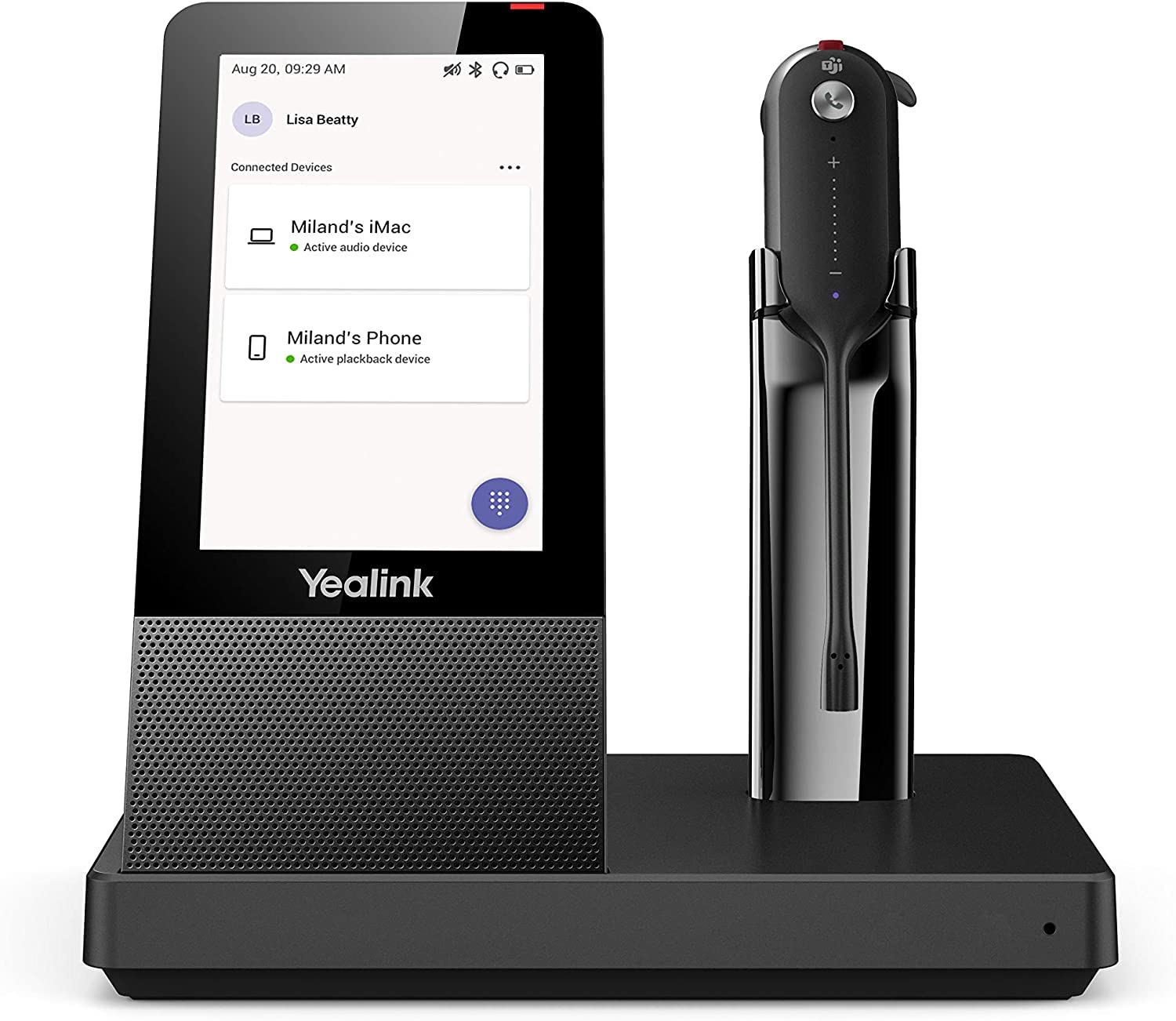
The Yealink Wh67 Is The Industry-Leading Convertible Dect Wireless Headset, Opening An Entirely New Form Of Desktop Collaboration. Work Seamlessly With Major Uc Platform And Integrate Natively With Yealink Ip Phones. 4.0 Inch (480 X 800) Capacitive Touch Screen Of Base Offers Newly Work Experience, Just One Touch, All Control. Act As A Workstation, Managing Phone Calls, Connecting With Multiple Devices (Desk Phone/Mobile Phone/Computer), Charging Mobile Phone Wirelessly, And Even Playing A Speakerphones Role. Best Of All, Deploying Such A Multifunctional Workstation Only Needs To Plug Directly. Easiest Things To Do, Greatest Convenience To Enjoy
⚠️ WARNING (California Proposition 65): This product may contain chemicals known to the State of California to cause cancer, birth defects, or other reproductive harm. For more information, please visit www.P65Warnings.ca.gov.
Frequently Asked Questions
Q: What are the dimensions of the Yealink WH67 Teams Headset?A: The dimensions are eight point twenty-seven inches in length, ten point twenty-four inches in width, and four point seventy-two inches in height.
Q: What materials are used in the Yealink WH67 headset?A: The headset features plastic materials and contains lithium ion batteries, which are essential for its wireless functionality.
Q: Is the Yealink WH67 compatible with Microsoft Teams?A: Yes, the Yealink WH67 is compatible with Microsoft Teams, making it ideal for seamless communication in a professional setting.
Q: How do I connect devices to the Yealink WH67 headset?A: You can connect devices via Bluetooth or use the built-in USB port for wired connections, ensuring versatility in usage.
Q: What is the battery life of the Yealink WH67 headset?A: The exact battery life isn't specified, but the headset is designed for extensive usage throughout the workday.
Q: How do I use the Yealink WH67 headset for calls?A: Simply connect the headset to your device and use the touch screen controls to manage calls, switch devices, or adjust settings.
Q: Can I charge my mobile phone with the Yealink WH67 headset?A: Yes, the headset base features a wireless mobile phone charger, allowing for convenient charging while you work.
Q: Is the Yealink WH67 suitable for all head sizes?A: Yes, the convertible design of the headset allows for a comfortable fit across various head sizes.
Q: How do I clean the Yealink WH67 headset?A: Use a soft, dry cloth to clean the headset and avoid exposing it to moisture or harsh cleaning agents.
Q: Are there safety concerns with the Yealink WH67 headset?A: Yes, it contains lithium ion batteries, which should be handled according to safety guidelines to prevent hazards.
Q: What should I do if the Yealink WH67 headset doesn't charge?A: Check the power source and connections; if the issue persists, refer to the manufacturer's guidelines for troubleshooting.
Q: Is the Yealink WH67 headset durable?A: Yes, it is designed for professional use, ensuring durability and reliability in various work environments.
Q: Does the Yealink WH67 headset support noise-canceling features?A: Yes, it incorporates Yealink Acoustic Shield Technology to enhance audio quality and minimize background noise.
Q: Can I use the Yealink WH67 headset for music?A: Yes, the headset can be used for music playback, providing a versatile audio experience beyond calls.
Q: What if my Yealink WH67 headset arrives damaged?A: Contact the retailer or manufacturer for return or replacement options as per their warranty and support policies.
Q: Does the Yealink WH67 come with a warranty?A: Yes, the headset typically comes with a warranty; check with the retailer for specific terms and duration.