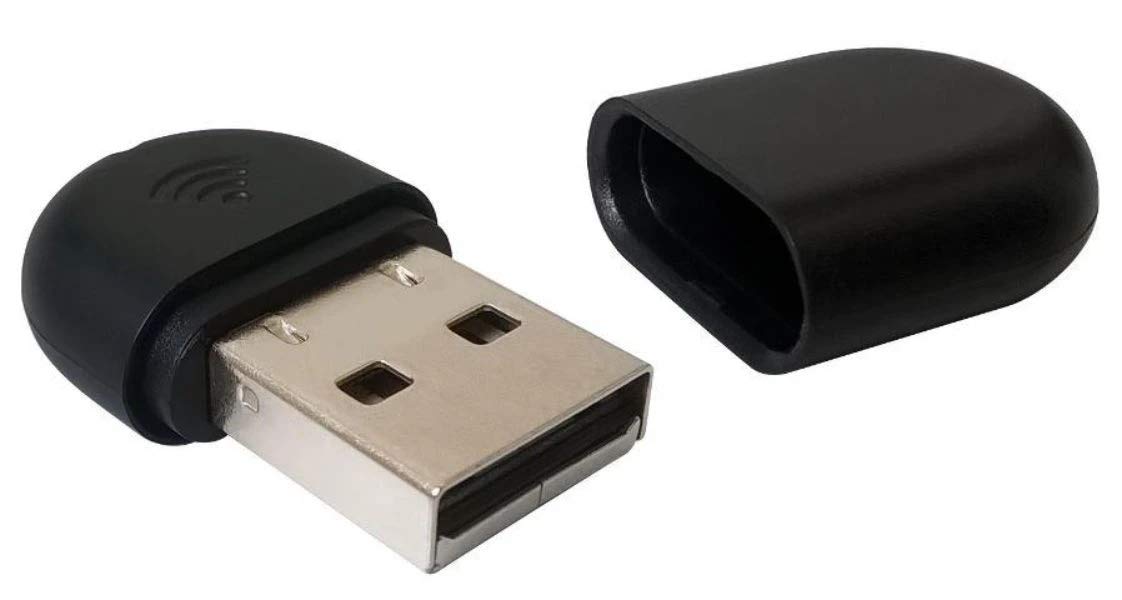
Running Cords Over Your Office Can Look Unsightly And Increase Tripping Hazards. This Dongle Lets You Sync A Voip Phone To Your Wireless Network, Helping To Minimize The Number Of Cables Needed For Your Day-To-Day Operations. Compatible With Yealink Sip-T27G, T29G, T46G, T48G, T46S, T48S, T52S And T54S Phone Systems. Simple Way To Sync Your Existing Voip Phone To Your Wireless Network To Help Reduce The Number Of Cords And Cables Needed In Your Office. Wireless-N Connectivity Offers Fast Speeds. Plug-And-Play Design Fits Into Most Usb 2.0 Ports For Easy Use. Wep, Wpa-Psk And Wpa2-Psk Security Encryption Help Keep Your Calls Secure. Backed By The Manufacturers 1-Year Limited Warranty.
⚠️ WARNING (California Proposition 65): This product may contain chemicals known to the State of California to cause cancer, birth defects, or other reproductive harm. For more information, please visit www.P65Warnings.ca.gov.
Frequently Asked Questions
Q: What are the dimensions of the Yealink USB Wi-Fi Dongle?A: The Yealink USB Wi-Fi Dongle measures twelve point six inches in length, ten point eight three inches in width, and eleven point eight nine inches in height.
Q: What is the weight of the Yealink WF40 Dongle?A: The weight of the Yealink WF40 Dongle is not specified, but it is designed to be a lightweight and portable accessory for ease of use.
Q: What wireless standards does the Yealink WF40 support?A: The Yealink WF40 supports IEEE802.11n, IEEE802.11b, and IEEE802.11g wireless standards, ensuring broad compatibility with various networks.
Q: How do I install the Yealink USB Wi-Fi Dongle?A: To install the Yealink USB Wi-Fi Dongle, simply plug it into a compatible Yealink phone system, and it will automatically configure itself for use.
Q: Is the Yealink WF40 compatible with my Yealink phone?A: Yes, the Yealink WF40 is compatible with multiple Yealink phone models, including SIP-T27G, T29G, T46G, and others within the series.
Q: Can I use the Yealink WF40 with non-Yealink devices?A: No, the Yealink WF40 Dongle is specifically designed to work with select Yealink phone systems and is not compatible with non-Yealink devices.
Q: How do I clean the Yealink USB Wi-Fi Dongle?A: To clean the Yealink USB Wi-Fi Dongle, use a soft, dry cloth. Avoid using liquids or abrasive materials to prevent damage.
Q: What is the transmission rate of the Yealink WF40?A: The Yealink WF40 offers a transmission rate of one hundred fifty megabits per second, providing reliable and high-speed wireless connectivity.
Q: Is the Yealink WF40 safe to use?A: Yes, the Yealink WF40 is designed with safety features compliant with industry standards, ensuring it operates reliably in office environments.
Q: What should I do if my Yealink WF40 doesn’t connect?A: If your Yealink WF40 doesn’t connect, ensure it is properly plugged in, check your wireless network settings, and restart the phone system.
Q: Does the Yealink WF40 come with a warranty?A: Yes, the Yealink WF40 typically comes with a manufacturer's warranty, but specifics may vary. Check with the retailer for details.
Q: Can I return the Yealink WF40 if it’s defective?A: Yes, if the Yealink WF40 is defective upon arrival, you can usually return it within the retailer's specified return policy period.
Q: How does the Yealink WF40 enhance my phone’s connectivity?A: The Yealink WF40 enhances your phone’s connectivity by enabling access to wireless networks, allowing for seamless communication and resource access.
Q: What is the power consumption of the Yealink WF40?A: The Yealink WF40 is designed to be a low-power device, ensuring efficient operation without significantly impacting energy usage.
Q: Are there firmware updates required for the Yealink WF40?A: Yes, certain Yealink phone models require firmware updates for compatibility with the WF40. Always check for the latest firmware version.