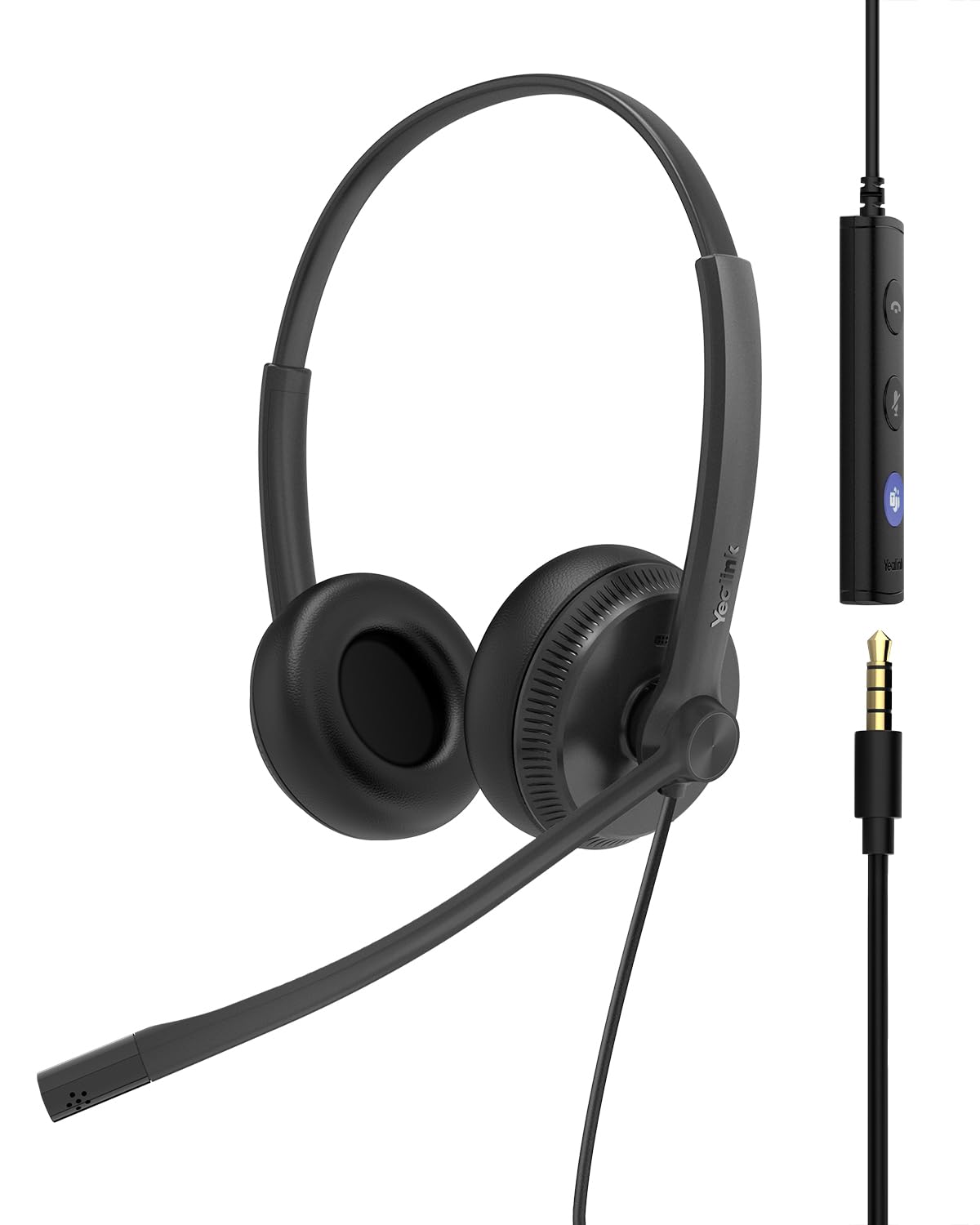
Compatibility List For Voip Phone Yealink T5 Series Phones: T53/T53W/T54W/T57W/T57A/T58A/A With Camera/Vp59(V86 Or Higher) Yealink T4 Series Phones: T41S/ T42S/T46S/T48S/T42U/T43U/T46U/T48U Yealink Teams Phone: T55A/T58 A/Vp59/Mp54/Mp56/Mp58/Mp59/Mp60 Yealink Skype For Business Phone: T55A/T56A/T58A For Poly Phone: Vvx250/Vvx350/Vvx450/Vvx401/Vvx411/Vvx501 For Snom Phone: D385/D735/D765
⚠️ WARNING (California Proposition 65): This product may contain chemicals known to the State of California to cause cancer, birth defects, or other reproductive harm. For more information, please visit www.P65Warnings.ca.gov.
Frequently Asked Questions
Q: What are the dimensions of the Yealink UH34 USB Headset?A: The dimensions of the Yealink UH34 USB Headset are seven point six eight inches in length, six point seven inches in width, and two point four eight inches in height.
Q: What materials are used in the Yealink UH34 headset?A: The Yealink UH34 headset is made from composite materials, ensuring durability and a lightweight design for comfort during extended use.
Q: What is the item size of the Yealink UH34 USB headset?A: The item size of the Yealink UH34 USB headset is categorized as UH34 SE Dual Teams NA.
Q: How do I connect the Yealink UH34 USB headset to my device?A: To connect the headset, simply plug it into a USB port or a three point five millimeter jack on your device. It is a plug-and-play design, requiring no additional software.
Q: Is the Yealink UH34 headset suitable for online classes?A: Yes, the Yealink UH34 headset is ideal for online classes, providing clear audio and a comfortable fit for long durations.
Q: Can I use the Yealink UH34 headset for gaming?A: Yes, the Yealink UH34 headset can be used for gaming, offering crystal clear sound and effective noise reduction for an immersive experience.
Q: How do I clean the Yealink UH34 headset?A: To clean the Yealink UH34 headset, gently wipe the surface with a soft, damp cloth. Avoid using harsh chemicals that may damage the materials.
Q: How should I store the Yealink UH34 headset?A: Store the Yealink UH34 headset in a dry, cool place away from direct sunlight. Using a protective case can help prevent damage.
Q: Is the Yealink UH34 USB headset compatible with Mac?A: Yes, the Yealink UH34 USB headset is compatible with Mac computers, as well as PCs and laptops.
Q: What is the warranty period for the Yealink UH34 headset?A: The warranty period for the Yealink UH34 headset typically lasts for one year from the date of purchase, covering manufacturing defects.
Q: What should I do if my Yealink UH34 headset is not working?A: If your Yealink UH34 headset is not working, first check the connection to ensure it's properly plugged in. If issues persist, consult the manufacturer's support.
Q: Does the Yealink UH34 headset have noise-cancelling features?A: Yes, the Yealink UH34 headset features effective noise-cancelling capabilities to minimize background noise during use.
Q: Can I use the Yealink UH34 headset with VoIP phones?A: Yes, the Yealink UH34 headset is compatible with various VoIP phones, including models from Yealink and Poly.
Q: What types of calls is the Yealink UH34 headset suited for?A: The Yealink UH34 headset is suitable for work calls, customer service interactions, and online meetings or classes.
Q: How long is the cable of the Yealink UH34 headset?A: The cable length of the Yealink UH34 headset is six point eight nine feet, allowing for freedom of movement while connected.
Q: Is the Yealink UH34 headset easy to set up?A: Yes, the Yealink UH34 headset is easy to set up with its plug-and-play functionality, requiring no software installation.