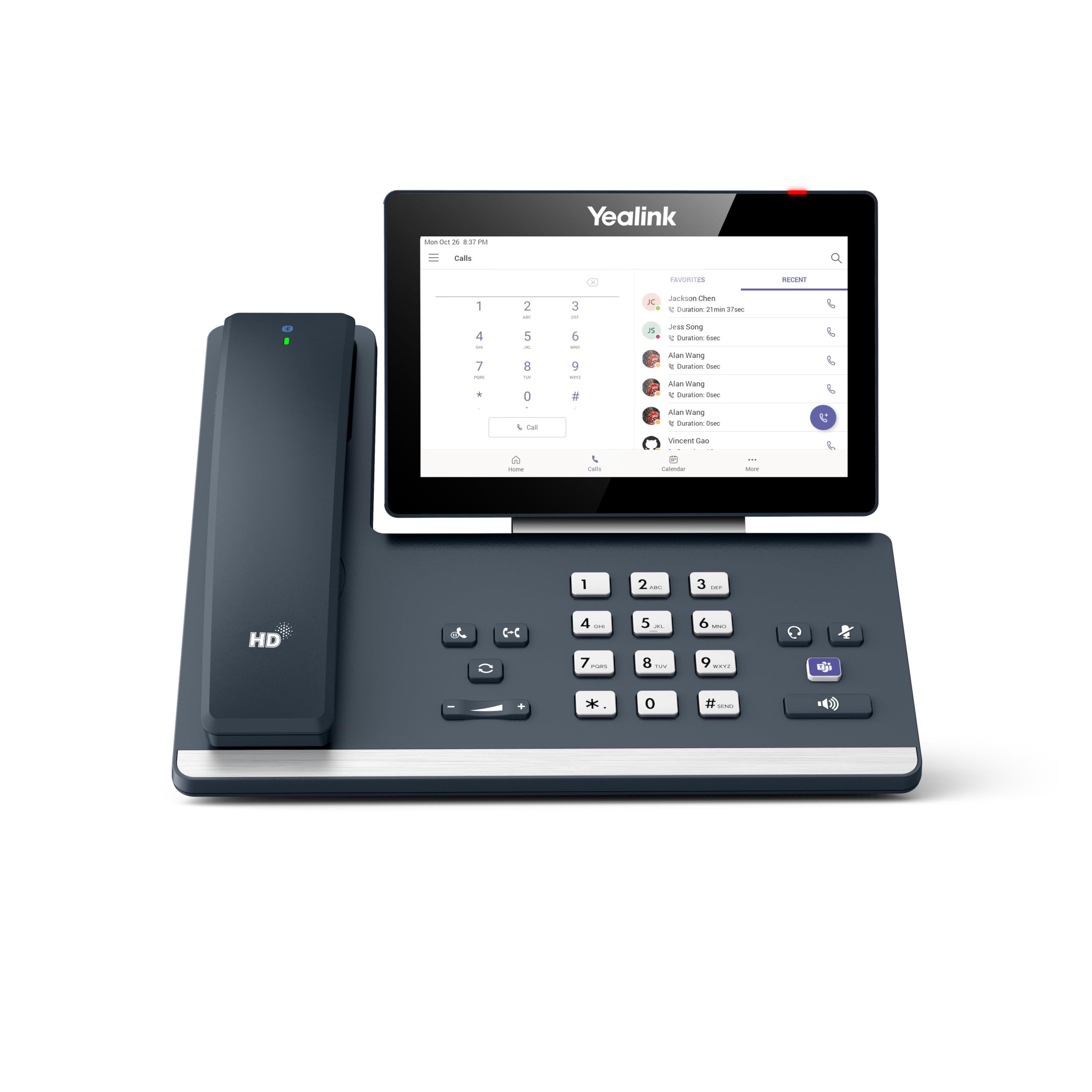
Based On Android 13.0 Os, Yealink Mp58-Wh E2 Ip Phone Provides A Supreme Microsoft Teams User Experience. It Facilitates High-Quality Collaboration Thanks To A Magnet Handset, A 7-Inch Adjustable Touch Screen, And A Dedicated Teams Button. The Mp58-Wh E2 Can Support The Brand-New Bluetooth Wireless Handset, Which Allows The User To Leave The Desk And Continue Talking, Not Only Providing Crystal Clear Voice Communications But Also Adding Flexibility For Executives And Professionals. With The Yealink Exp50 Expansion Modules, The Phone Extends Up To 180 Contacts.
⚠️ WARNING (California Proposition 65): This product may contain chemicals known to the State of California to cause cancer, birth defects, or other reproductive harm. For more information, please visit www.P65Warnings.ca.gov.
Frequently Asked Questions
Q: What are the dimensions of the Yealink MP58-WH-TEAMS-E2?A: The dimensions are twelve inches long, twelve inches wide, and five inches high. This compact size makes it suitable for various office setups.
Q: What operating system does the Yealink MP58-WH-TEAMS-E2 use?A: It runs on Android version thirteen. This allows for a user-friendly interface and compatibility with various applications.
Q: What display features does the Yealink MP58-WH-TEAMS-E2 have?A: It features a seven-inch capacitive touch screen with a resolution of one thousand twenty-four by six hundred pixels. This enhances user interaction and visibility.
Q: How do I set up the Yealink MP58-WH-TEAMS-E2?A: To set it up, connect the device to a power source and your network using Ethernet. Follow the on-screen instructions to configure your Microsoft Teams account.
Q: Is the Yealink MP58-WH-TEAMS-E2 suitable for remote work?A: Yes, it is ideal for remote work. Its built-in Bluetooth and Wi-Fi capabilities allow for flexible communication without being tethered to a desk.
Q: Can I use a USB headset with the Yealink MP58-WH-TEAMS-E2?A: Yes, it supports USB headsets via its USB Type A port. This feature enhances audio quality for calls and meetings.
Q: How do I clean the Yealink MP58-WH-TEAMS-E2?A: To clean it, use a soft, damp cloth to wipe the screen and casing. Avoid using harsh chemicals to maintain its integrity.
Q: What safety features does the Yealink MP58-WH-TEAMS-E2 have?A: The device is equipped with Yealink Noise Proof Technology, which enhances audio clarity during calls. This feature is crucial for professional communication.
Q: How should I store the Yealink MP58-WH-TEAMS-E2 when not in use?A: Store it in a dry, dust-free environment. Ensure that it is unplugged and disconnected from any network to maintain its longevity.
Q: Is the Yealink MP58-WH-TEAMS-E2 compatible with other platforms?A: Yes, it supports both Microsoft and Yealink device management platforms. This versatility makes it a great choice for various business environments.
Q: What is the warranty on the Yealink MP58-WH-TEAMS-E2?A: The typical warranty period is one year. Check with your retailer for specific warranty details and conditions.
Q: Can I expand the Yealink MP58-WH-TEAMS-E2 with additional modules?A: Yes, it can be expanded with Yealink EXP50 Expansion Modules, allowing you to manage up to one hundred eighty contacts.
Q: What kind of audio quality can I expect from the Yealink MP58-WH-TEAMS-E2?A: You can expect optimal HD audio quality. This is enhanced by the device's noise-proof technology, ensuring clear communication.
Q: Does the Yealink MP58-WH-TEAMS-E2 come with a power adapter?A: No, a power adapter is not included with the device. Ensure you have a compatible power source for operation.
Q: What color options are available for the Yealink MP58-WH-TEAMS-E2?A: The device is available in gray. This neutral color fits well in most office environments.