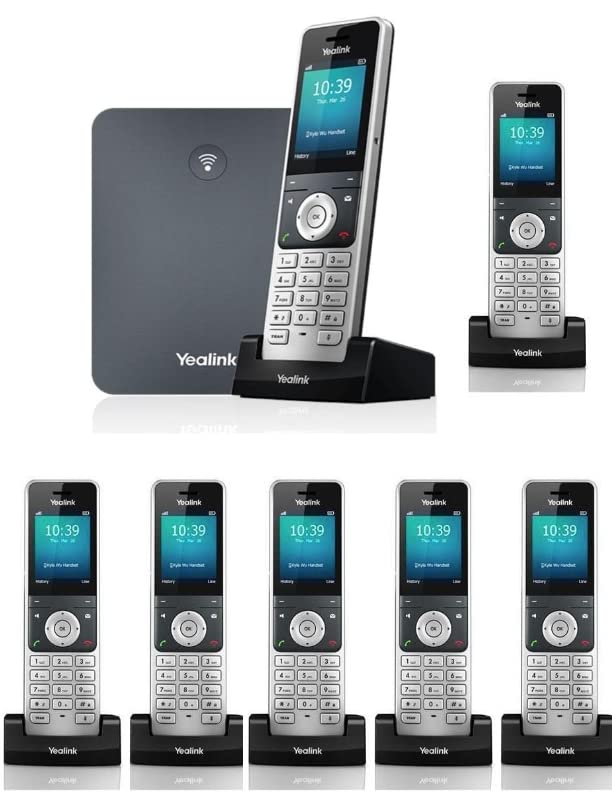
The Yealink W76P, Being A High-Performance Sip Cordless Phone System, Is The Ideal Solution For Small And Medium-Sized Businesses. Paring With Up To A Total Of 10 Yealink W56H Dect Handsets, It Allows You Enjoy Superb Mobility And Efficient Flexibility Immediately As Well As Significantly Eliminates Additional Wiring Troubles And Charges. To Provide A Better And Higher Performance, This Dect Ip Phone Not Only Supports Up To 10 Voip Accounts And 20 Simultaneous Calls, But Also Speeds Up Its Startup And Signal Connection, Slashes Its Upgrade Downtime As Well.
⚠️ WARNING (California Proposition 65): This product may contain chemicals known to the State of California to cause cancer, birth defects, or other reproductive harm. For more information, please visit www.P65Warnings.ca.gov.
Frequently Asked Questions
Q: What is included in the Yealink W76P bundle?A: The Yealink W76P bundle includes one W70B base and six W56H handsets. This setup allows for enhanced communication in offices.
Q: What are the dimensions of the Yealink W56H handset?A: The dimensions of the Yealink W56H handset are not specified. It is designed for comfortable handling and ease of use.
Q: How many VoIP accounts can the Yealink W76P support?A: The Yealink W76P can support up to ten VoIP accounts. This feature makes it suitable for multi-line business use.
Q: What is the range of the Yealink W76P's DECT radio?A: The DECT radio range is up to fifty meters indoors and three hundred meters outdoors. This enables flexible communication within large areas.
Q: How long does the battery last on the Yealink W56H handset?A: The Yealink W56H handset offers up to thirty hours of talk time under ideal conditions. This ensures extended usage without frequent recharging.
Q: What is the screen size of the Yealink W76P?A: The Yealink W76P features a two point four-inch color screen. This provides a clear and intuitive user interface for easy navigation.
Q: How do I set up the Yealink W76P system?A: To set up the Yealink W76P, connect the base to power and the internet, then register the handsets. Follow the user manual for detailed instructions.
Q: Can I use the Yealink W76P for home use?A: Yes, the Yealink W76P is suitable for home use, especially for households with multiple users needing efficient communication.
Q: Is the Yealink W76P compatible with headsets?A: Yes, the Yealink W76P supports headset connections via a three point five millimeter jack. This offers convenience for hands-free communication.
Q: How should I clean the Yealink W56H handset?A: To clean the Yealink W56H handset, use a soft, dry cloth. Avoid using harsh chemicals that could damage the surface.
Q: What safety features does the Yealink W76P have?A: The Yealink W76P includes energy-saving ECO features. These help reduce power consumption and promote sustainability.
Q: What happens if my Yealink W76P arrives damaged?A: If your Yealink W76P arrives damaged, contact customer support for assistance with returns or exchanges. They will guide you through the process.
Q: Can I upgrade the Yealink W76P's firmware?A: Yes, the Yealink W76P supports firmware upgrades. This ensures you have the latest features and improvements for optimal performance.
Q: Is technical support available for the Yealink W76P?A: Yes, technical support is available for the Yealink W76P. You can reach out to the manufacturer for assistance with any issues.
Q: How many simultaneous calls can the Yealink W76P handle?A: The Yealink W76P can handle up to twenty simultaneous calls. This makes it ideal for busy office environments.