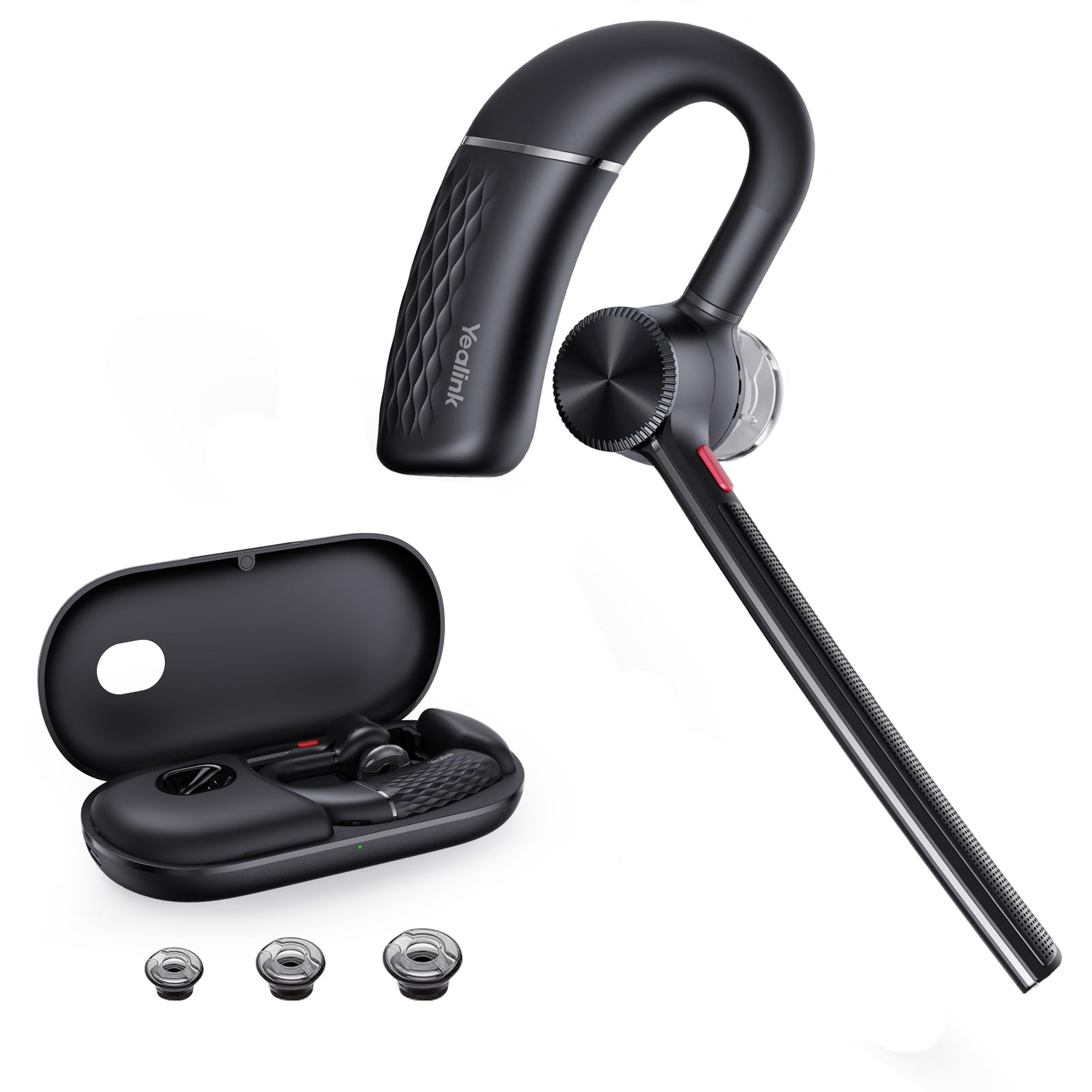
Yealink Bh71 Bluetooth Headset Teams Certified.Yealink Single Ear 2024 Version Bluetooth Headset Is The Perfect Choice For Professionals Who Are Constantly On The Go. It Is Designed With Noise Canceling Technology To Ensure Clear And Uninterrupted Communication, Even In Noisy Environments. The Headset Features A Comfortable And Lightweight Design, Making It Easy To Wear For Extended Periods Of Time. It Also Has A Long Battery Life, Allowing You To Use It For Up To 10 Hours On A Single Charge. The Yealink Single Ear 2024 Version Bluetooth Headset Is Compatible With A Wide Range Of Devices, Including Smartphones, Tablets, And Computers. It Also Has A Built-In Microphone, Allowing You To Make Hands-Free Calls And Record Voice Memos.
⚠️ WARNING (California Proposition 65): This product may contain chemicals known to the State of California to cause cancer, birth defects, or other reproductive harm. For more information, please visit www.P65Warnings.ca.gov.
Frequently Asked Questions
Q: What materials is the Yealink Bluetooth Headset BH71 made of?A: The Yealink Bluetooth Headset BH71 is made of plastic. This lightweight material contributes to its overall comfort and usability.
Q: What is the battery life of the Yealink BH71 headset?A: The Yealink BH71 headset supports up to ten hours of continuous talking. It also has a standby time of two hundred sixteen hours with a one and a half hour single charge.
Q: How does the Yealink BH71 connect to devices?A: The Yealink BH71 connects to devices via Bluetooth only. It does not require a dongle, making it easy to pair with smartphones and laptops.
Q: How do I wear the Yealink BH71 headset properly?A: To wear the Yealink BH71 headset, adjust the ear hook for a comfortable fit. It is designed for all-day wear and includes three different sizes of ear tips.
Q: Can I use the Yealink BH71 headset for video calls?A: Yes, the Yealink BH71 headset is Teams and Zoom certified. This makes it an excellent choice for video calls and virtual meetings.
Q: How do I activate the mute function on the Yealink BH71?A: You can activate the mute function by pressing the designated mute button on the headset. This allows you to easily mute during important calls.
Q: How should I clean the Yealink BH71 headset to maintain hygiene?A: To clean the Yealink BH71 headset, use a soft, dry cloth to wipe down the surfaces. Avoid using harsh chemicals that may damage the plastic.
Q: Is the Yealink BH71 headset safe for prolonged use?A: Yes, the Yealink BH71 headset is designed for comfort and prolonged use. Its lightweight design and ergonomic features ensure it can be worn for hours without discomfort.
Q: What devices can I connect the Yealink BH71 to?A: The Yealink BH71 can connect to smartphones, tablets, and computers. It supports Bluetooth connectivity for easy pairing.
Q: How does the noise-canceling feature of the Yealink BH71 work?A: The Yealink BH71 uses four microphones with beamforming noise cancellation technology. This effectively blocks ninety percent of background noise for clearer calls.
Q: What is the weight of the Yealink BH71 headset?A: The Yealink BH71 headset weighs only eighteen grams, making it extremely lightweight and comfortable for extended wear.
Q: How do I store the Yealink BH71 headset when not in use?A: Store the Yealink BH71 headset in the included carrying case when not in use. This helps protect it from damage and keeps it clean.
Q: What is the range of the Yealink BH71 headset's Bluetooth connection?A: The Yealink BH71 headset has a Bluetooth range of up to one hundred thirty feet, which is approximately forty meters.
Q: Can I use the Yealink BH71 for listening to music?A: Yes, the Yealink BH71 headset can be used for listening to music as well as making calls. Its Bluetooth connectivity and sound clarity enhance the listening experience.
Q: What should I do if my Yealink BH71 arrives damaged?A: If your Yealink BH71 arrives damaged, contact customer support immediately for assistance. Most retailers have return policies for damaged items.