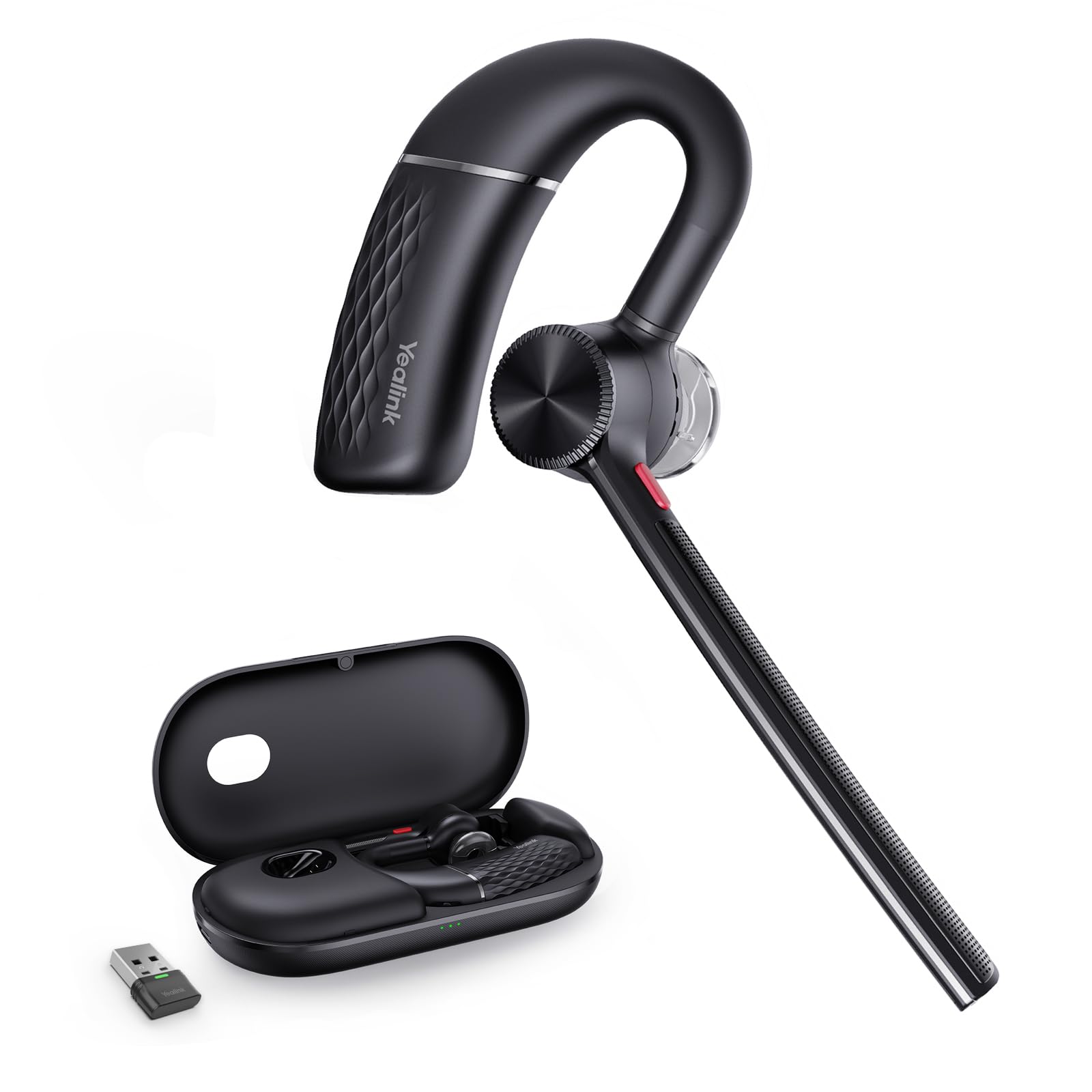
Yealink Bh71 Pro Bluetooth Headset Teams Certified.Yealink Single Ear 2024 Version Bluetooth Headset Is The Perfect Choice For Professionals Who Are Constantly On The Go. It Is Designed With Noise Canceling Technology To Ensure Clear And Uninterrupted Communication, Even In Noisy Environments. The Headset Features A Comfortable And Lightweight Design, Making It Easy To Wear For Extended Periods Of Time. It Also Has A Long Battery Life, Allowing You To Use It For Up To 10 Hours On A Single Charge. The Yealink Single Ear 2024 Version Bluetooth Headset Is Compatible With A Wide Range Of Devices, Including Smartphones, Tablets, And Computers. It Also Has A Built-In Microphone, Allowing You To Make Hands-Free Calls And Record Voice Memos.
⚠️ WARNING (California Proposition 65): This product may contain chemicals known to the State of California to cause cancer, birth defects, or other reproductive harm. For more information, please visit www.P65Warnings.ca.gov.
Frequently Asked Questions
Q: What is the range of the Yealink Bluetooth Headset BH71 Pro?A: The headset has a range of up to one hundred thirty feet, allowing you to move freely while on calls.
Q: What materials are used in the Yealink BH71 Pro headset?A: The headset is primarily made of plastic, ensuring a lightweight and comfortable design for extended wear.
Q: What is the battery life of the Yealink Bluetooth Headset BH71 Pro?A: The headset provides up to ten hours of continuous talking time on a single charge.
Q: How do I pair the Yealink BH71 Pro headset with devices?A: Simply activate Bluetooth on your device and select the headset from the available options to connect.
Q: Is the Yealink BH71 Pro suitable for long-term wear?A: Yes, the ergonomic design and lightweight build make it comfortable for all-day use.
Q: How do I activate the mute function on the BH71 Pro headset?A: You can easily activate the mute function using the dedicated button on the headset during calls.
Q: What is the best way to clean the Yealink BH71 Pro headset?A: Use a soft, dry cloth to gently wipe the headset, avoiding any abrasive cleaners that may damage the surface.
Q: Can the Yealink BH71 Pro be used while charging?A: No, the headset cannot be used while it is charging; it should be fully charged before use.
Q: How should I store the Yealink BH71 Pro headset?A: Store the headset in its charging case when not in use to protect it from damage and keep it charged.
Q: Is the BH71 Pro headset waterproof?A: No, the headset is not waterproof; avoid exposing it to water or moisture.
Q: How does the Yealink BH71 Pro compare to other Bluetooth headsets?A: The BH71 Pro offers superior noise cancelation and a longer range compared to most other Bluetooth headsets.
Q: Is the Yealink BH71 Pro suitable for outdoor use?A: Yes, the advanced noise-canceling technology ensures clear communication even in noisy outdoor environments.
Q: What devices is the Yealink BH71 Pro compatible with?A: The headset is compatible with smartphones, tablets, and computers across various brands.
Q: What should I do if my Yealink BH71 Pro headset won't charge?A: Ensure the charging case is connected to power and check the headset's connections for dirt or debris.
Q: What is the warranty period for the Yealink BH71 Pro headset?A: The headset typically comes with a one-year manufacturer's warranty covering defects in materials and workmanship.
Q: Can I use the Yealink BH71 Pro with multiple devices at once?A: Yes, the headset can pair with two devices simultaneously, allowing for seamless switching between them.