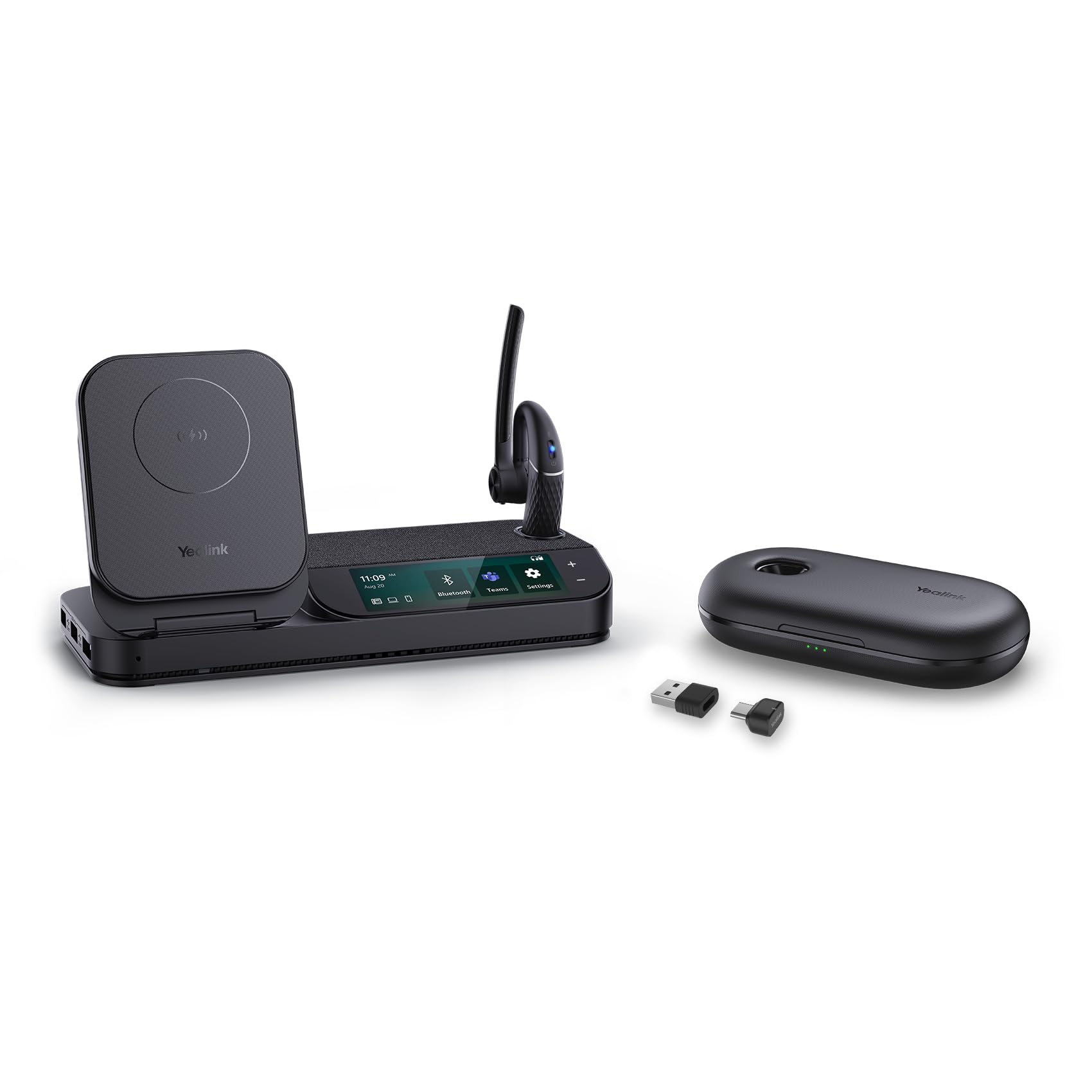
Yealink Upgraded Bh71 Bluetooth Headset With Usb Dongle, Teams Certified, 4 Noise Cancelling Microphone, Fit For Computer Laptops, Hands-Free Wireless Earpiece For Trucker Business Office
⚠️ WARNING (California Proposition 65): This product may contain chemicals known to the State of California to cause cancer, birth defects, or other reproductive harm. For more information, please visit www.P65Warnings.ca.gov.
Frequently Asked Questions
Q: What materials are used in the Yealink BH71 Pro Bluetooth headset?A: The Yealink BH71 Pro Bluetooth headset is made primarily of plastic. It features a lightweight design suitable for prolonged use in professional settings.
Q: What is the battery capacity of the Yealink BH71 Pro Bluetooth headset?A: The Yealink BH71 Pro includes lithium-ion batteries packed with the equipment. This allows for continuous use of up to thirty hours when combined with the charging case.
Q: What is the size of the Yealink BH71 Pro Bluetooth headset?A: The Yealink BH71 Pro is designed as a single ear Bluetooth headset. It is compact and lightweight, making it ideal for business office use.
Q: How do I connect the Yealink BH71 Pro Bluetooth headset to my devices?A: You can connect the Yealink BH71 Pro to a computer or IP phone using the Yealink BT51 Bluetooth dongle adapter. It also supports Bluetooth five point two for mobile devices.
Q: Is the Yealink BH71 Pro suitable for long calls?A: Yes, the headset supports long call durations with up to thirty hours of talk time. The included charging case ensures that you can easily recharge while on the go.
Q: Can the Yealink BH71 Pro be used with multiple devices?A: Yes, the Yealink BH71 Pro can connect to two devices simultaneously. This feature is particularly useful for multitasking between phone calls and computer work.
Q: How do I clean the Yealink BH71 Pro Bluetooth headset?A: To clean the Yealink BH71 Pro, use a soft, dry cloth to wipe the surface gently. Avoid using harsh chemicals that could damage the plastic material.
Q: Is the Yealink BH71 Pro comfortable for extended wear?A: Yes, the Yealink BH71 Pro is designed for comfort with a rotatable ear hook and mic arm. This allows for a secure fit in either ear and accommodates users with larger ears.
Q: What safety features does the Yealink BH71 Pro have?A: The Yealink BH71 Pro includes a dedicated mute button for conference calls. This allows users to quickly mute themselves when necessary.
Q: What should I do if the Yealink BH71 Pro headset arrives damaged?A: If your Yealink BH71 Pro arrives damaged, you should contact the retailer immediately. They typically provide support for returns and exchanges.
Q: How long is the charging time for the Yealink BH71 Pro headset?A: Charging time for the Yealink BH71 Pro headset is approximately two hours. The headset docks easily into the charging case for hassle-free charging.
Q: Can I use the Yealink BH71 Pro while it's charging?A: No, the Yealink BH71 Pro cannot be used while charging. You must wait until the headset is fully charged for use.
Q: Is the Yealink BH71 Pro compatible with voice assistants?A: Yes, the Yealink BH71 Pro supports voice control through its multifunction button. This feature allows users to easily activate their preferred voice assistant.
Q: Does the Yealink BH71 Pro have noise cancellation features?A: Yes, the Yealink BH71 Pro features four beamforming noise-canceling microphones. This technology effectively reduces background noise to enhance call clarity.
Q: What types of devices can I use the Yealink BH71 Pro with?A: The Yealink BH71 Pro is compatible with computers, laptops, and mobile devices. It works seamlessly with Teams, Zoom, and other leading conferencing platforms.