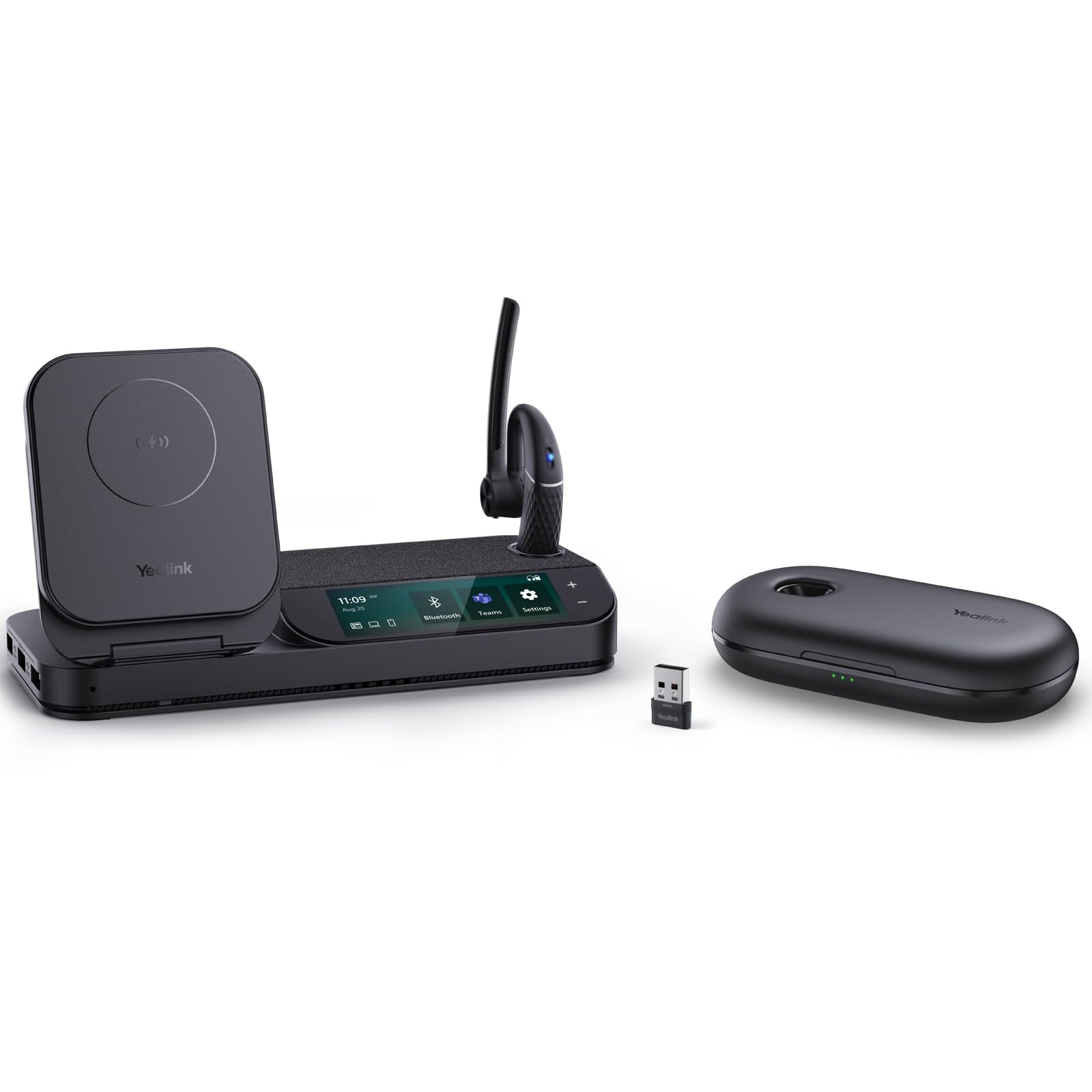
Package Contents: - Bh71 Headset - Eartips - Power Adapter - Micro Usb 2.0 Cable - Type-C 3.0 Cable - Workstation Station - Quick Start Guide
⚠️ WARNING (California Proposition 65): This product may contain chemicals known to the State of California to cause cancer, birth defects, or other reproductive harm. For more information, please visit www.P65Warnings.ca.gov.
Frequently Asked Questions
Q: What materials is the Yealink BH71 Bluetooth Headset made of?A: The Yealink BH71 Bluetooth Headset is primarily made of plastic. This lightweight material ensures comfort during extended use.
Q: What is the weight of the Yealink BH71 headset?A: The Yealink BH71 headset weighs only zero point six three ounces. Its light weight contributes to its ergonomic design for all-day comfort.
Q: What type of charging cables come with the Yealink BH71?A: The package includes a Micro USB two point zero cable and a Type-C three point zero cable. These cables allow for versatile charging options.
Q: How do I connect the Yealink BH71 headset to my devices?A: You can connect the Yealink BH71 headset using Bluetooth. Simply enable Bluetooth on your device and follow the pairing instructions in the quick start guide.
Q: Is the Yealink BH71 suitable for long-term wear?A: Yes, the Yealink BH71 is designed for long-term wear. With an ergonomic design and multiple ear tip sizes, it ensures a comfortable fit.
Q: Can I use the Yealink BH71 with multiple devices simultaneously?A: Yes, the Yealink BH71 can connect to a desk phone, PC, and smartphone at the same time. This feature enhances productivity by allowing you to manage calls from different devices.
Q: How do I clean the Yealink BH71 headset?A: To clean the Yealink BH71 headset, use a soft, dry cloth to wipe the surface. Avoid using any liquids or harsh chemicals that could damage the headset.
Q: What is the battery life of the Yealink BH71 headset?A: The Yealink BH71 headset offers an impressive battery life that lasts throughout the workday. Ensure you charge it regularly using the included charging pad.
Q: Is the Yealink BH71 headset water-resistant?A: No, the Yealink BH71 headset is not water-resistant. It is advisable to keep it away from moisture to maintain its functionality.
Q: How does the Yealink BH71 compare to other headsets for noise cancellation?A: The Yealink BH71 features beamforming noise cancellation that reduces ambient noise by up to ninety percent. This makes it highly effective compared to standard headsets.
Q: Is the Yealink BH71 headset compatible with Zoom and Microsoft Teams?A: Yes, the Yealink BH71 headset is compatible with both Zoom and Microsoft Teams. This makes it an excellent choice for remote work and virtual meetings.
Q: What is the maximum Bluetooth range for the Yealink BH71?A: The Yealink BH71 has a maximum Bluetooth range of up to one hundred feet, which allows for freedom of movement during calls.
Q: What is the warranty period for the Yealink BH71 headset?A: The Yealink BH71 headset typically comes with a one-year warranty. This covers any manufacturing defects that may arise during normal use.
Q: What should I do if my Yealink BH71 headset arrives damaged?A: If your Yealink BH71 headset arrives damaged, contact customer support immediately for assistance with a return or replacement.
Q: Can I use the Yealink BH71 headset while it's charging?A: Yes, you can use the Yealink BH71 headset while it is charging. This allows you to stay connected without interruptions.