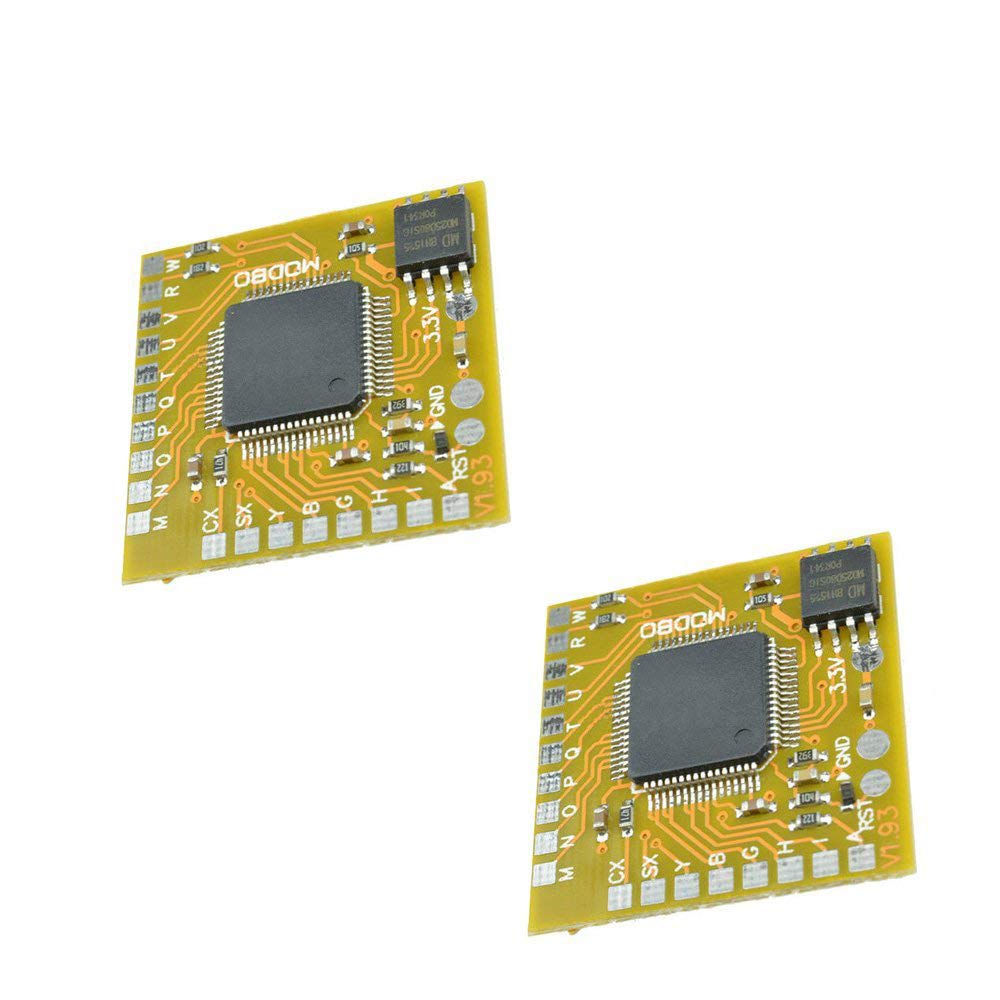
Specifications: Material:Metal Pcb Size:2.5*2.5Cm/0.98*0.98Inch Color:Yellow Note: Manual Measurement, With Small Error. Please Check Size In Detail Before Purchase. Real Colors May Slightly Differ From The Pictures, As It Depends On Specific Monitor Settings And Light Brightness. We Highly Appreciate All Customers Opinions To Improve The Selling, Also If Anything You Unsatisfied, Please Contact Us For Probable Best Solution. Package Includes: 2Pcs
⚠️ WARNING (California Proposition 65): This product may contain chemicals known to the State of California to cause cancer, birth defects, or other reproductive harm. For more information, please visit www.P65Warnings.ca.gov.
Frequently Asked Questions
Q: What is the model of the replacement chip?A: The model is MODBO5.0 V1.93, specifically designed for PlayStation 2 consoles.
Q: What materials is the MODBO5.0 chip made of?A: The chip is made of metal, ensuring durability and reliable performance.
Q: Are there specific dimensions for this product?A: No specific dimensions are provided for this chip, as it is a mini size board designed for easy installation.
Q: How do I install the MODBO5.0 chip?A: Installation involves replacing connections from the previous model without soldering. Follow the same wiring points as the MODBO4.0.
Q: Can I use this chip with a USB hard drive?A: Yes, it supports USB hard drives and memory sticks, allowing you to play games from them.
Q: Is this chip suitable for all PS2 models?A: Yes, it supports various PS2 models, including V1 through V13, and automatically selects the appropriate mode.
Q: How do I disable the USB boot option?A: You can easily disable the USB boot option through the installation settings, similar to the process used with MODBO4.0.
Q: What gaming experience does the MODBO5.0 enhance?A: It enhances gameplay by enabling hard disk boot and network interface card support for more efficient gaming.
Q: Is the MODBO5.0 chip easy to install?A: Yes, it is designed for easy installation with a mini size board and clear wiring instructions.
Q: What should I do to keep the MODBO5.0 chip in good condition?A: Keep it away from moisture and extreme temperatures to maintain its performance and longevity.
Q: How do I clean the MODBO5.0 chip?A: Use a soft, dry cloth to gently clean the chip, avoiding any liquid cleaners that could damage it.
Q: Is there a warranty for the MODBO5.0 chip?A: Warranty details are typically provided by the manufacturer, so check with Ximimark for specifics.
Q: What should I do if the chip arrives damaged?A: Contact the seller immediately to initiate a return or exchange process for the damaged product.
Q: Is this chip suitable for beginners?A: Yes, the MODBO5.0 chip is designed for easy installation, making it suitable for both beginners and experienced users.
Q: How does the MODBO5.0 compare to the MODBO4.0?A: The MODBO5.0 includes a USB boot menu and improved features, allowing for a more versatile gaming experience compared to the MODBO4.0.