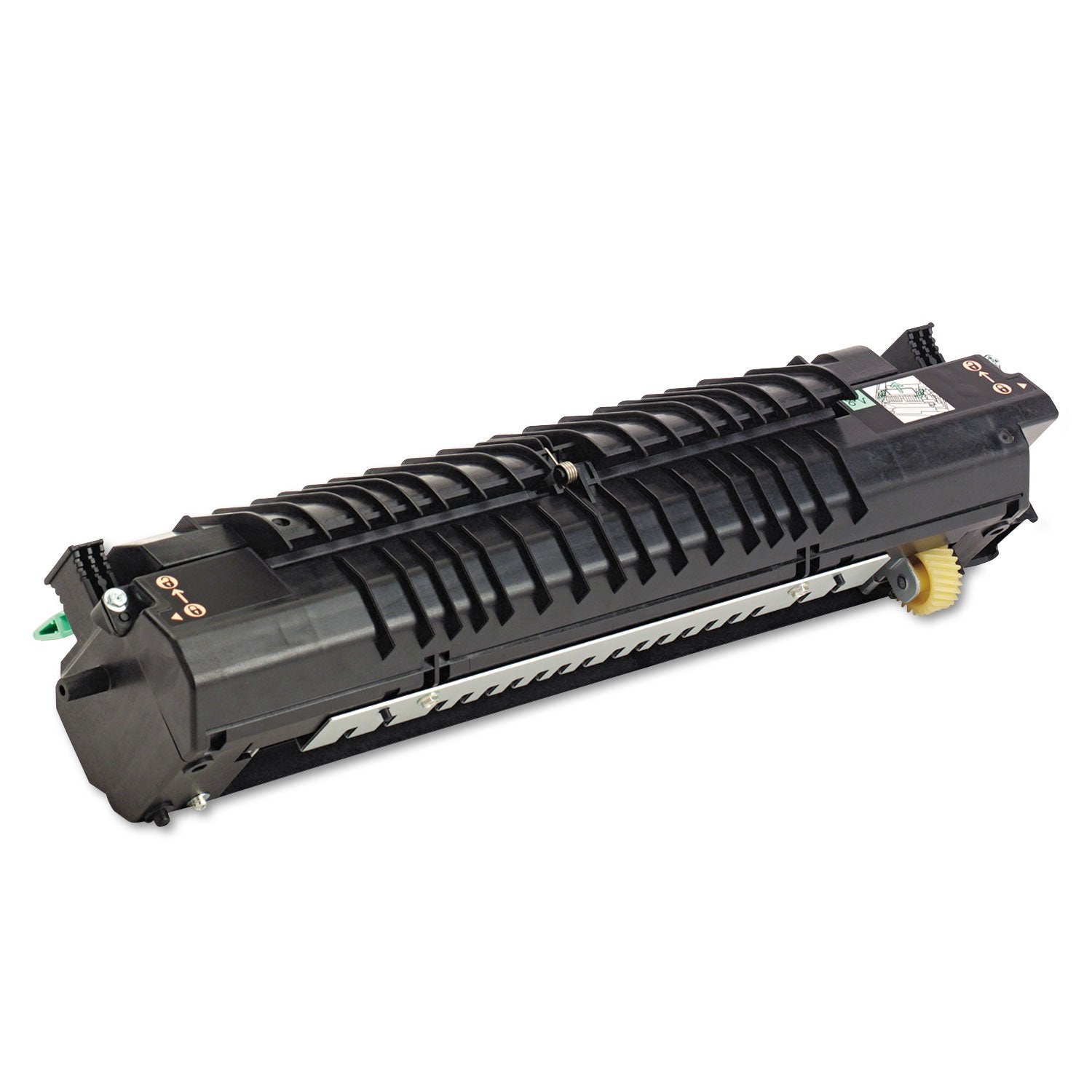
Description110 Volt Fuser Is Engineered For Performance. It Is Life-Tested For Guaranteed, Consistent, Brilliant Print Quality And Superior Performance In Your Xerox Phaser 6300 And 6350. Xerox Fusers Are Simple To Replace - Leaving You With Fewer Hassles And More Time To Produce Brilliant Prints. Capacity Is Up To 100,000 Pages.
⚠️ WARNING (California Proposition 65): This product may contain chemicals known to the State of California to cause cancer, birth defects, or other reproductive harm. For more information, please visit www.P65Warnings.ca.gov.
Frequently Asked Questions
Q: What are the dimensions of the Xerox fuser unit?A: The Xerox fuser unit measures nineteen inches in length, seven and twenty-five hundredths inches in width, and eight and a half inches in height. These dimensions make it easy to fit into standard office equipment.
Q: What is the voltage of the Xerox fuser unit?A: The voltage of the Xerox fuser unit is one hundred ten volts. This specification is important for proper installation and compatibility with your printer.
Q: What is the capacity of the Xerox fuser unit?A: The capacity of the Xerox fuser unit is up to one hundred thousand pages. This ensures longevity and reliability for high-volume printing tasks.
Q: How do I install the Xerox fuser unit?A: To install the Xerox fuser unit, first turn off the printer and unplug it. Then, remove the old fuser and insert the new one, ensuring it clicks into place.
Q: Is the Xerox fuser compatible with my printer model?A: Yes, the Xerox fuser is compatible with several models, including the Phaser six thousand three hundred and six thousand three hundred fifty. Check your printer's manual for specific compatibility.
Q: Can I use this fuser unit in other Xerox printers?A: Yes, this fuser unit can also work in models like the five thousand eighteen, five thousand twenty-one, and five thousand twenty-eight. It is versatile across multiple Xerox printer models.
Q: How do I maintain the Xerox fuser unit for optimal performance?A: To maintain the Xerox fuser unit, regularly check for any paper jams and keep the printer clean. Follow the manufacturer's guidelines for cleaning and care.
Q: What should I do if my fuser unit is damaged during shipping?A: If your fuser unit arrives damaged, contact the retailer immediately to initiate a return or exchange. Most retailers have policies in place for damaged goods.
Q: Are there any specific storage instructions for the fuser unit?A: Yes, store the Xerox fuser unit in a cool, dry place away from direct sunlight. This will help preserve its quality and performance.
Q: Is it safe to use third-party fuser units?A: No, using third-party fuser units may void your printer's warranty and could result in poor print quality. Stick with OEM parts for the best results.
Q: What warranty does the Xerox fuser unit come with?A: The Xerox fuser unit typically comes with a standard manufacturer's warranty. Check the packaging or the manufacturer's website for specific warranty details.
Q: Can I return the fuser unit if I change my mind?A: Yes, most retailers allow returns within a specified period, provided the product is unopened and in its original packaging. Check the return policy before purchasing.
Q: What are the signs that my fuser unit needs replacement?A: Signs that your fuser unit needs replacement include inconsistent print quality, paper jams, and error messages on your printer. It's best to replace it to maintain optimal performance.
Q: Does the fuser unit require any special cleaning supplies?A: No, the fuser unit can typically be cleaned with a lint-free cloth. Avoid using any harsh chemicals that could damage the unit.
Q: How can I ensure the best print quality with my fuser unit?A: To ensure the best print quality, use high-quality paper and regularly maintain your printer. The fuser unit should also be replaced as needed to avoid quality issues.