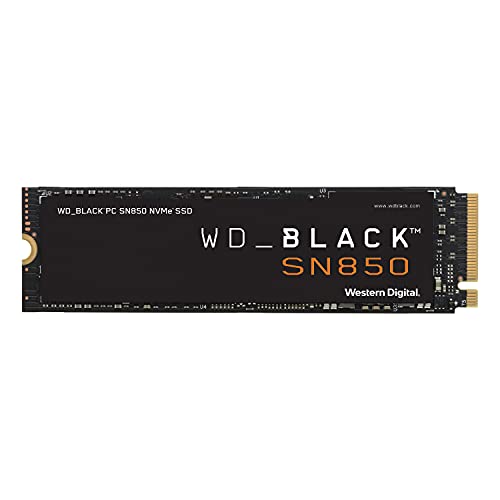
The Future Of Gaming Has Arrived With The Wd_Black Sn850 Nvme Ssd. Long Load Times Are Obsolete With Pcie Gen4 Technology, Reaching Up To 7000Mb/S Read Speed And Up To 5300Mb/S Write Speed (1Tb Model). Spend More Time Playing And Less Time Deleting, Storing Your Latest And Favorite Games With Up To 2Tb Capacity (Not Intended For Nas Or Server Environments). As Used For Storage Capacity, 1Gb = 1 Billion Bytes And 1Tb = One Trillion Bytes. Actual User Capacity May Be Less Depending On Operating Environment. As Used For Transfer Rate, 1 Mb/S = 1 Million Bytes Per Second. Based On Internal Testing; Performance May Vary Depending Upon Host Device, Usage Conditions, Drive Capacity, And Other Factors.
⚠️ WARNING (California Proposition 65): This product may contain chemicals known to the State of California to cause cancer, birth defects, or other reproductive harm. For more information, please visit www.P65Warnings.ca.gov.
Frequently Asked Questions
Q: What are the dimensions of the WD_BLACK 2TB SN850 SSD?A: The dimensions are three point fifteen inches in length, zero point eighty-seven inches in width, and zero point zero nine inches in height.
Q: What is the storage capacity of the WD_BLACK SN850 SSD?A: The storage capacity is two terabytes, allowing you to store a significant number of games and applications.
Q: What type of technology does the WD_BLACK SN850 SSD use?A: It uses PCIe Gen4 technology, which provides faster data transfer speeds compared to previous generations.
Q: How do I install the WD_BLACK SN850 SSD?A: To install, simply insert the SSD into an M.2 slot on your compatible motherboard and secure it with a screw.
Q: Is the WD_BLACK SN850 SSD suitable for gaming?A: Yes, it is specifically designed for gaming with high read speeds and low load times, enhancing your gaming experience.
Q: Can I use the WD_BLACK SN850 SSD for applications other than gaming?A: Yes, while optimized for gaming, it can also be used for general storage and other applications requiring fast data access.
Q: How do I maintain the WD_BLACK SN850 SSD?A: Keep the SSD in a cool, dry environment and avoid physical shocks to ensure its longevity and performance.
Q: What should I do if the WD_BLACK SN850 SSD fails?A: If it fails, check your connections first; if issues persist, contact customer support for troubleshooting or warranty service.
Q: How do I clean the WD_BLACK SN850 SSD?A: Clean the SSD by using a dry, soft cloth to wipe its exterior; avoid using liquids or abrasives.
Q: Is the WD_BLACK SN850 SSD compatible with all devices?A: No, it is not compatible with NAS or server environments and should be used with compatible gaming PCs.
Q: What are the read and write speeds of the WD_BLACK SN850 SSD?A: The read speed can reach up to seven thousand megabytes per second, while the write speed can go up to five thousand three hundred megabytes per second.
Q: Does the WD_BLACK SN850 SSD come with software for management?A: Yes, it comes with downloadable WD_BLACK Dashboard software to customize and control your gaming experience.
Q: Is the WD_BLACK SN850 SSD easy to install?A: Yes, it features a compact design that makes it easy to install in most M.2 slots.
Q: What is the warranty period for the WD_BLACK SN850 SSD?A: The warranty period varies by region; generally, it comes with a limited five-year warranty.
Q: Can I use the WD_BLACK SN850 SSD on a laptop?A: Yes, as long as the laptop has an M.2 slot compatible with NVMe SSDs.