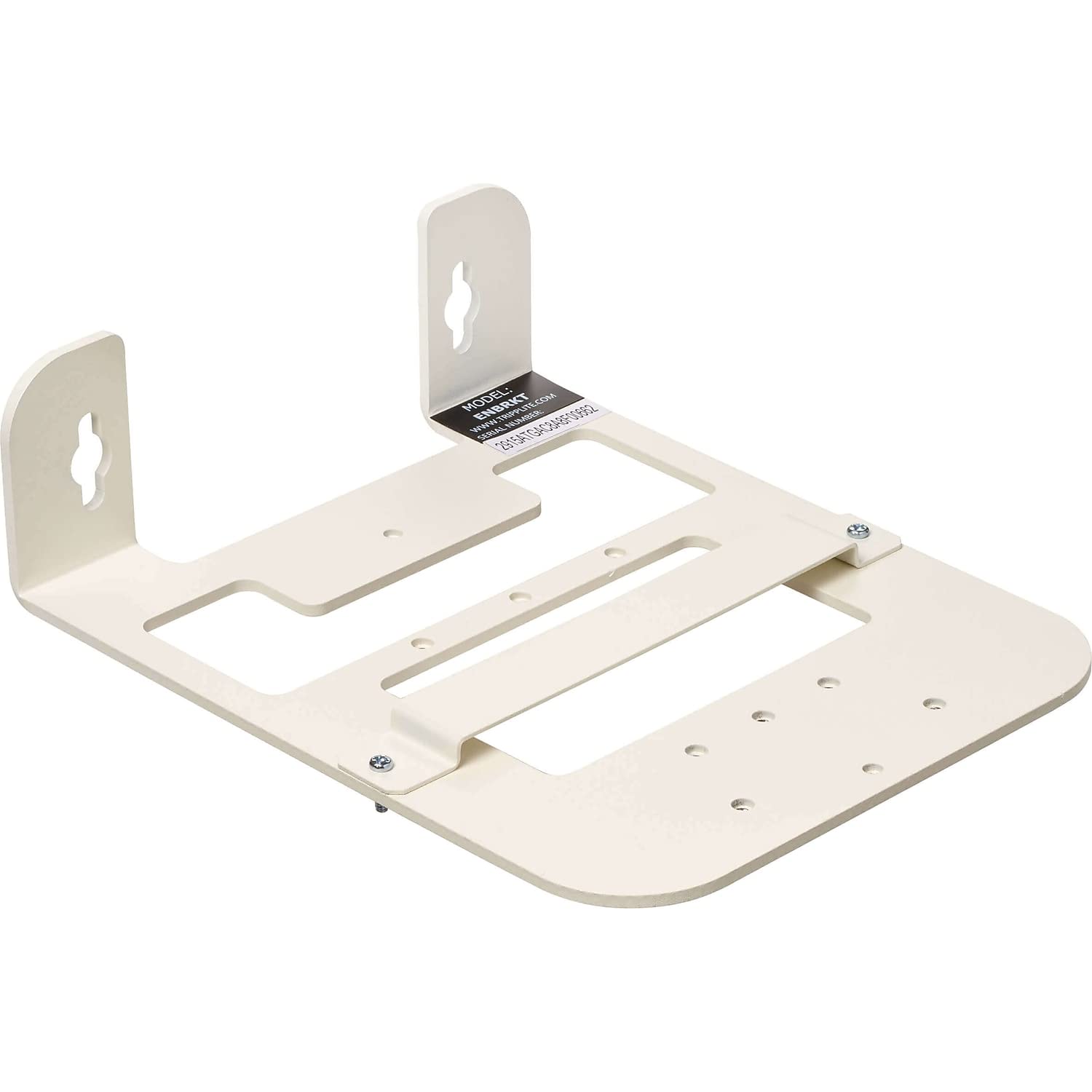
Universal Wall-Mount Bracket Secures And Organizes Your Wireless Access Point. Protect Your Indoor Wi-Fi Access Point By Mounting It High On A Wall Or Ceiling, Away From Probing Hands. This Smartrack? Wall Bracket Is Constructed From Heavy-Duty Cold-Rolled Steel With A Durable White Powder-Coated Finish. It?S Recommended For Offices, Dorms, Hotels, Classrooms, Small Businesses And Other Indoor Areas Where You Need To Keep Your Wap Secure, Organized And Out Of The Way, As Well As Strengthen A Wi-Fi Signal In Part Of An Office. Accommodates A Wide Range Of Waps, Including Cisco And Aruba.The Enbrkt Fits Most Access-Point Bolt Patterns And Is Compatible With Cisco Low-Profile And Universal Brackets. It Also Comes With A T-Bar Bracket For Mounting Aruba And Other Wap Brands. Hardware Is Included For Equipment Installation. An Open Rear Cutout Allows Easy Cable Routing And Reduces Cable Clutter. The Durable Wall Bracket Comes Ready For Horizontal Or Vertical Mounting On A Wall Or Ceiling With User-Provided Hardware.
⚠️ WARNING (California Proposition 65): This product may contain chemicals known to the State of California to cause cancer, birth defects, or other reproductive harm. For more information, please visit www.P65Warnings.ca.gov.
Frequently Asked Questions
Q: What is the material of the Tripp Lite Universal Wall Bracket?A: The Tripp Lite Universal Wall Bracket is made of heavy-duty cold-rolled steel. This construction ensures durability and stability for your wireless access point.
Q: What are the dimensions of the wall bracket?A: The bracket measures eight point six inches in length, seven inches in width, and two point six inches in height. These dimensions make it suitable for various mounting applications.
Q: Is the bracket compatible with different Wi-Fi access point brands?A: Yes, the bracket is compatible with Cisco, Aruba, and most other Wi-Fi access point brands. It fits a wide range of access-point bolt patterns.
Q: How do I install the Tripp Lite wall bracket?A: To install the bracket, mount it high on a wall or ceiling using the included equipment-mounting hardware. User-provided hardware is required for attachment.
Q: Can I mount the bracket vertically and horizontally?A: Yes, the Tripp Lite wall bracket can be mounted both horizontally and vertically. This versatility allows for optimal placement in different environments.
Q: Is there a T-bar bracket included for installation?A: Yes, a T-bar bracket is included for mounting Aruba and other access point brands. This feature enhances compatibility and installation options.
Q: How should I clean the wall bracket?A: To clean the wall bracket, wipe it with a damp cloth and mild detergent. Avoid abrasive cleaners to maintain the powder-coated finish.
Q: What precautions should I take when mounting the bracket?A: Ensure the bracket is securely mounted to avoid accidents. Also, verify that the wall or ceiling can support the weight of the equipment.
Q: Does the wall bracket come with a warranty?A: Yes, the Tripp Lite Universal Wall Bracket comes with a five-year warranty. This warranty provides peace of mind for consumers.
Q: What if my wall bracket arrives damaged?A: If the wall bracket arrives damaged, contact the retailer for return or replacement options. Make sure to keep all packaging materials for the return process.
Q: Does the bracket help improve Wi-Fi signal?A: Yes, the heavy-duty steel bracket allows for optimum Wi-Fi signal in all directions. Proper mounting can enhance overall signal strength.
Q: Is this wall bracket suitable for outdoor use?A: No, the Tripp Lite wall bracket is designed for indoor use only. It's ideal for offices, dorms, hotels, and classrooms.
Q: Can I use this bracket for other devices besides access points?A: While primarily designed for wireless access points, the bracket may accommodate other compatible devices depending on their mounting requirements.
Q: Does the bracket reduce cable clutter?A: Yes, the open rear cutout allows easy cable routing, helping to reduce cable clutter. This feature contributes to a cleaner installation.
Q: What is the recommended installation height for the wall bracket?A: It's recommended to install the wall bracket high on a wall or ceiling to protect the access point from theft and tampering. This placement optimizes performance.