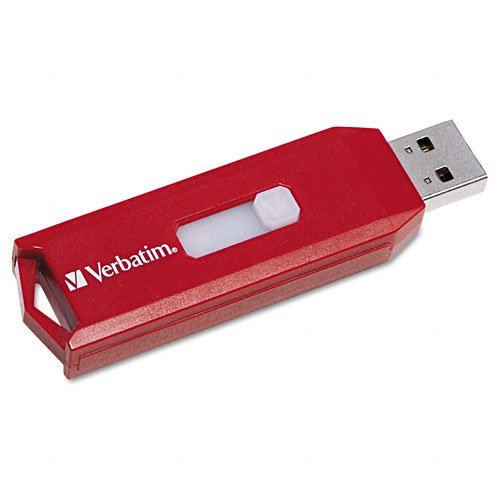
Verbatim : Drive Usb 2.0 8Gb Store 'N' Go Certified For Windows Readyboost And Vistacertified For Windows Readyboost And Vista Verbatim : Drive Usb 2.0 8Gb Store 'N' Go Certified For Windows Readyboost And Vistacertified For Windows Readyboost And Vista :Manufactured By.: Verbatim
⚠️ WARNING (California Proposition 65): This product may contain chemicals known to the State of California to cause cancer, birth defects, or other reproductive harm. For more information, please visit www.P65Warnings.ca.gov.
Frequently Asked Questions
Q: What is the storage capacity of the Verbatim USB drive?A: The storage capacity is eight gigabytes. This allows you to store a variety of files, including documents, photos, and videos.
Q: What type of USB connection does this drive use?A: This drive uses a USB two point zero connection. It is compatible with most computers and devices that have a USB port.
Q: Is the Verbatim USB drive compatible with Windows Vista?A: Yes, it is certified for Windows ReadyBoost and Vista. This means it can enhance system performance when used with compatible systems.
Q: How do I use the Verbatim USB drive?A: Simply plug it into a USB port on your computer. Once connected, you can transfer files by dragging and dropping them onto the drive.
Q: Can I use this drive for ReadyBoost?A: Yes, this drive is designed for Windows ReadyBoost. It can be used to speed up your computer's performance by using it as additional RAM.
Q: What is the physical size of the Verbatim USB drive?A: The physical dimensions are compact, making it easy to carry. However, specific measurements are not provided in the listing.
Q: How should I store the USB drive when not in use?A: Store it in a cool, dry place away from direct sunlight. A protective case can also help prevent physical damage.
Q: Can this drive be used with Mac computers?A: Yes, it can be used with Mac computers as long as they have a USB port. However, formatting may be required for optimal compatibility.
Q: Is there a warranty for the Verbatim USB drive?A: Yes, Verbatim typically offers a limited warranty on their USB drives. Check the packaging or the Verbatim website for specific details.
Q: What should I do if the drive is not recognized by my computer?A: Try plugging it into a different USB port or another computer. If it still doesn't work, formatting the drive might be necessary.
Q: Can I use this USB drive for video storage?A: Yes, it can be used for storing videos. However, the eight gigabyte capacity limits the amount of high-definition video you can save.
Q: Is the Verbatim USB drive suitable for transferring large files?A: It is suitable for transferring moderately sized files. However, for very large files, consider a drive with higher capacity.
Q: How do I safely eject the USB drive?A: To safely eject, right-click the drive icon on your computer and select 'Eject.' This prevents data corruption.
Q: Does this USB drive have any physical protection features?A: No specific physical protection features are mentioned. It is recommended to handle it carefully to avoid damage.
Q: Is this USB drive suitable for beginners?A: Yes, it is very user-friendly. Anyone can easily plug it in and start using it without technical knowledge.