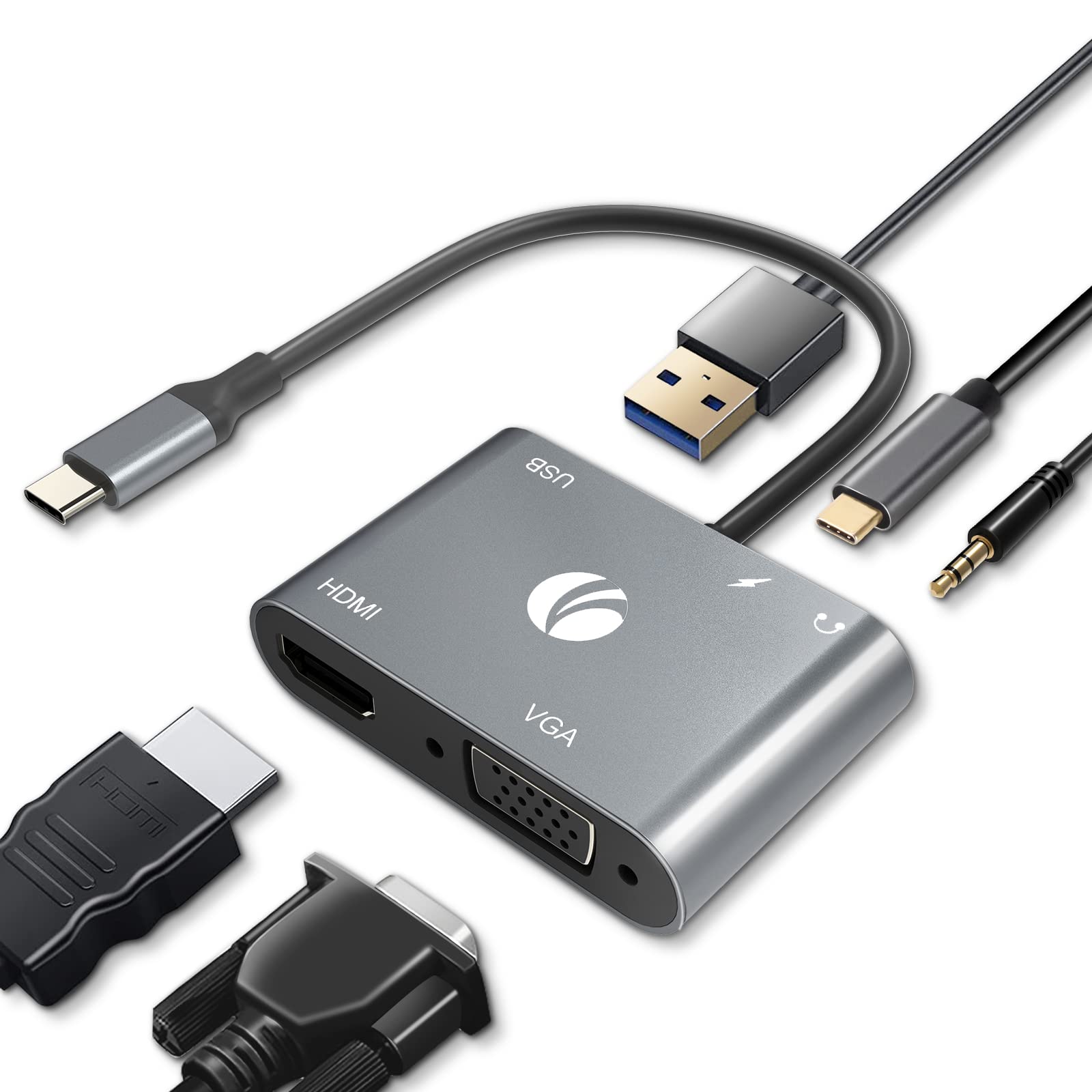
Expand Your Usb C Port To A Hdmi, A Vga Output, A Usb 3.0 And A Usb-C Charging Port.
⚠️ WARNING (California Proposition 65): This product may contain chemicals known to the State of California to cause cancer, birth defects, or other reproductive harm. For more information, please visit www.P65Warnings.ca.gov.
Frequently Asked Questions
Q: What materials is the VCOM USB C to HDMI VGA adapter made of?A: The VCOM USB C to HDMI VGA adapter is made of aluminum. This durable material contributes to better heat dissipation and a longer product life.
Q: What is the size of the VCOM USB C to HDMI VGA adapter?A: The item size of the VCOM USB C to HDMI VGA adapter is compact and portable. It is designed to easily fit in a pocket, purse, or bag.
Q: What are the technical specifications of the VCOM USB C to HDMI VGA adapter?A: The adapter supports a resolution of four thousand by two thousand pixels at thirty hertz for HDMI, and one thousand nine hundred twenty by one thousand two hundred pixels at sixty hertz for VGA.
Q: How do I use the VCOM USB C to HDMI VGA adapter?A: To use the adapter, plug it into your device’s USB C port and connect your HDMI or VGA cable. It enables dual display in mirror mode.
Q: Is the VCOM USB C to HDMI VGA adapter compatible with my MacBook Air?A: Yes, the VCOM USB C to HDMI VGA adapter is compatible with MacBook Air. It also works with various USB C devices like iPad Pro and Dell XPS.
Q: Does the VCOM USB C to HDMI VGA adapter support charging?A: Yes, it supports one hundred watts power delivery charging. You can charge your laptop or smartphone while using the adapter simultaneously.
Q: How should I care for the VCOM USB C to HDMI VGA adapter?A: To care for the adapter, keep it in a cool, dry place and avoid exposure to extreme temperatures. Clean it with a soft, dry cloth if needed.
Q: Can I use the VCOM USB C to HDMI VGA adapter with a Windows laptop?A: Yes, the adapter works with Windows laptops that support Display Output over USB C. Ensure your device meets this requirement for optimal performance.
Q: How do I store the VCOM USB C to HDMI VGA adapter safely?A: Store the adapter in its original packaging or a protective case when not in use. This helps prevent damage during travel or storage.
Q: Is the VCOM USB C to HDMI VGA adapter suitable for gaming?A: Yes, the adapter is suitable for gaming, especially for games that support dual displays. It allows you to connect to both HDMI and VGA screens.
Q: What should I do if the VCOM USB C to HDMI VGA adapter doesn't work?A: If the adapter doesn't work, check if your device supports Display Output over USB C. Also, ensure that all connections are secure and try a different cable.
Q: Is there a warranty for the VCOM USB C to HDMI VGA adapter?A: Yes, the VCOM USB C to HDMI VGA adapter typically comes with a warranty. Check the manufacturer's guidelines for specific warranty details.
Q: How can I connect audio using the VCOM USB C to HDMI VGA adapter?A: The adapter includes a three point five millimeter headphone jack for audio output. Connect your headphones or speakers to this port for sound.
Q: Can I use the VCOM USB C to HDMI VGA adapter with a smartphone?A: Yes, the adapter is compatible with smartphones that support USB C Display Output. It enables video output to external displays.
Q: Does the VCOM USB C to HDMI VGA adapter have heat management features?A: Yes, the aluminum shell design provides better heat dissipation. This feature helps maintain optimal performance during use.