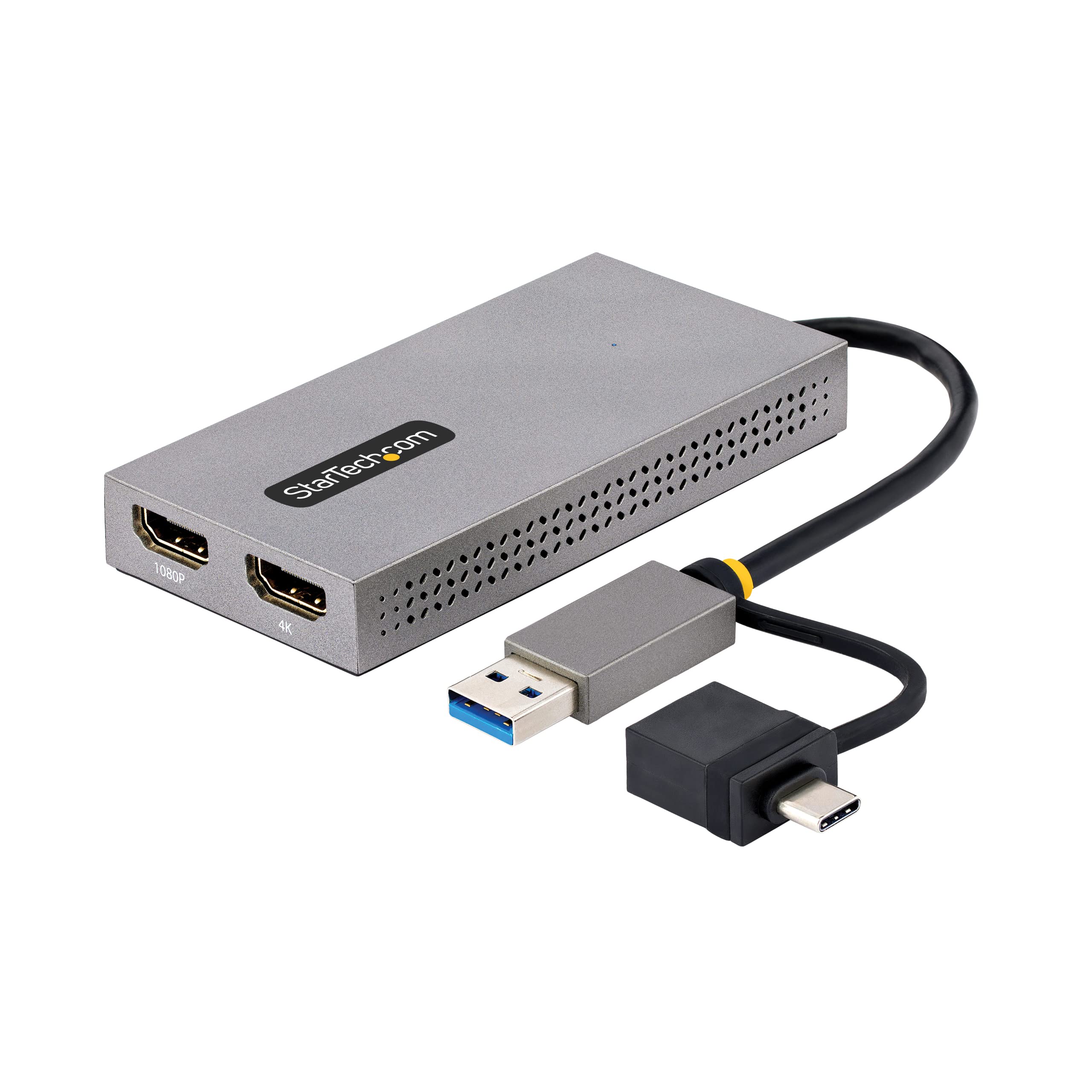
Usb To Dual Hdmi Adapter Connects Up To 2X Hdmi Monitors (1X 4K 30Hz + 1X 1080P) To A Computer Using The Built-In Usb-A/Usb-C Cable; 2Ch Hdmi Audio; Usb To Hdmi Converter Is Bus-Powered; 4'' (11Cm) Attached Cable - Supports 3 Displays In Extended Mode Incl. The Laptop Screen; 4K Output Supports Ultrawide Displays Up To 3440X1440 30Hz - Multi-Monitor Video Adapter Works With Windows/Macos/Chrome Os - Attached Usb-A To Usb-C Dongle To Connect To Usb Type-C Laptops/Desktops; Compact Form Factor
⚠️ WARNING (California Proposition 65): This product may contain chemicals known to the State of California to cause cancer, birth defects, or other reproductive harm. For more information, please visit www.P65Warnings.ca.gov.
Frequently Asked Questions
Q: What are the dimensions of the StarTech.com USB to Dual-HDMI Adapter?A: The dimensions of the adapter are ten point eight inches in length, two inches in width, and zero point six inches in height.
Q: What materials are used in the StarTech.com USB to Dual-HDMI Adapter?A: The StarTech.com adapter is primarily made of chrome, providing durability and a sleek finish.
Q: What is the maximum video output of the adapter?A: The adapter supports dual HDMI video outputs: one at four K thirty Hertz and the other at one thousand eighty P.
Q: How do I connect the StarTech.com USB to Dual-HDMI Adapter?A: To connect the adapter, plug the USB Type-A or USB Type-C connector into your device, then connect the HDMI cables to your displays.
Q: Is this adapter compatible with MacBooks?A: Yes, the StarTech.com adapter works with Apple M1, M2, and M3 MacBooks, enabling extended dual displays.
Q: Can I use this adapter for gaming?A: No, the StarTech.com USB to Dual-HDMI Adapter is ideal for business productivity applications but not recommended for gaming.
Q: How do I clean the StarTech.com USB to Dual-HDMI Adapter?A: To clean the adapter, use a soft, dry cloth. Avoid using liquids or abrasive materials to prevent damage.
Q: What is the warranty period for this adapter?A: The StarTech.com USB to Dual-HDMI Adapter comes with a three-year warranty, ensuring support and reliability.
Q: What operating systems are compatible with the adapter?A: The adapter is compatible with Windows seven, eight point one, ten, eleven, macOS ten point fourteen to thirteen point zero, and Chrome OS.
Q: How do I troubleshoot if the adapter is not working?A: If the adapter is not working, ensure that it is securely connected, check for driver updates, and verify compatibility with your operating system.
Q: Does the adapter require an additional power source?A: No, the StarTech.com USB to Dual-HDMI Adapter is bus-powered and does not require an external power supply.
Q: What video modes does the adapter support?A: The adapter supports both extended and mirrored display modes, allowing versatile setups for your displays.
Q: Can I use this adapter with ultrawide displays?A: Yes, the adapter is compatible with ultrawide displays, providing additional viewing space for productivity.
Q: Does the adapter support audio output?A: Yes, the StarTech.com USB to Dual-HDMI Adapter supports two-channel HDMI audio along with video output.
Q: Is the USB cable integrated into the adapter?A: Yes, the adapter features an integrated four point three inch USB cable, making it convenient for on-the-go use.
Q: What should I do if the adapter arrives damaged?A: If the adapter arrives damaged, contact the retailer for a return or exchange within the warranty period.