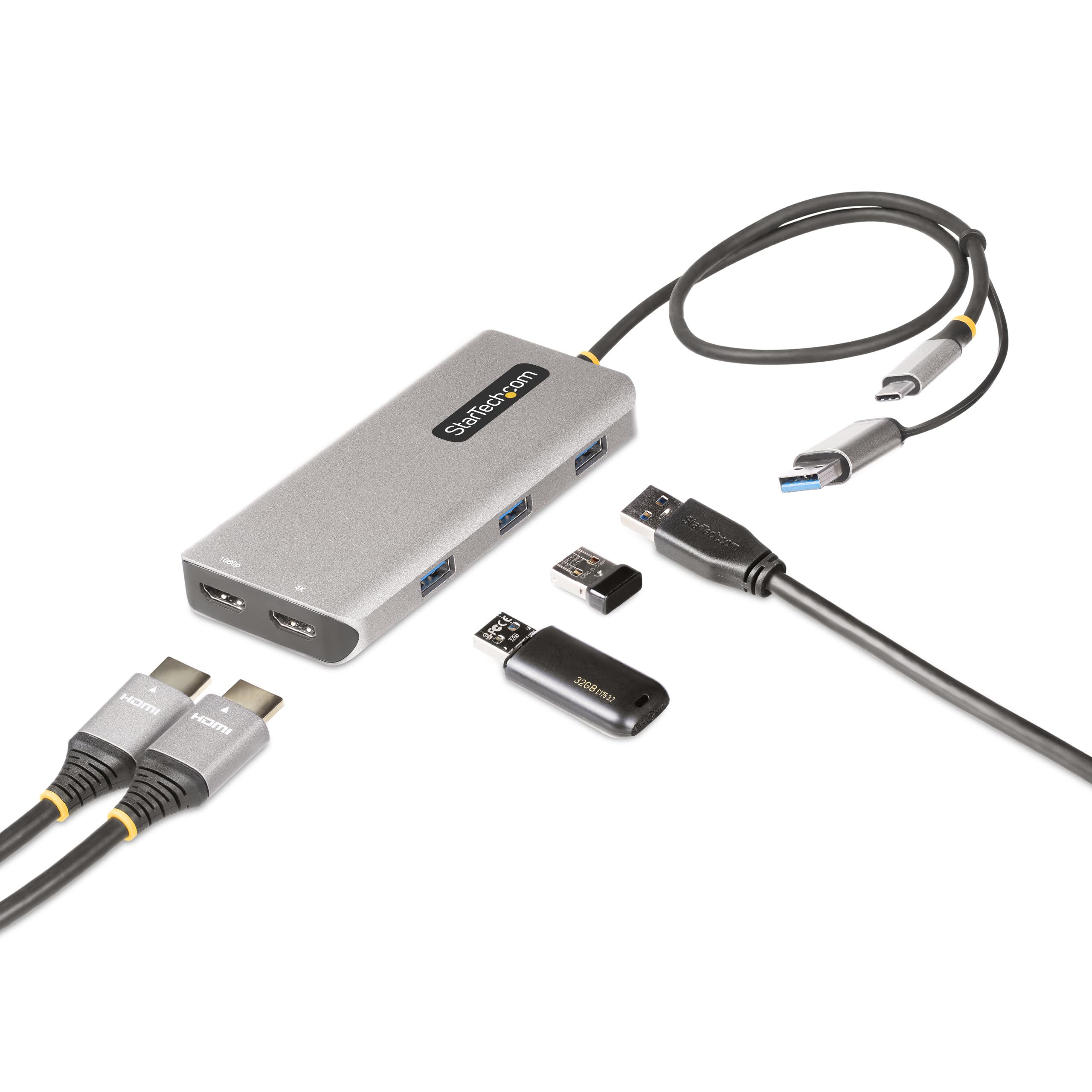
Usb-C/Usb-A Multiport Adapter - Hybrid Usb-C And Usb-A Multiport Adapter Adds Dual Hdmi Video To Almost Any Laptop - Resolutions Up To 4K 30Hz (Hdmi 1.4) And 1080P 60Hz (Hdmi 1.2) - Dual Extended Displays On M1/M2 Macbooks Which Natively Only Drive A Single Display; Windows/Macos/Chromeos - Portable Bus-Powered Mini Docking Station Ideal For Travel; 1.3Ft (40Cm) Attached Cable - 3-Port Usb 3.2 Gen 1 (5Gbps) Hub With 3X Usb Type-A Ports - Connectivity Tools App With Usb Event Monitoring And Windows Layout Utilities
⚠️ WARNING (California Proposition 65): This product may contain chemicals known to the State of California to cause cancer, birth defects, or other reproductive harm. For more information, please visit www.P65Warnings.ca.gov.
Frequently Asked Questions
Q: What are the dimensions of the StarTech.com USB-C Multiport Adapter?A: The dimensions are two point two inches in length, zero point six inches in width, and four point seven inches in height.
Q: What materials are used in the StarTech.com USB-C Multiport Adapter?A: The adapter is primarily made of silicon, ensuring durability and reliability in various environments.
Q: What is the cable length of the USB-C Multiport Adapter?A: The adapter includes an attached cable that is one point three feet, or forty centimeters, long.
Q: How do I connect the StarTech.com USB-C Multiport Adapter to my laptop?A: Simply plug the attached USB-C host cable into your laptop's USB-C port, and connect your devices to the adapter's ports.
Q: Is this adapter suitable for both USB-C and USB-A devices?A: Yes, it includes a tethered USB-C to USB-A dongle, making it compatible with both types of devices.
Q: Can I use this adapter with my Apple M1 or M2 MacBook?A: Yes, the adapter supports dual extended displays on Apple M1 and M2 MacBooks, which typically do not support more than one external display.
Q: How do I clean the StarTech.com USB-C Multiport Adapter?A: To clean the adapter, use a soft, dry cloth to wipe the surface. Avoid using any liquids or harsh chemicals.
Q: What should I do if the adapter gets damaged?A: If the adapter is damaged, check the warranty policy for potential repairs or replacement options.
Q: How should I store the USB-C Multiport Adapter when not in use?A: Store the adapter in a dry place, ideally in a protective case to prevent physical damage.
Q: Is the USB-C Multiport Adapter compatible with Windows and Chrome OS?A: Yes, it is compatible with Windows, macOS, and Chrome OS, providing versatile connectivity options.
Q: Does this adapter support 4K video output?A: Yes, the adapter supports video output resolutions up to four thousand thirty hertz for one HDMI port and one thousand eighty p for the second HDMI port.
Q: What is the data transfer speed of the USB-A ports?A: The three USB-A ports support data transfer speeds of up to five gigabits per second.
Q: Can I use this adapter with legacy USB devices?A: Yes, it is backward compatible and works with legacy USB two point zero and one point one devices.
Q: What is the advantage of using this multiport adapter?A: The multiport adapter increases productivity by allowing dual HDMI displays and multiple USB connections from a single USB-C port.
Q: Is the USB-C Multiport Adapter portable?A: Yes, it is designed as a portable mini docking station, making it easy to carry and use on the go.
Q: What happens if the adapter is not recognized by my device?A: If the adapter is not recognized, try reconnecting it or testing it with another device to rule out compatibility issues.