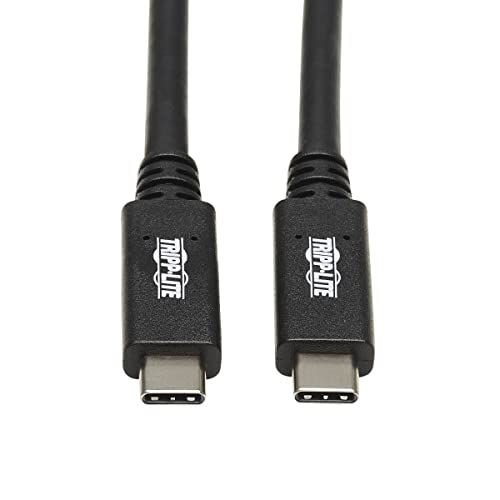
Usb-C To Usb-C Cable Connects 2 Usb-C Devices, Including Macbooks And Smartphones This Usb Type-C To Type-C Cable Allows You To Connect One Usb-C Device To Another. For Instance, A Laptop To A Docking Station, Your Smartphone To A Wall Charger, Or A Hard Drive Or Flash Drive To A Computer Or Tablet. The Usb-C To C Cable Is Compatible With Any Device With A Usb-C Or Thunderbolt 3 Port, Including Macbooks, Ultrabooks And Chromebooks. Its 20-Inch Length Makes It Easy To Carry In Your Briefcase Or Laptop Bag For Quick Downloads And File Transfers On The Go. Transfers Data And Charges Devices At Lightning-Fast Usb 3.1 Gen 2 Speeds The Pd Charging Cable Supports Usb 3.1 Gen 2 Data Transfer Rates Up To 10 Gbps, Which Is Twice As Fast As Usb 3.1 Gen 1. It Also Provides Power Output Up To 5 Amps (100 Watts), Which Is Sufficient For Fast-Charging, Syncing And Powering Most Large-Capacity Devices. The Usb Type-C To Usb Type-C Cable Is Backward Compatible With Previous Usb Generations, Allowing You To Use It With Older Equipment. Reversible Usb-C Connectors Attach In Either Direction Unlike Traditional Usb Cables That Connect In Only One Direction, The Reversible Usb-C Male Connectors Plug Into A Usb-C Or Thunderbolt 3 Port In Either Direction For A Fumble-Free Connection Every Time.
⚠️ WARNING (California Proposition 65): This product may contain chemicals known to the State of California to cause cancer, birth defects, or other reproductive harm. For more information, please visit www.P65Warnings.ca.gov.
Frequently Asked Questions
Q: What is the length of the Tripp Lite USB C Cable?A: The Tripp Lite USB C Cable is twenty inches long. This convenient length makes it easy to carry and use on the go.
Q: What data transfer speed does this USB C Cable support?A: This cable supports data transfer speeds up to ten gigabits per second. It's compliant with USB 3.1 Gen 2 standards for fast performance.
Q: What power output does the Tripp Lite USB C Cable provide?A: The cable provides a power output of five amps, or one hundred watts. This is sufficient for fast-charging and powering most devices.
Q: Is the Tripp Lite USB C Cable compatible with older USB devices?A: Yes, it is backward compatible with previous USB generations. You can use it with devices that have older USB ports.
Q: How do I connect the Tripp Lite USB C Cable?A: Simply plug the reversible USB-C connectors into your devices' USB-C or Thunderbolt 3 ports. The connectors can be attached in either direction.
Q: Is this USB C Cable suitable for MacBooks?A: Yes, this cable is compatible with MacBooks and other USB-C devices. It connects seamlessly for charging and data transfer.
Q: How should I store the Tripp Lite USB C Cable?A: Store the cable in a cool, dry place when not in use. Avoid bending or twisting it to maintain its integrity.
Q: Can I use this cable for charging and data transfer simultaneously?A: Yes, you can charge and transfer data at the same time. The cable supports both functions efficiently.
Q: How do I clean the Tripp Lite USB C Cable?A: Wipe the cable with a soft, dry cloth to remove dust and debris. Avoid using harsh chemicals that could damage the connectors.
Q: What warranty does the Tripp Lite USB C Cable come with?A: The cable comes with a limited warranty from Tripp Lite. Check the packaging for specific warranty details.
Q: What devices can I connect using this USB C Cable?A: You can connect devices like laptops, smartphones, and hard drives that have USB-C ports. It's versatile for many applications.
Q: Is this cable suitable for fast charging my smartphone?A: Yes, this cable supports fast charging for smartphones up to five amps. It efficiently charges compatible devices quickly.
Q: Does the Tripp Lite USB C Cable require any software for installation?A: No, it is plug-and-play. You can use it immediately without needing to install any software.
Q: What color is the Tripp Lite USB C Cable?A: The Tripp Lite USB C Cable is black. Its color is standard for most electronic accessories.
Q: What is the model number of the Tripp Lite USB C Cable?A: The model number is U420-20N-G2-5A. This identifier helps in selecting the correct cable for your needs.