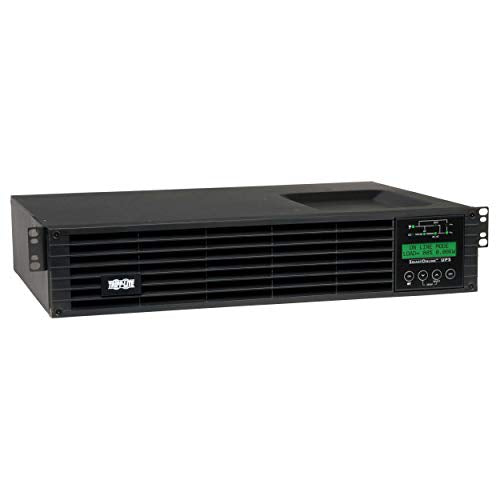
This 100/110/120/127V 50/60 Hz Ups System With Igbt Technology Maintains Perfect Output By Converting Ac Input To Dc, Then Reconverting Ups Output To Fully Regulated Sine Wave Ac With +/-2% Voltage Regulation In Online And Battery Modes. Featuring A 675W Capacity, High 0.9 Power Factor, 570 Joules Of Surge Suppression, True On-Line Operation With Pure Sine Wave Output And Zero Transfer Time To Battery Mode In On-Line Double-Conversion Mode, The Smartonline Su750Rtxlcd2Un Double-Conversion Ups Provides The Highest Level Of Ac Power Protection And Battery Backup For Critical Network Closet, Computer Room And Data Center Equipment.
⚠️ WARNING (California Proposition 65): This product may contain chemicals known to the State of California to cause cancer, birth defects, or other reproductive harm. For more information, please visit www.P65Warnings.ca.gov.
Frequently Asked Questions
Q: What are the dimensions of the uninterruptible power supply?A: The dimensions of the uninterruptible power supply are twelve point five two inches in length, seventeen point five two inches in width, and three point five inches in height.
Q: What is the power capacity of this UPS?A: The power capacity of this UPS is seven hundred fifty volt-amperes, or six hundred seventy-five watts.
Q: What type of outlets does this UPS have?A: This UPS features eight five-15R outlets that provide pure sine wave AC output.
Q: How do I install the UPS in a rack?A: You can install the UPS in a standard EIA nineteen-inch rack using the included mounting hardware.
Q: Can I use this UPS for home networking equipment?A: Yes, this UPS is ideal for protecting high-end in-rack networking equipment with its eight outlets and advanced features.
Q: How do I set up remote management for this UPS?A: You can set up remote management using the pre-installed WEBCARDLXE network management card for full configuration and monitoring.
Q: How can I extend the battery runtime for this UPS?A: You can extend the battery runtime by connecting up to four optional extended battery modules, sold separately.
Q: What is the recommended way to care for the UPS?A: Regularly check the battery modules and ensure they are hot-swappable for easy replacement as needed.
Q: How do I clean the UPS?A: To clean the UPS, use a soft, dry cloth to wipe down the exterior and ensure that ventilation areas are free of dust.
Q: Is this UPS safe for sensitive electronic equipment?A: Yes, this UPS is designed to protect sensitive electronic equipment from power surges and line noise.
Q: What should I do if the UPS does not turn on?A: If the UPS does not turn on, check the power connection and ensure the battery is charged. If issues persist, consult the user manual.
Q: Does this UPS come with a warranty?A: Yes, this UPS includes a two-year manufacturer's warranty for added peace of mind.
Q: What if the UPS arrives damaged?A: If the UPS arrives damaged, contact customer support immediately to initiate a return or replacement process.
Q: Can I use this UPS in a tower configuration?A: Yes, the UPS can be adapted for tower installation using the included support stands.
Q: How does the LCD display provide information?A: The menu-driven front-panel LCD displays system status, event logs, battery status, and alarms to keep you informed.
Q: Is there a way to disable audible alarms on this UPS?A: Yes, you can disable audible alarms through the front menu when the UPS switches to battery power.