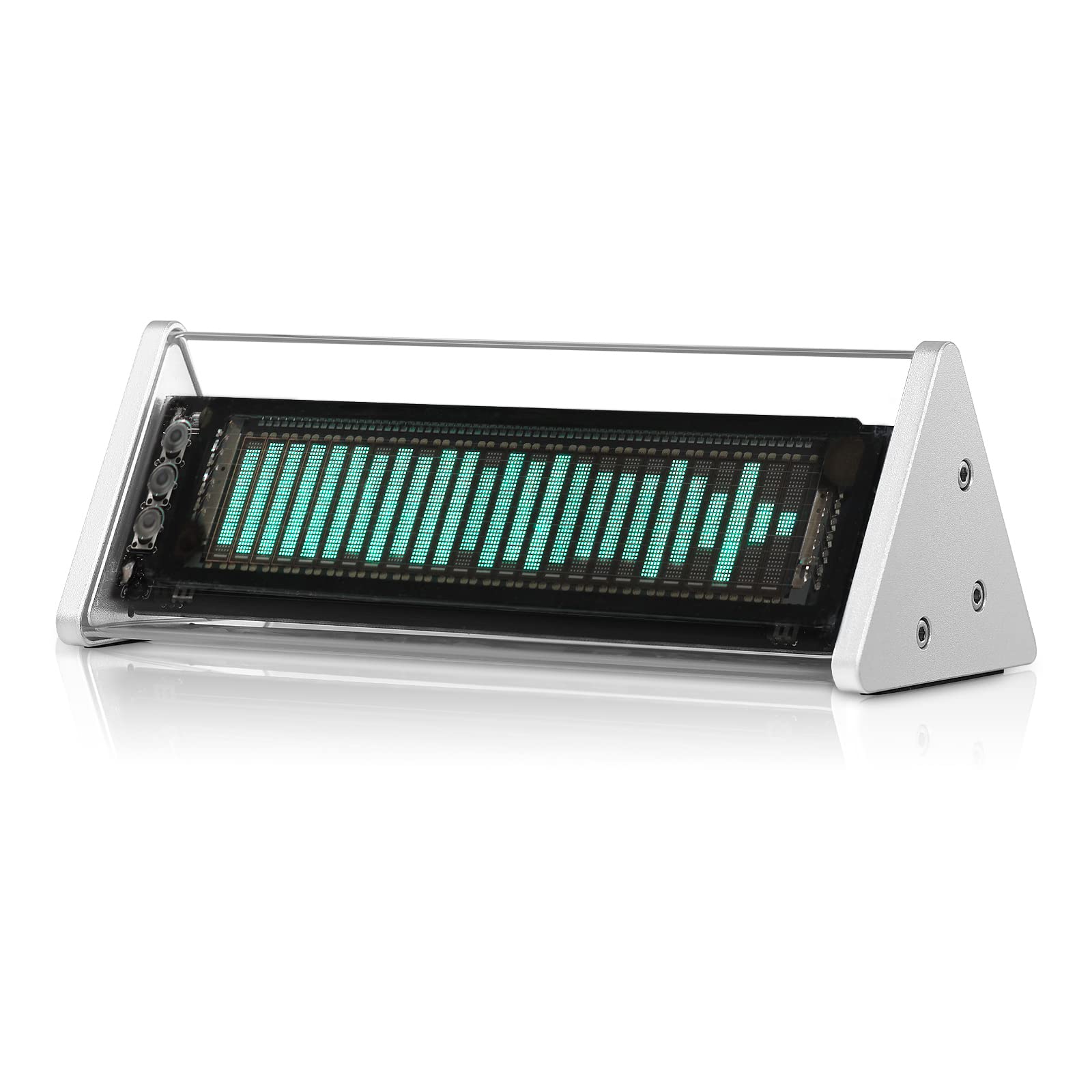
Warm Tips 1. For Safe Shipping, The Remote Control May Not Include Batteries (2*Aaa), Please Prepare By Yourself. 2. 3.5Mm Aux1 And 3.5Mm Aux2 Cannot Input At The Same Time, Only One Audio Source Channel (Mic / Bluetooth / In1 / In2) Can Input At A Time. Parameters Display Screen: Vfd (Vacuum Fluorescent Display) Resolution: 25 15 Frequency Range Supported: 80Hz-16Khz Display Item: Music Spectrum / Clock Audio Signal Input: Mic / Bluetooth 5.0 / 2 Groups Of 3.5Mm Aux Audio Signal Output: 1 Group Of 3.5Mm Aux Work Mode: 1. Auto Mode (Display Music Spectrum When Music Input, Display Clock Mode When No Music Input) 2. Clock Display Mode (Always) Clock Display: 2 Kinds Music Spectrum Display : 5 Kinds Music Display Mode: Agc+Customized Output Curve (Real Output / Smooth Output) Adjustable Items: Main Light Column Falling Speed / Peak Holding Time / Peak Falling Speed Brightness Adjustment: 5 Levels+Auto Adjustment Gain Adjustment: 5 Levels Power-Off Memory Function: Support Remote Control: Support Working Voltage: Dc 5V Dimensions(W*D*H): 184*75*66Mm / 7.24*2.95*2.60In Net Weight: 322G / 0.71Lb Package Weight: 500G / 1.10Lb Packing List 1 Vfd253 Audio Spectrum 1 Usb Cable (Type-C) 1 Remote Control (Without Batteries) 2 Pad (Stick To The Bottom) 1 User Manual
⚠️ WARNING (California Proposition 65): This product may contain chemicals known to the State of California to cause cancer, birth defects, or other reproductive harm. For more information, please visit www.P65Warnings.ca.gov.
Frequently Asked Questions
Q: What are the dimensions of the VFD253 Audio Spectrum Analyzer?A: The dimensions are seven point twenty-four inches in width, two point ninety-five inches in depth, and two point sixty inches in height.
Q: What is the weight of the VFD253 Audio Spectrum Analyzer?A: The net weight is three hundred twenty-two grams, which is approximately zero point seventy-one pounds.
Q: What type of display does the VFD253 use?A: It features a Vacuum Fluorescent Display (VFD) with a resolution of twenty-five by fifteen.
Q: How do I connect my devices to the VFD253?A: You can connect devices via Bluetooth five point zero, microphone input, or two groups of three point five millimeter AUX inputs.
Q: Can I use multiple audio sources at the same time with the VFD253?A: No, only one audio source can be input at a time from the microphone, Bluetooth, or AUX.
Q: How do I operate the VFD253 Audio Spectrum Analyzer?A: You can operate it using the included remote control to adjust settings like brightness and gain, or via the front panel.
Q: Is the VFD253 suitable for beginners?A: Yes, the VFD253 is user-friendly and designed for both beginners and more advanced users.
Q: What is the power requirement for the VFD253?A: It operates on a direct current of five volts.
Q: How do I care for the VFD253 Audio Spectrum Analyzer?A: Keep it clean by wiping with a soft cloth; avoid using harsh chemicals that could damage the display.
Q: Does the VFD253 have a power-off memory function?A: Yes, it supports a power-off memory function, retaining settings even after being turned off.
Q: What if my VFD253 arrives damaged?A: If it arrives damaged, contact customer support for return and replacement options.
Q: Is there a warranty for the VFD253 Audio Spectrum Analyzer?A: Yes, it comes with a manufacturer warranty; check the packaging or user manual for specific details.
Q: How do I adjust the brightness on the VFD253?A: Brightness can be adjusted using the remote control, with five levels available plus an auto adjustment feature.
Q: Can the VFD253 display a clock?A: Yes, it can display a clock continuously or switch to clock mode when no music is playing.
Q: What materials are used in the VFD253's construction?A: The VFD253 features a CNC machined aluminum body and a transparent acrylic case.
Q: Does the VFD253 require batteries for the remote control?A: Yes, the remote control requires two AAA batteries, which are not included.


![[Upgraded] Vfd Audio Spectrum Analyzer Bluetooth 5.0 Receiver 3.5Mm Aux Selector (Silver)](http://electroeshop.com/cdn/shop/files/71_CwJWqKiL.jpg?v=1749044535&width=1400)
![[Upgraded] Vfd Audio Spectrum Analyzer Bluetooth 5.0 Receiver 3.5Mm Aux Selector (Silver)](http://electroeshop.com/cdn/shop/files/71xxV_49d_L.jpg?v=1758650675&width=1400)
![[Upgraded] Vfd Audio Spectrum Analyzer Bluetooth 5.0 Receiver 3.5Mm Aux Selector (Silver)](http://electroeshop.com/cdn/shop/files/81WzVnLko1L.jpg?v=1758650675&width=1400)
![[Upgraded] Vfd Audio Spectrum Analyzer Bluetooth 5.0 Receiver 3.5Mm Aux Selector (Silver)](http://electroeshop.com/cdn/shop/files/81qGNgZ6_zL.jpg?v=1758650675&width=1400)
![[Upgraded] Vfd Audio Spectrum Analyzer Bluetooth 5.0 Receiver 3.5Mm Aux Selector (Silver)](http://electroeshop.com/cdn/shop/files/71B_O04LYzL.jpg?v=1758650675&width=1400)
![[Upgraded] Vfd Audio Spectrum Analyzer Bluetooth 5.0 Receiver 3.5Mm Aux Selector (Silver)](http://electroeshop.com/cdn/shop/files/71_CwJWqKiL.jpg?v=1749044535&width=1200)
![[Upgraded] Vfd Audio Spectrum Analyzer Bluetooth 5.0 Receiver 3.5Mm Aux Selector (Silver)](http://electroeshop.com/cdn/shop/files/71xxV_49d_L.jpg?v=1758650675&width=1200)
![[Upgraded] Vfd Audio Spectrum Analyzer Bluetooth 5.0 Receiver 3.5Mm Aux Selector (Silver)](http://electroeshop.com/cdn/shop/files/81WzVnLko1L.jpg?v=1758650675&width=1200)
![[Upgraded] Vfd Audio Spectrum Analyzer Bluetooth 5.0 Receiver 3.5Mm Aux Selector (Silver)](http://electroeshop.com/cdn/shop/files/81qGNgZ6_zL.jpg?v=1758650675&width=1200)
![[Upgraded] Vfd Audio Spectrum Analyzer Bluetooth 5.0 Receiver 3.5Mm Aux Selector (Silver)](http://electroeshop.com/cdn/shop/files/71B_O04LYzL.jpg?v=1758650675&width=1200)