Sold Out
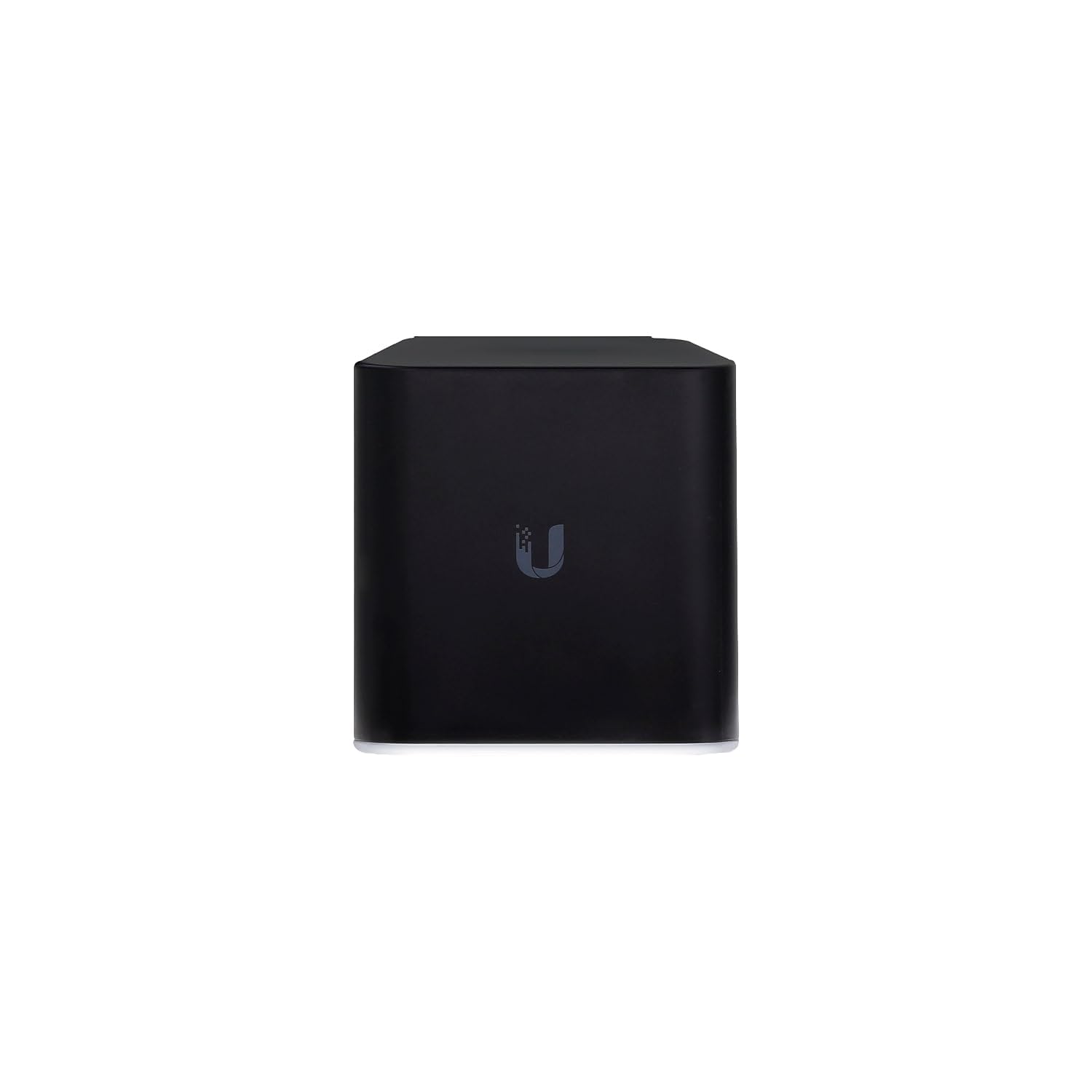
Ubiquiti Networks Aircube Isp Wi Fi Access Point (Acb Isp Us)
Free Standard Shipping Across USA
Couldn't load pickup availability
Refresh
Sold by Electroeshop, an authorized reseller.
Returns accepted within 30 days | support@electroeshop.com
Verified
Shipping Information
Free Standard Shipping — United States only
Processing Time: 3–5 business days
Estimated Delivery: 6–10 business days after dispatch
Double-boxed, fully insured & discreetly packaged
Tracking number sent via email once dispatched
Returns & Refund
Returns accepted within 30 days of delivery.
Damaged or Defective Item
Free return shipping + replacement or full refund
Wrong Item Received
Free return shipping + replacement or full refund
Change of Mind
Return shipping at customer's expense · 25% restocking fee applies
Return Authorization (RA) number before sending.
View Full Return & Refund Policy
Your Cart
Item(s):
Total: $59.00
Ubiquiti Networks Aircube Isp Wi Fi Access Point (Acb Isp Us)
$80.24
Sold Out
Ubiquiti Networks Introduces The Aircube, A Cost-Effective Wireless Access Point For Use In Your Customer Deployments. Poe Pass-Through For Powering A 24V Cpe Device Managed By Unms, Ubiquiti Network Management System Unms App For Fast Setup From A Mobile Device Wireless Performance Aircube Isp 802.11N, 2X2 Mimo Wi-Fi For Speeds Of Up To 300 Mbps In The 2.4 Ghz Radio Band. 4X 10/100 Fast Ethernet Ports 24V Poe Pass-Through For Airmax Cpe 802.11N, 2X2 Mimo Technology Powered By 24V Passive Poe Or 2A Micro Usb Adapter (Not Included) Versatile Power Options It Offers Convenient Poe Pass-Through To Power A 24V Airmax Cpe Device, So You Can Use A Single Poe Adapter To Power Both Devices. To Provide Sufficient Power For Poe Pass-Through: The Aircube Isp Requires 24V, 1A Poe Input. Intuitive Software Management Options Feature A Graphical User Interface Designed For Streamlined Setup And Control. Available Options Include Unms Provides Advanced Remote Control Of Ubiquiti Devices. Use The Unms App To Manage Your Devices Using A Tablet Or Smartphone Web Ui Enables A Standalone Utility For Basic Configuration
⚠️ WARNING (California Proposition 65):www.P65Warnings.ca.gov .
Frequently Asked Questions
Q: What are the dimensions of the Ubiquiti airCube ISP Wi-Fi Access Point?
A: The dimensions are three point five inches by three point five inches by three point five inches. This compact size allows for versatile placement in various environments.
Q: What is the model number of the Ubiquiti airCube ISP?
A: The model number is two zero eight five two seven. This identifier is essential for support and warranty inquiries.
Q: What type of materials is the Ubiquiti airCube made of?
A: The Ubiquiti airCube is primarily made of durable plastic. It is designed to withstand typical indoor conditions.
Q: How do I set up the Ubiquiti airCube ISP Wi-Fi Access Point?
A: To set up, connect the airCube to your power source and internet connection. Use the UNMS Mobile app for iOS or Android to guide you through the installation and configuration.
Q: Is the Ubiquiti airCube suitable for home use?
A: Yes, it is ideal for home use. Its high-speed capabilities and sleek design make it a great choice for residential networking.
Q: Can I use the Ubiquiti airCube for a business network?
A: Yes, it is suitable for business networks. Its reliable performance and features support both small and medium-sized business environments.
Q: How do I maintain the Ubiquiti airCube for optimal performance?
A: Keep the airCube clean and dust-free by wiping it with a soft cloth. Ensure proper ventilation by not obstructing its airflow during operation.
Q: Is the Ubiquiti airCube safe for outdoor use?
A: No, the airCube is designed for indoor use only. Exposure to outdoor elements may damage the device.
Q: What should I do if my Ubiquiti airCube isn't connecting to the internet?
A: If there are connectivity issues, first restart the device and check your internet connection. If the problem persists, consult the user manual or contact customer support.
Q: Does the Ubiquiti airCube come with a warranty?
A: Yes, it typically comes with a one-year warranty. Verify the warranty details with the retailer when purchasing.
Q: Does the airCube support Power over Ethernet?
A: Yes, it supports twenty-four volts Power over Ethernet. This feature allows it to receive power and provide power to connected devices.
Q: What is the maximum wireless transmission speed of the airCube?
A: The maximum wireless transmission speed is three hundred megabits per second. This speed is ideal for fast data transfer and reliable connectivity.
Q: Can I manage the Ubiquiti airCube remotely?
A: Yes, it supports UNMS for remote management. This software simplifies network management from anywhere.
Q: What color options are available for the Ubiquiti airCube?
A: The Ubiquiti airCube is available in black. This color blends well with most home or office decor.
Q: Is the Ubiquiti airCube easy to install?
A: Yes, it is designed for easy installation. The included mobile app provides step-by-step guidance for quick setup.
<div class="dynamic-checkout__content" id="dynamic-checkout-cart" data-shopify="dynamic-checkout-cart"> <shopify-accelerated-checkout-cart wallet-configs="[{"supports_subs":true,"supports_def_opts":false,"name":"shop_pay","wallet_params":{"shopId":71498399780,"merchantName":"Electroeshop","personalized":true}},{"supports_subs":false,"supports_def_opts":false,"name":"amazon_pay","wallet_params":{"checkoutLanguage":"en_US","ledgerCurrency":"USD","placement":"Cart","sandbox":false,"merchantId":"A1D97EELABIYRS","productType":"PayAndShip","design":"C0002"}},{"supports_subs":true,"supports_def_opts":false,"name":"paypal","wallet_params":{"shopId":71498399780,"countryCode":"US","merchantName":"Electroeshop","phoneRequired":true,"companyRequired":false,"shippingType":"shipping","shopifyPaymentsEnabled":true,"hasManagedSellingPlanState":false,"requiresBillingAgreement":false,"gatewayType":"MANAGED","merchantId":"CTDG3UHVZNL4L","sdkUrl":"https://www.paypal.com/sdk/js?components=buttons\u0026commit=false\u0026currency=USD\u0026locale=en_US\u0026client-id=AbasDhzlU0HbpiStJiN1KRJ_cNJJ7xYBip7JJoMO0GQpLi8ePNgdbLXkC7_KMeyTg8tnAKW4WKrh9qmf\u0026merchant-id=CTDG3UHVZNL4L\u0026intent=authorize","serviceableCountryCodes":["AC","AD","AE","AF","AG","AI","AL","AM","AO","AR","AT","AU","AW","AX","AZ","BA","BB","BD","BE","BF","BG","BH","BI","BJ","BL","BM","BN","BO","BQ","BR","BS","BT","BW","BY","BZ","CA","CC","CD","CF","CG","CH","CI","CK","CL","CM","CN","CO","CR","CV","CW","CX","CY","CZ","DE","DJ","DK","DM","DO","DZ","EC","EE","EG","EH","ER","ES","ET","FI","FJ","FK","FO","FR","GA","GB","GD","GE","GF","GG","GH","GI","GL","GM","GN","GP","GQ","GR","GS","GT","GW","GY","HK","HN","HR","HT","HU","ID","IE","IL","IM","IN","IO","IQ","IS","IT","JE","JM","JO","JP","KE","KG","KH","KI","KM","KN","KR","KW","KY","KZ","LA","LB","LC","LI","LK","LR","LS","LT","LU","LV","LY","MA","MC","MD","ME","MF","MG","MK","ML","MM","MN","MO","MQ","MR","MS","MT","MU","MV","MW","MX","MY","MZ","NA","NC","NE","NF","NG","NI","NL","NO","NP","NR","NU","NZ","OM","PA","PE","PF","PG","PH","PK","PL","PM","PN","PS","PT","PY","QA","RE","RO","RS","RU","RW","SA","SB","SC","SD","SE","SG","SH","SI","SJ","SK","SL","SM","SN","SO","SR","SS","ST","SV","SX","SZ","TA","TC","TD","TF","TG","TH","TJ","TK","TL","TM","TN","TO","TR","TT","TV","TW","TZ","UA","UG","UM","US","UY","UZ","VA","VC","VE","VG","VN","VU","WF","WS","XK","YE","YT","ZA","ZM","ZW"]}},{"supports_subs":true,"supports_def_opts":false,"name":"google_pay","wallet_params":{"sdkUrl":"https://pay.google.com/gp/p/js/pay.js","paymentData":{"apiVersion":2,"apiVersionMinor":0,"shippingAddressParameters":{"allowedCountryCodes":["AC","AD","AE","AF","AG","AI","AL","AM","AO","AR","AT","AU","AW","AX","AZ","BA","BB","BD","BE","BF","BG","BH","BI","BJ","BL","BM","BN","BO","BQ","BR","BS","BT","BW","BY","BZ","CA","CC","CD","CF","CG","CH","CI","CK","CL","CM","CN","CO","CR","CV","CW","CX","CY","CZ","DE","DJ","DK","DM","DO","DZ","EC","EE","EG","EH","ER","ES","ET","FI","FJ","FK","FO","FR","GA","GB","GD","GE","GF","GG","GH","GI","GL","GM","GN","GP","GQ","GR","GS","GT","GW","GY","HK","HN","HR","HT","HU","ID","IE","IL","IM","IN","IO","IQ","IS","IT","JE","JM","JO","JP","KE","KG","KH","KI","KM","KN","KR","KW","KY","KZ","LA","LB","LC","LI","LK","LR","LS","LT","LU","LV","LY","MA","MC","MD","ME","MF","MG","MK","ML","MM","MN","MO","MQ","MR","MS","MT","MU","MV","MW","MX","MY","MZ","NA","NC","NE","NF","NG","NI","NL","NO","NP","NR","NU","NZ","OM","PA","PE","PF","PG","PH","PK","PL","PM","PN","PS","PT","PY","QA","RE","RO","RS","RU","RW","SA","SB","SC","SD","SE","SG","SH","SI","SJ","SK","SL","SM","SN","SO","SR","SS","ST","SV","SX","SZ","TA","TC","TD","TF","TG","TH","TJ","TK","TL","TM","TN","TO","TR","TT","TV","TW","TZ","UA","UG","UM","US","UY","UZ","VA","VC","VE","VG","VN","VU","WF","WS","XK","YE","YT","ZA","ZM","ZW"],"phoneNumberRequired":true,"format":"FULL-ISO3166"},"merchantInfo":{"merchantName":"Electroeshop","merchantId":"16708973830884969730","merchantOrigin":"electroeshop.com"},"allowedPaymentMethods":[{"type":"CARD","parameters":{"allowedCardNetworks":["VISA","MASTERCARD","AMEX","DISCOVER","JCB"],"allowedAuthMethods":["PAN_ONLY","CRYPTOGRAM_3DS"],"billingAddressRequired":true,"billingAddressParameters":{"format":"FULL-ISO3166","phoneNumberRequired":true}},"tokenizationSpecification":{"type":"PAYMENT_GATEWAY","parameters":{"gateway":"shopify","gatewayMerchantId":"71498399780"}}}],"emailRequired":true},"customerAccountEmail":null,"environment":"PRODUCTION","availablePresentmentCurrencies":["USD"],"auth":[{"jwt":"eyJ0eXAiOiJKV1QiLCJhbGciOiJFUzI1NiJ9.eyJtZXJjaGFudElkIjoiMTY3MDg5NzM4MzA4ODQ5Njk3MzAiLCJtZXJjaGFudE9yaWdpbiI6ImVsZWN0cm9lc2hvcC5jb20iLCJpYXQiOjE3OTIzMzg0OTZ9.RFVRkCTyhXaPz6PLYA766QxizW1Ct5EVBfxXvfMq4BjpzM8MHsHCZyXAq5H-b1AtqQKEVApjGTkZXv0iDaP-tg","expiresAt":1792381696},{"jwt":"eyJ0eXAiOiJKV1QiLCJhbGciOiJFUzI1NiJ9.eyJtZXJjaGFudElkIjoiMTY3MDg5NzM4MzA4ODQ5Njk3MzAiLCJtZXJjaGFudE9yaWdpbiI6ImVsZWN0cm9lc2hvcC5jb20iLCJpYXQiOjE3OTIzODE2OTZ9.-xZ0fmiHhMtVB6bYX4MIFA_uwE1KbmiMl9e17XrIe_ztOU8SlTIy2l9Hf4bb6Naq1U3KB3uOA9dOCiTRy-zSIg","expiresAt":1792424896}],"cardsinkUrl":"https://checkout.pci.shopifyinc.com/sessions","cardsinkCallerIdentificationJwt":"eyJraWQiOiJ2MSIsInR5cCI6IkpXVCIsImFsZyI6IkhTMjU2In0.eyJjbGllbnRfaWQiOiIxMSIsImNsaWVudF9hY2NvdW50X2lkIjoiNzE0OTgzOTk3ODAiLCJ1bmlxdWVfaWQiOiIwMU01N1Y0OUI2NTVBRVcyS01aWUZFWFdOMSIsImlhdCI6MTc5MjMzODQ5Nn0.AOELyblgXS1hZ2lv0304xYUPaQnDp2m0QngtSKBFT3A"}}]" access-token="ab31e70b5cc21a1ceee088fbb76625d8" buyer-country="US" buyer-locale="en" buyer-currency="USD" shop-id="71498399780" cart-id="hWNI7MWE7zCTeNJIKoZ8F1Jx" enabled-flags="["1172c16a","a1d1f9a1","f5afabb3","370070f3","b311f899"]" requires-shipping > <div class="wallet-button-wrapper"> <ul class='wallet-cart-grid wallet-cart-grid--skeleton' role="list" data-shopify-buttoncontainer="true"> <li data-testid='grid-cell' class='wallet-cart-button-container'><div class='wallet-cart-button wallet-cart-button__skeleton' role='button' disabled aria-hidden='true'> </div></li><li data-testid='grid-cell' class='wallet-cart-button-container'><div class='wallet-cart-button wallet-cart-button__skeleton' role='button' disabled aria-hidden='true'> </div></li><li data-testid='grid-cell' class='wallet-cart-button-container'><div class='wallet-cart-button wallet-cart-button__skeleton' role='button' disabled aria-hidden='true'> </div></li><li data-testid='grid-cell' class='wallet-cart-button-container'><div class='wallet-cart-button wallet-cart-button__skeleton' role='button' disabled aria-hidden='true'> </div></li> </ul> </div> </shopify-accelerated-checkout-cart> </div>