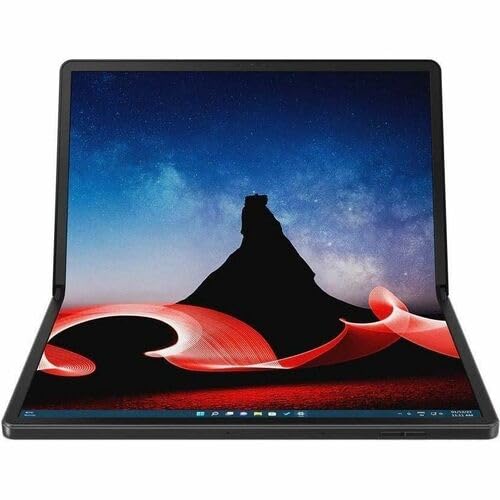
Thinkpad X1 Fold 16 G1, Intel Core I71250U Ecores Up To 3.50Ghz, 16.3 2560 X 2024 Touch, Windows 11 Pro 64, 16.0Gb, 1X512Gb Ssd M.2 2242 Pcie Gen4 Tlc Opal, Intel Iris Xe Graphics, Bt 5.1 Or Above, Wifi 6E Ax211, 5Mp Rgb+Ir, 3Cell Lipol 64Wh, 1Couriercarryin
⚠️ WARNING (California Proposition 65): This product may contain chemicals known to the State of California to cause cancer, birth defects, or other reproductive harm. For more information, please visit www.P65Warnings.ca.gov.
Frequently Asked Questions
Q: What are the dimensions of the Lenovo ThinkPad X1 Fold Gen 1?A: The dimensions are six point nine inches in height, ten point ninety-one inches in width, and zero point seventy-one inches in depth.
Q: What type of processor does the Lenovo ThinkPad X1 Fold Gen 1 use?A: It uses an Intel Core i7, specifically the twelfth generation model i7-1250U, which has a deca-core design.
Q: How much RAM does the Lenovo ThinkPad X1 Fold Gen 1 have?A: The laptop has sixteen gigabytes of installed system memory, which is the maximum supported.
Q: What is the display resolution of the Lenovo ThinkPad X1 Fold Gen 1?A: The display resolution is two thousand five hundred sixty by two thousand twenty-four pixels.
Q: What type of storage does the Lenovo ThinkPad X1 Fold Gen 1 feature?A: It features a solid-state drive with a total capacity of five hundred twelve gigabytes.
Q: What operating system comes pre-installed on the Lenovo ThinkPad X1 Fold Gen 1?A: The laptop comes with Windows eleven Pro pre-installed.
Q: How do I use the Lenovo ThinkPad X1 Fold Gen 1 as a tablet?A: You can fold the device to use it in tablet mode, utilizing the touchscreen capabilities of the OLED display.
Q: Is the Lenovo ThinkPad X1 Fold Gen 1 suitable for gaming?A: While it can handle casual gaming, it is primarily designed for productivity and may not support high-end gaming graphics.
Q: How do I connect to Wi-Fi with the Lenovo ThinkPad X1 Fold Gen 1?A: You can connect to Wi-Fi by selecting your network from the wireless options in the settings menu.
Q: What type of battery does the Lenovo ThinkPad X1 Fold Gen 1 use?A: It uses lithium-ion batteries, which are packed with the equipment and provide long battery life.
Q: How should I care for the Lenovo ThinkPad X1 Fold Gen 1?A: Keep it in a clean, dry environment and avoid exposing it to extreme temperatures to maintain its longevity.
Q: What should I do if my Lenovo ThinkPad X1 Fold Gen 1 does not turn on?A: Ensure it is charged, and if it still doesn’t turn on, try a hard reset by holding the power button for ten seconds.
Q: Is the Lenovo ThinkPad X1 Fold Gen 1 covered by a warranty?A: Yes, it comes with a standard manufacturer warranty, which covers defects and hardware failures.
Q: How do I store the Lenovo ThinkPad X1 Fold Gen 1 when not in use?A: Store it in a protective case and keep it in a cool, dry place to prevent any damage.
Q: Can I upgrade the RAM on the Lenovo ThinkPad X1 Fold Gen 1?A: No, the RAM is on-board and cannot be upgraded beyond the installed sixteen gigabytes.