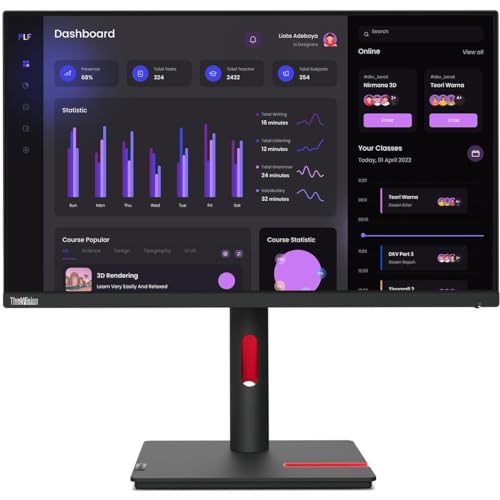
Thinkvision T24I-30 Channel Only 23.8'' Ips Natural Low Blue Light Display; 1920 X 1080 Fhd Resolution; 99% Srgb Vga, Hdmi1.4 And Dp1.2 Video Connectivity; 1X Audio Out (3.5 Mm) Lift Range Of 155 Mm, Tilt Angles Of -5 / 23.5 , Swivel Angles Of 45 , And A Pivot Range Of 90 Full Function Stand|175|0|Both|Long|Warning: This Product Can Expose You To Chemicals Including Lead, Which Is Known To The State Of California To Cause Cancer And Birth Defects Or Other Reproductive Harm. For More Information Go To Www.P65Warnings.Ca.Gov.
⚠️ WARNING (California Proposition 65): This product may contain chemicals known to the State of California to cause cancer, birth defects, or other reproductive harm. For more information, please visit www.P65Warnings.ca.gov.
Frequently Asked Questions
Q: What is the display size of the Lenovo ThinkVision T24i-30?A: The display size is twenty-three point eight inches. This monitor provides a full HD experience with a resolution of one thousand nine hundred twenty by one thousand eighty pixels.
Q: What type of screen technology does the Lenovo ThinkVision T24i-30 use?A: It uses In-plane Switching, or IPS technology. This allows for wider viewing angles and better color accuracy compared to traditional monitors.
Q: What is the brightness level of the Lenovo ThinkVision T24i-30?A: The brightness level is two hundred fifty nits. This brightness ensures clear visibility in various lighting conditions.
Q: What are the dimensions of the Lenovo ThinkVision T24i-30 monitor?A: The dimensions are approximately seven point eight seven inches in depth, twenty-one point two six inches in width, and nineteen point eight eight inches in height. This size makes it a good fit for most desks.
Q: Does the Lenovo ThinkVision T24i-30 have built-in speakers?A: No, it does not have built-in speakers. Users will need to connect external speakers or use headphones for audio.
Q: What is the refresh rate of the Lenovo ThinkVision T24i-30?A: The refresh rate is sixty hertz. This refresh rate helps reduce motion blur, making it suitable for gaming and video playback.
Q: How do I connect the Lenovo ThinkVision T24i-30 to my computer?A: You can connect it using HDMI, DisplayPort, or VGA. This versatility allows for easy connections to various devices.
Q: Is the Lenovo ThinkVision T24i-30 suitable for gaming?A: Yes, it is suitable for gaming. With a four millisecond response time and sixty hertz refresh rate, it minimizes blurring during fast-paced action.
Q: Can I adjust the height of the Lenovo ThinkVision T24i-30 monitor?A: Yes, the monitor has height adjustment capabilities. This feature allows users to customize the height for comfortable viewing.
Q: What is the recommended usage environment for the Lenovo ThinkVision T24i-30?A: It is recommended for office and home use. The monitor's clarity and color accuracy make it ideal for productivity tasks and media consumption.
Q: What is the warranty period for the Lenovo ThinkVision T24i-30?A: The warranty period is typically three years. This warranty covers defects in materials and workmanship.
Q: How do I clean the Lenovo ThinkVision T24i-30 monitor?A: You should use a soft, lint-free cloth. Avoid using harsh chemicals or abrasive materials to prevent damage to the screen.
Q: What should I do if my Lenovo ThinkVision T24i-30 arrives damaged?A: Contact customer support immediately. They will guide you through the return process and assist with a replacement if necessary.
Q: Is the Lenovo ThinkVision T24i-30 energy efficient?A: Yes, it is energy efficient. The monitor complies with energy-saving standards, helping to reduce electricity consumption.
Q: What color is the Lenovo ThinkVision T24i-30 monitor?A: The color is Raven Black. This sleek color fits well in any modern workspace.