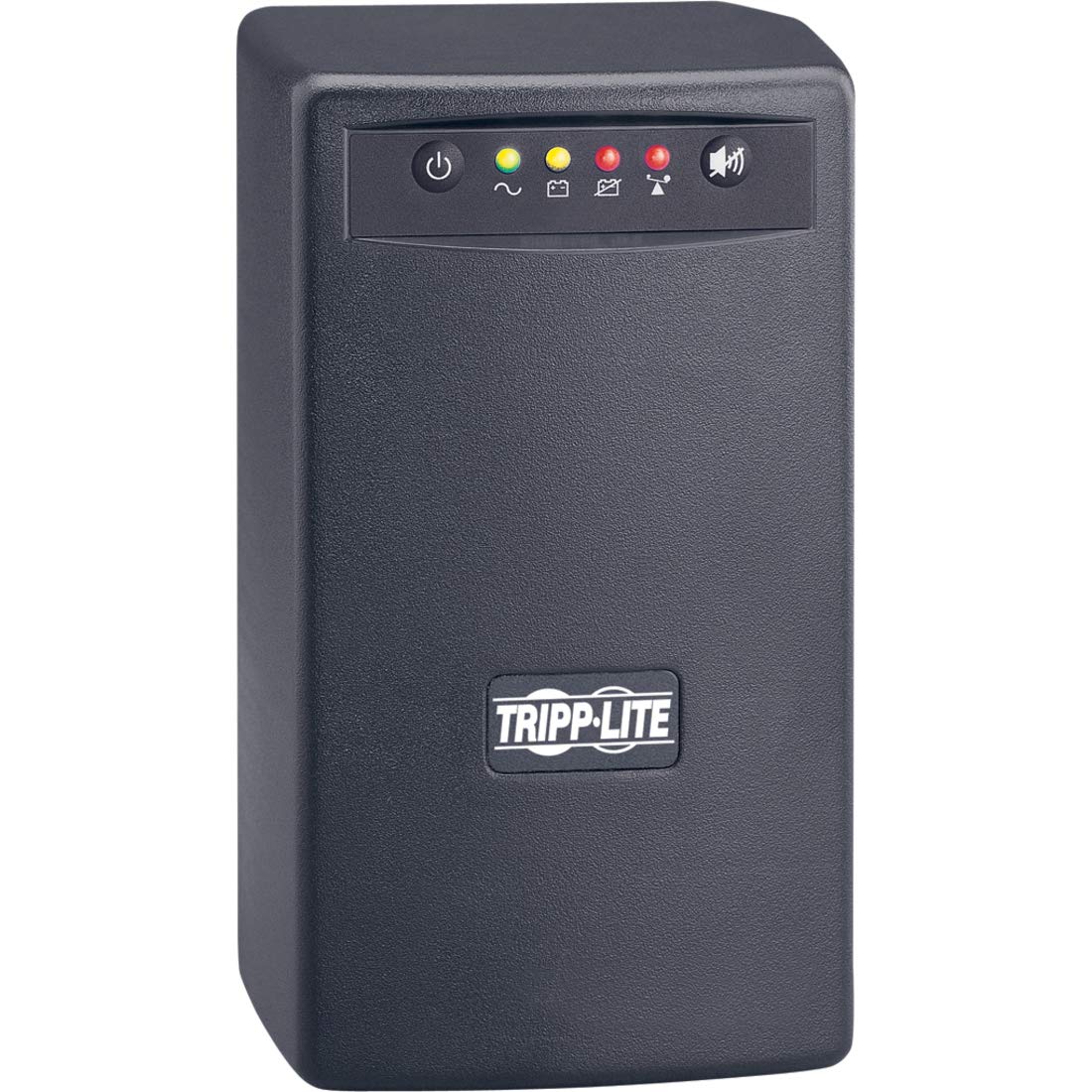
Open A Support Ticket Fill In An Online Form Describing Your Issue. We'Ll Respond By Email In One Business Day. Create A Support Ticket Support Chat Knowledgeable Product Specialists Are Available Now. Start Chatting Call Us When You Need Immediate Help, Call Us! Our Average Wait Time Is Under 1 Minute. +1 (773) 869-1234 (7 Am - 6 Pm Cst) Warranty & Insurance Product Registration Warranty Coverage Extended Warranties Warranty Lookup Insurance Coverage Insurance Claims Product Returns How To Return A Product Request A Return Authorization (Rma) Support Knowledge Base & Downloads Poweralert Software Drivers Firmware Owner'S Manuals Knowledge Base Support Resources Software Knowledge Base Replacement Parts How To Find A Product Serial Number Reseller Support Adding Or Replacing Ups Batteriesmultiple Brands Available Ups Battery Finder Extended Warranties & On-Site Services See Your Options Ups & Battery Recycling Learn More Visio Stencilsbim Objects Visio Stencils | Bim Objects | All Design Resources The Cisco Compatible Logo Signifies That Tripp Lite'S Product Has Undergone Interoperability Testing By Tripp Lite Together With Cisco And A Third-Party Test House Based On Testing Criteria Set By Cisco. Tripp Lite Is Solely Responsible For The Support And Warranty Of Its Product. Cisco Makes No Warranties, Express Or Implied, With Respect To Tripp Lite'S Product Or Its Interoperation With The Listed Cisco Product(S) And Disclaims Any Implied Warranties Of Merchantability, Fitness For A Particular Use, Or Against Infringement. Cisco, The Cisco Logo, And Cisco Systems Are Trademarks Or Registered Trademarks Of Cisco Systems, Inc. And/Or Its Affiliates In The United States And Certain Other Countries. 500Va Tower 120V Line-Interactive Ups Corrects Brownouts And Overvoltages From 75V To 147V 3 Ups Battery Supported Outlets, 3 Surge-Only Outlets Usb Port, Tel/Dsl Protection, Front Panel Status Leds Nema 5-15P Input Plug And 6 Nema 5-15R Outlets Omnismart500Pnp Is Not For Sale In Colorado, Vermont And Washington State. Customers In These States Should Purchase The Recommended Energy Star 2.0 Model Instead: Eco1500Lcd. Learn More About Energy Star 2.0 And Sales Restrictions In These States. Features Omnismart500 Line Interactive Ups System Offers Voltage Regulation And Battery Support, Plus Complete Ac And Dialup/Dsl Line Surge Suppression Supports Entry Level Pc Systems For Up To 30 Minutes During Power Failures To Enable A Safe System Shutdown Supports A Maximum Load Of 500Va/300 Watts For 4 Minutes And A Half Load Of 250Va/150 Watts For 14.6 Minutes Automatic Voltage Regulation (Avr) Circuits Correct Brownouts As Low As 75 Volts And Overvoltages As High As 147 Back To Normal 120 Volt Levels Without Using Battery Power Attractive Black Tower Configuration Includes 3 Battery Supported Outlets, Plus 3 Additional Surge Suppression-Only Outlets, 6-Ft. (1.83 M) Ac Line Cord (All Nema 5-15) Usb Port Enables Data-Saving Unattended Shutdown When Used With Tripp Lite'S Poweralert Software, Available Via Free Download From Www.Tripplite.Com/Poweralert Hid-Compliant Usb Port Also Enables Integration With Built-In Power Management And Auto Shutdown Features Of Windows And Mac Os X Supports Tripp Lite'S Watchdog Service Monitoring/Rebooting Software (Part# Watchdogsw) Dataline Suppression Jacks Protect A Single Dialup Phone/Dsl Line Audible Alarm And 4 Front Panel Leds Indicate Ups System And Line Power Status 500Va/300 Watt Power Handling Ability Supports A Variety Of Computer, Internetworking, Telecom And Consumer Electronics Equipment Supports Battery Replacement Via Built-In Access Panel Compatible With 120V/60Hz Applications For Usa, Canada, Mexico And More Optional Pdub15 Bypass Pdu Enables Hot-Swappable Ups Replacement With No Disruption To Connected Equipment Short Circuit Protection During Ac And Battery Modes Package Includes Omni Smart 500 Ups System Usb And Rj11 Phone Cable Instruction Manual With Warranty Information Specifications Over
⚠️ WARNING (California Proposition 65): This product may contain chemicals known to the State of California to cause cancer, birth defects, or other reproductive harm. For more information, please visit www.P65Warnings.ca.gov.
Frequently Asked Questions
Q: What are the dimensions of the Tripp Lite OmniSmart 500?A: The dimensions are seven inches in length, five inches in width, and eight point five inches in height. This compact size makes it suitable for various setups.
Q: What is the power capacity of the Tripp Lite OmniSmart 500?A: The power capacity is five hundred volt-amperes or three hundred watts. This allows for reliable support during power outages.
Q: What materials is the Tripp Lite OmniSmart 500 made of?A: The unit is primarily constructed from polycarbonate, a durable plastic material. This ensures longevity and protection against wear.
Q: How do I install the Tripp Lite OmniSmart 500?A: Simply plug the UPS into a standard wall outlet and connect your devices to the supported outlets. Ensure the device is properly configured for optimal performance.
Q: Can I use the Tripp Lite OmniSmart 500 for my gaming PC?A: Yes, the UPS can support entry-level gaming PCs for up to thirty minutes during power failures. This provides ample time for safe system shutdown.
Q: How do I connect my devices to the Tripp Lite OmniSmart 500?A: You can connect up to three devices to the battery-supported outlets and three additional devices to the surge-only outlets. Ensure the total load does not exceed three hundred watts.
Q: What kind of maintenance does the Tripp Lite OmniSmart 500 require?A: Routine checks for battery health and cleaning the unit with a damp cloth are recommended. Ensure the vents are clear of dust to maintain optimal airflow.
Q: Is there a warranty for the Tripp Lite OmniSmart 500?A: Yes, it comes with a two-year limited warranty. This covers defects in materials and workmanship under normal use.
Q: How should I store the Tripp Lite OmniSmart 500 when not in use?A: Store it in a cool, dry place, away from direct sunlight. Ensure it is unplugged and do not place heavy items on top of it.
Q: Can I return the Tripp Lite OmniSmart 500 if I have issues?A: Yes, you can return it within the specified return period if it arrives damaged or defective. Contact customer support for a return authorization.
Q: What do I do if the Tripp Lite OmniSmart 500 is not powering on?A: First, check if it is properly plugged into an outlet and that the outlet is functional. If it still does not power on, consider contacting support.
Q: Does the Tripp Lite OmniSmart 500 provide surge protection?A: Yes, it features surge suppression for connected devices. This protects against voltage spikes and electrical surges.
Q: Is the Tripp Lite OmniSmart 500 safe for sensitive electronics?A: Yes, it is designed to support sensitive electronics like computers and networking equipment, providing stable power and surge protection.
Q: What is the maximum load for the Tripp Lite OmniSmart 500?A: The maximum load is five hundred volt-amperes or three hundred watts. Exceeding this limit may cause the unit to shut down.
Q: Can I use the Tripp Lite OmniSmart 500 for home office equipment?A: Yes, it is ideal for home office equipment, providing backup power for computers, monitors, and other peripherals during outages.