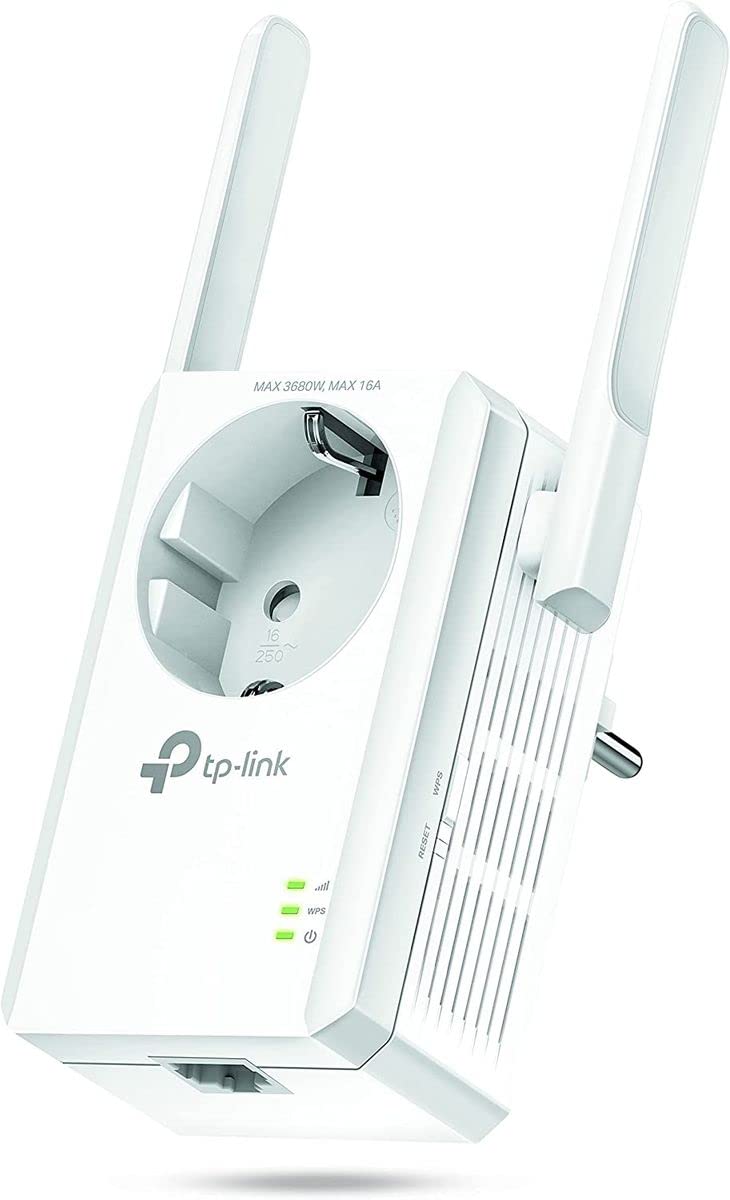
The Tp-Link Wi-Fi Range Extender With Ac Passthrough Uses Wireless N Technology And 2 External Antennas To Expand Your Home'S Existing Wi-Fi And Minimize Coverage ''Dead Zones.'' Stream Video, Place Internet Calls, And Game Online Without Lag Thanks To The Range Extender'S 300 Megabits Per Second Speed. Its Built-In Power Socket Keeps Your Outlet Free For Other Uses, And An Ethernet Port Allows The Extender To Connect Wired Devices Like Smart Tvs And Gaming Consoles To Your Wi-Fi.
⚠️ WARNING (California Proposition 65): This product may contain chemicals known to the State of California to cause cancer, birth defects, or other reproductive harm. For more information, please visit www.P65Warnings.ca.gov.
Frequently Asked Questions
Q: What are the dimensions of the TP-Link TL-WA860RE?A: The dimensions are two point six inches in length, four point three inches in width, and three inches in height. This compact design makes it easy to install in any standard outlet.
Q: What is the maximum speed of the TP-Link TL-WA860RE?A: The maximum speed is three hundred megabits per second. This allows for smooth streaming, gaming, and internet calls without lag.
Q: What wireless technology does the TP-Link TL-WA860RE use?A: It uses IEEE 802.11n Wireless N technology. This technology is designed to enhance the range and reliability of your Wi-Fi network.
Q: How do I set up the TP-Link TL-WA860RE?A: To set it up, plug it into an outlet, connect to the Wi-Fi network, and follow the app instructions. The process is user-friendly and can be done in minutes.
Q: Can I use the TP-Link TL-WA860RE with wired devices?A: Yes, it has an Ethernet port for connecting wired devices. This feature is great for devices like smart TVs or gaming consoles.
Q: Is the TP-Link TL-WA860RE easy to install?A: Yes, it is designed for easy installation. Simply plug it into a wall outlet and follow the setup instructions provided.
Q: How do I clean the TP-Link TL-WA860RE?A: To clean it, unplug the device and wipe it with a soft, dry cloth. Avoid using any liquids or abrasive materials.
Q: Does the TP-Link TL-WA860RE have a built-in power socket?A: Yes, it features a built-in AC passthrough power socket. This allows you to use the outlet for other devices while using the extender.
Q: What should I do if the TP-Link TL-WA860RE is not connecting?A: If it's not connecting, try resetting the device and reconfiguring the setup. Ensure that your main router is functioning properly.
Q: Is the TP-Link TL-WA860RE suitable for gaming?A: Yes, it is suitable for gaming. The extender's three hundred megabits per second speed minimizes lag, providing a better gaming experience.
Q: What is the power source for the TP-Link TL-WA860RE?A: It is powered by plugging it into a standard wall outlet. The built-in power socket does not require any additional power sources.
Q: Can I use the TP-Link TL-WA860RE outdoors?A: No, it is designed for indoor use only. Using it outdoors may damage the unit and void the warranty.
Q: What color is the TP-Link TL-WA860RE?A: The TP-Link TL-WA860RE is available in white. This neutral color allows it to blend in with most home decors.
Q: What is the brand of the TP-Link TL-WA860RE?A: The brand is TP-Link. They are known for their reliable networking products and technology solutions.
Q: What is the warranty on the TP-Link TL-WA860RE?A: The standard warranty is typically one year. Check with the retailer for specific warranty details.