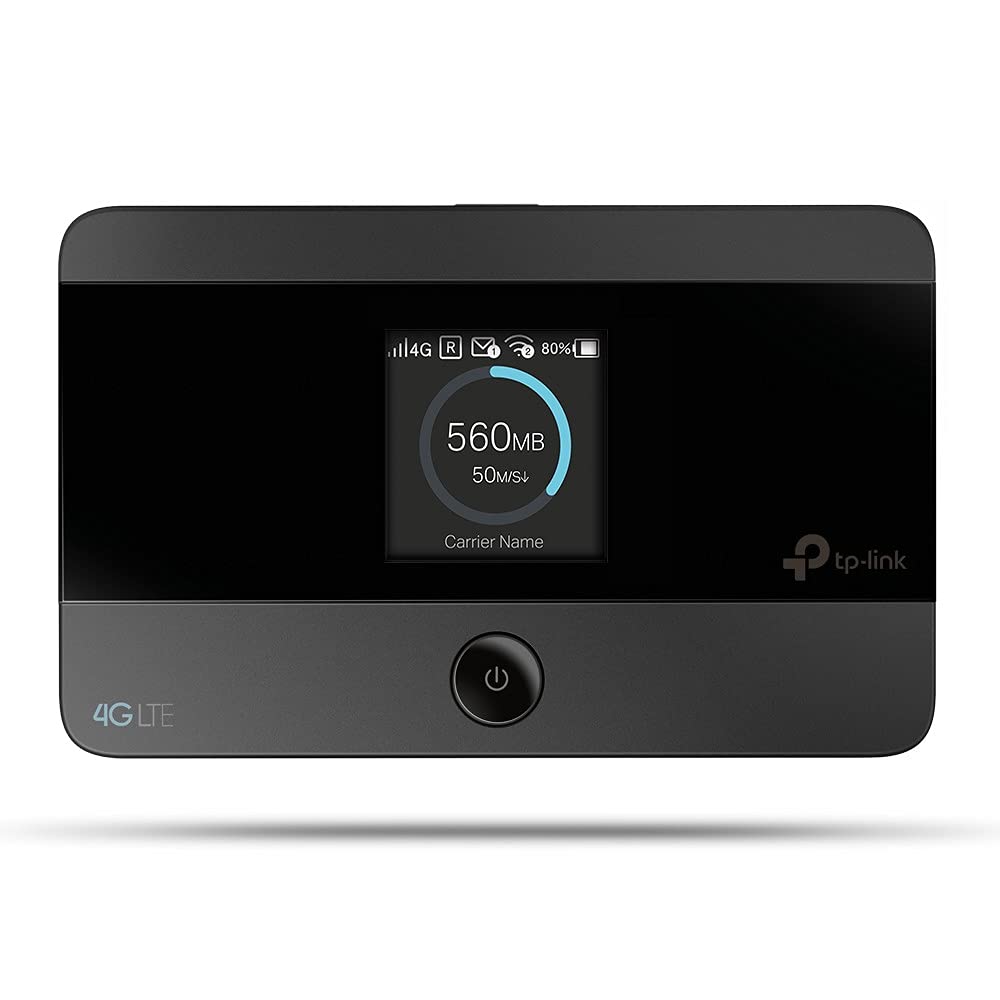
El M7350 De Tp-Link Se Encuentra En El Primer Plano De La Compartici N Inal Mbrica De 4G. Tan Solo Es Necesario Insertar Una Tarjeta Sim 4G En El Dispositivo Para Establecer Instant Neamente La Selecci N De Un Hotspot Wi-Fi De Banda Dual. Con Velocidades De Hasta 150 Mbps De Descarga Y Hasta 50 Mbps De Subida, El M7350 Est Capacitado Para Proporcionar La Compartici N Inal Mbrica De 4G Para Hasta 15 Usuarios Simult Neamente. Su Diseo De Bolsillo Y Potente Bater A Interna De 2550Mah Hacen Que Sea El Compaero Ideal De Viaje, Permitiendo A Los Usuarios Trabajar O Jugar Durante 10 Horas. Con Su Innovadora Pantalla Tft, Los Usuarios Dispondr N De Una Visi N Mucho M S Intuitiva Del Estado Operativo Del Dispositivo, De La Intensidad De Seal, Tipo De Red (4G/3G/2G), Estado Wi-Fi, Mensajes, Internet, Estad Sticas De Tr Fico Y Evoluci N De La Bater A. Marca Tp-Link Modelo M7350 Tipos De Red Soportados Fdd-Lte Cat4 (800/900/1800/2100/2600 Mhz) Dc-Hspa+/Hspa/Umts (900/2100 Mhz) Edge/Gprs/Gsm (850/900/1800/1900) Bandas - 2.4 Y 5 Ghz Antenas Antena Interna Puertos - 1 Puerto Micro Usb Para Alimentaci N - Ranura Para Tarjeta Sim - Ranura Para Tarjeta Micro Sd Otras Caracter Sticas - Bateria Interna De 2550 Mah - Pantalla Incorporada: Estadisticas De Tr Fico, Estado De Wi-Fi, N Mero De Usuarios, Tipo De Red (2G/3G/4G), Intensidad De La Seal, Estado De Conexi N A Internet Mensajes, Medidor De Bater A. - Est Ndares Inal Mbricos Ieee 802.11A Ieee 802.11B
⚠️ WARNING (California Proposition 65): This product may contain chemicals known to the State of California to cause cancer, birth defects, or other reproductive harm. For more information, please visit www.P65Warnings.ca.gov.
Frequently Asked Questions
Q: What are the dimensions of the TP-LINK M7350?A: The TP-LINK M7350 measures two point six inches in length, zero point six three inches in width, and four point one seven inches in height. Its compact design makes it portable and easy to carry.
Q: What materials are used in the TP-LINK M7350?A: The TP-LINK M7350 is primarily made of durable plastic and contains internal components including lithium-ion batteries. It is designed to withstand travel and daily use.
Q: What type of battery does the TP-LINK M7350 have?A: The TP-LINK M7350 features a two thousand five hundred mAh lithium-ion battery. This battery provides up to ten hours of continuous usage on a single charge.
Q: How do I set up the TP-LINK M7350?A: To set up the TP-LINK M7350, insert a compatible 4G SIM card into the device. Turn it on, and connect to the Wi-Fi network using your smartphone or laptop.
Q: Can the TP-LINK M7350 connect multiple devices?A: Yes, the TP-LINK M7350 can connect up to fifteen devices simultaneously. This makes it ideal for sharing an internet connection among multiple users.
Q: Is the TP-LINK M7350 easy to use?A: Yes, the TP-LINK M7350 is designed for ease of use. Its intuitive TFT display provides real-time information about signal strength, connected users, and battery status.
Q: How do I care for the TP-LINK M7350?A: To care for the TP-LINK M7350, avoid exposing it to extreme temperatures and moisture. Store it in a dry place and recharge the battery regularly.
Q: What should I do if the battery is not charging?A: If the battery of the TP-LINK M7350 is not charging, check the charging cable and ensure it is properly connected. If the issue persists, consider replacing the battery.
Q: How do I clean the TP-LINK M7350?A: To clean the TP-LINK M7350, use a soft, dry cloth to wipe the exterior. Avoid using any liquid cleaners, as they may damage the device.
Q: Is the TP-LINK M7350 safe for international travel?A: Yes, the TP-LINK M7350 is safe for international travel as it supports various 4G LTE bands. Check compatibility with local networks before use.
Q: How do I reset the TP-LINK M7350?A: To reset the TP-LINK M7350, press and hold the reset button for about ten seconds until the device restarts. This will restore factory settings.
Q: Does the TP-LINK M7350 support micro SD cards?A: Yes, the TP-LINK M7350 has a slot for a micro SD card. This allows users to share files wirelessly with connected devices.
Q: What is the wireless range of the TP-LINK M7350?A: The wireless range of the TP-LINK M7350 can extend up to three hundred feet indoors and even further outdoors, depending on environmental conditions.
Q: How does the TP-LINK M7350 compare to other mobile hotspots?A: The TP-LINK M7350 offers competitive speeds of up to one hundred fifty Mbps and can connect up to fifteen devices, making it a strong choice among mobile hotspots.
Q: What if my TP-LINK M7350 arrives damaged?A: If your TP-LINK M7350 arrives damaged, contact the retailer for a return or exchange. Keep all packaging materials for the return process.