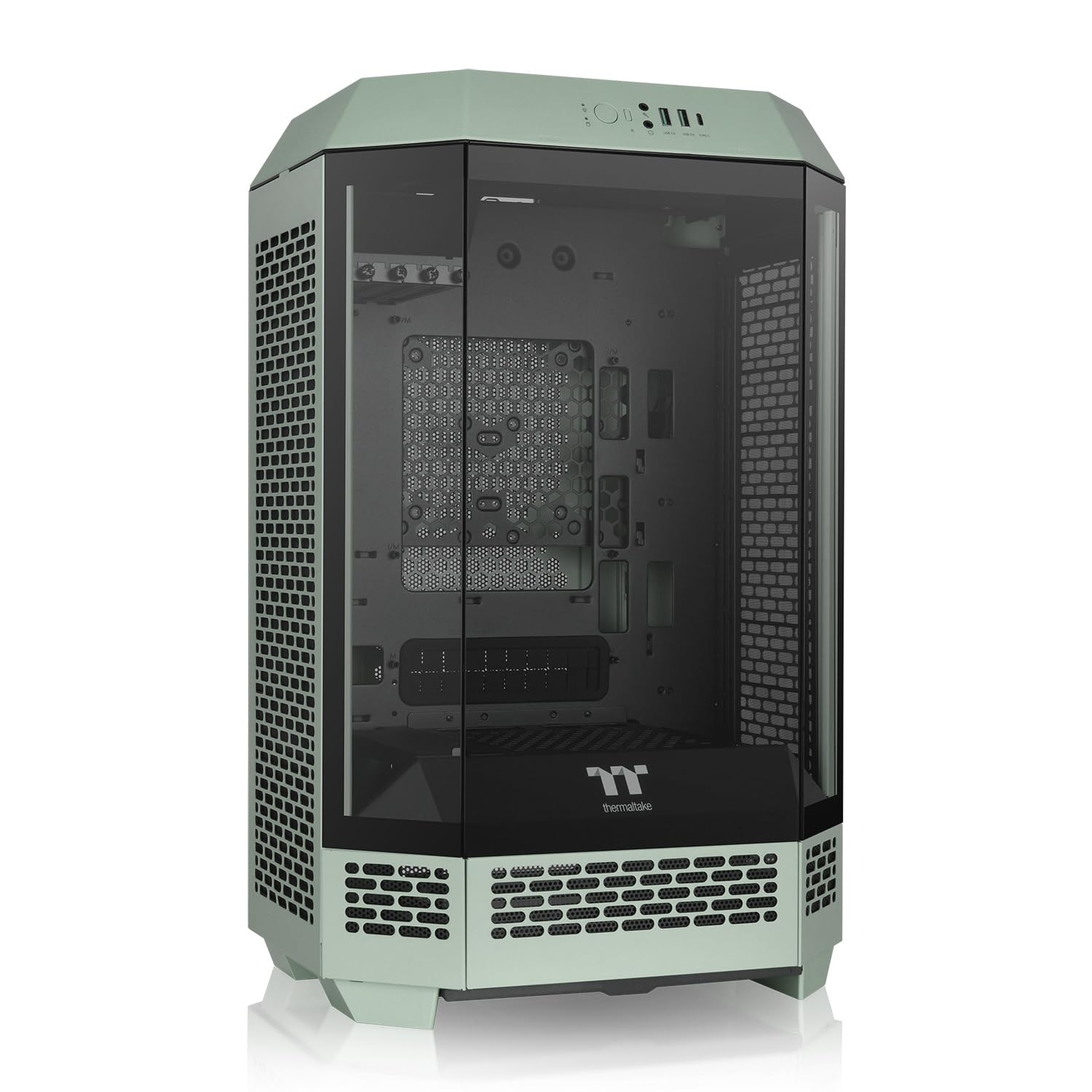
As A New Edition Of The Tower Series, The Tower 300 Matcha Green Inherits The Classic Vertical Case Design But Comes In An Octagonal Prism Shape. It Has Amazing Hardware Compatibility, Accommodating A 4090 Gpu, A Standard-Sized Power Supply Up To 220Mm, And A 420Mm Aio Radiator. What'S More, It Can Accommodate Up To Eight 120Mm/140Mm Fans On The Top, Back, Psu Cover And Right Side Fan Bracket. If You Want To Make The Tower 300 Matcha Green More Visually Appealing, You Can Purchase The Separately Sold 3.9'' Lcd Screen Kit And Chassis Stand Kit To Upgrade The Build; The Former To Display Real-Time Component Information And The Latter For A Unique View With A Special Horizontal Placement.|149.99|0|||
⚠️ WARNING (California Proposition 65): This product may contain chemicals known to the State of California to cause cancer, birth defects, or other reproductive harm. For more information, please visit www.P65Warnings.ca.gov.
Frequently Asked Questions
Q: What are the dimensions of the Tower 300 Matcha Green Micro-ATX Case?A: The dimensions are five hundred fifty-one millimeters by three hundred forty-two millimeters by two hundred eighty-one millimeters.
Q: What materials is the Tower 300 Matcha Green made of?A: The case is made of SPCC material and features a three millimeter tempered glass side panel.
Q: How heavy is the Tower 300 Matcha Green Micro-ATX Case?A: The weight is eight point three kilograms or eighteen point three pounds.
Q: What type of motherboard does this case support?A: The Tower 300 Matcha Green supports Mini ITX motherboards with a size of six point seven inches by six point seven inches.
Q: How many expansion slots does the Tower 300 case have?A: There are four expansion slots available in the Tower 300 Matcha Green.
Q: What cooling options does the Tower 300 support?A: The case supports various fan configurations, including two hundred millimeter and one hundred forty millimeter fans, as well as a four hundred twenty millimeter radiator.
Q: How do I install components in the Tower 300 Matcha Green Case?A: To install components, open the tempered glass side panel, secure the motherboard, and attach the power supply and cooling systems according to the provided instructions.
Q: Can I display the Tower 300 horizontally?A: Yes, the Tower 300 can be displayed horizontally with the optional Chassis Stand Kit, which must be purchased separately.
Q: Is the Tower 300 suitable for high-performance gaming builds?A: Yes, it accommodates high-end components, including a four thousand ninety GPU and a standard power supply up to two hundred twenty millimeters.
Q: How do I clean the Tower 300 Matcha Green case?A: To clean the case, use a soft, dry cloth for the exterior and a microfiber cloth for the tempered glass to prevent scratches.
Q: What is the warranty period for the Tower 300 case?A: The Tower 300 Matcha Green comes with a three-year warranty from the manufacturer.
Q: Can I upgrade the Tower 300 with additional cooling fans?A: Yes, the case supports up to eight fans, providing ample options for upgrading cooling capabilities.
Q: What is the maximum CPU cooler height supported?A: The maximum CPU cooler height supported is two hundred ten millimeters.
Q: What if my Tower 300 arrives damaged?A: If your Tower 300 arrives damaged, please contact customer support immediately for assistance with returns or exchanges.
Q: Is installation of the LCD Screen Kit complicated?A: No, the installation of the LCD Screen Kit is straightforward and can be done with basic tools following the included instructions.
Q: How many USB ports does the Tower 300 provide?A: The Tower 300 features one USB three point two Type-C port for easy connectivity.