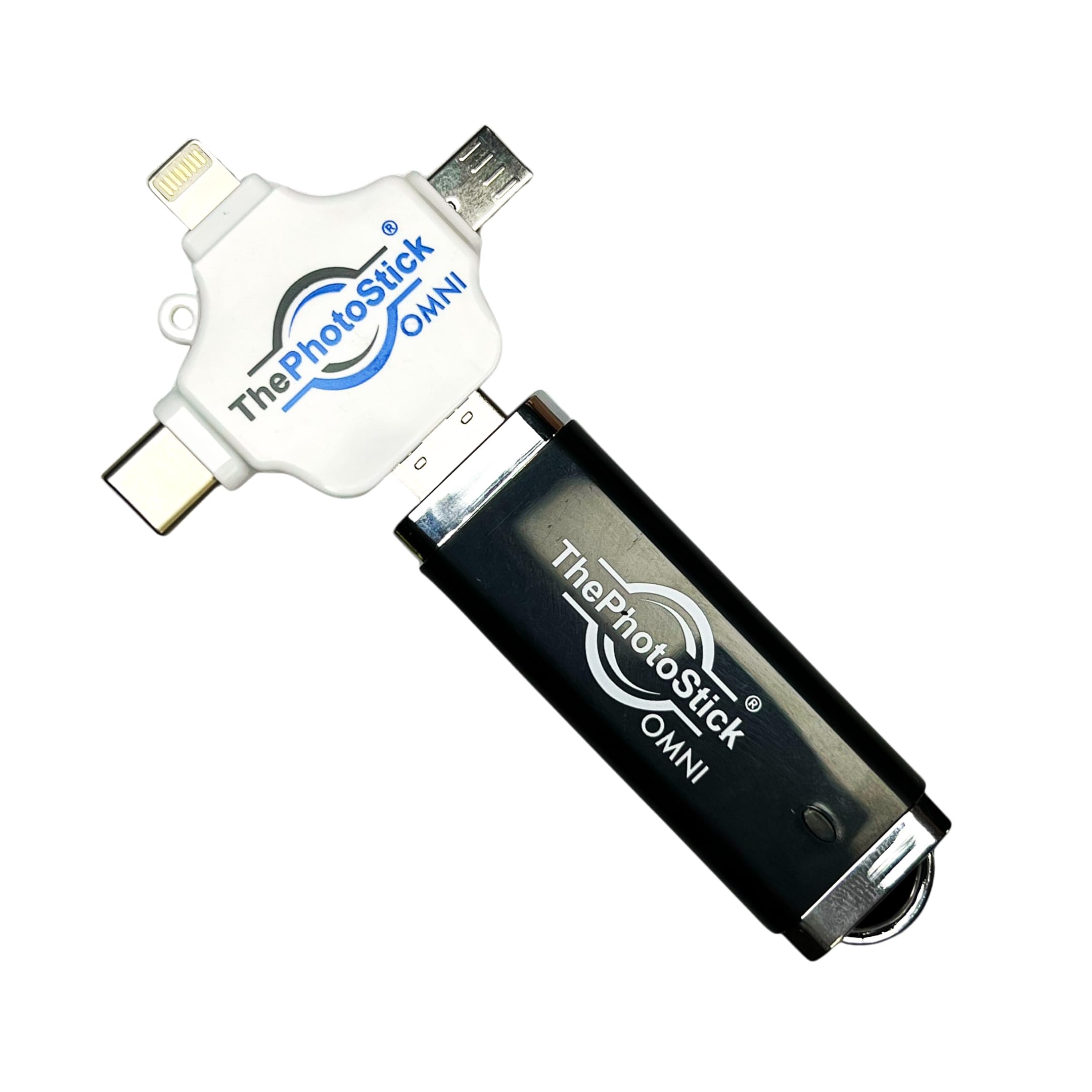
Introducing ThePhotoStick Omni, your ultimate solution for securely storing and organizing your precious memories. This powerful device is designed to back up photos, videos, and files from a variety of devices including Windows PCs, macOS computers, iOS devices, and Android smartphones and tablets. With ThePhotoStick Omni, you can effortlessly safeguard your cherished memories with just a simple plug into your device.
Key Features:
Keeps Your Files Safe & Organized: Never worry about losing files in the cloud or dealing with a computer crash again. ThePhotoStick Omni securely backs up your files and automatically organizes them into easily navigable folders.
Massive Storage Capacity: Enjoy an impressive 128GB of storage, allowing you to back up over 51,200 photos and videos. Access your favorite memories whenever you need to relive those moments.
Works On Many Devices: ThePhotoStick Omni is compatible with various devices including PC and Mac computers, iPhones, iPads, and most Android smartphones and tablets. This versatility ensures your precious photo and video memories are always safe.
Super Easy To Use: Simply download the FREE app, plug ThePhotoStick Omni into your device, and let it start backing up your files automatically. No technical expertise is required!
Saved File Types: ThePhotoStick Omni supports a wide array of file types, including standard JPEG, HEIC, PNG, GIF, MOV, and MPEG4, making it a comprehensive backup solution.
Compatible Devices: The device works seamlessly with PC, Mac, iOS, and most Android or Windows smartphones and tablets, making it the perfect choice for anyone looking to secure their files.
System Requirements: Ensure compatibility with Android OS 8.0 and later, iOS and iPadOS 13.0 and later, Windows 7 SP1 and later, and Mac OS X Version 10.13 and later.
ThePhotoStick Omni is not just a backup device; it is a reliable memory keeper that ensures you never lose your important files. With its user-friendly design and massive storage capacity, it makes file organization and retrieval simple and efficient. Whether you are looking to back up family photos, important documents, or cherished videos, ThePhotoStick Omni has you covered.
Don’t let your precious memories fade away. Invest in ThePhotoStick Omni today and experience the peace of mind that comes with knowing your files are securely backed up and organized in one convenient device.
⚠️ WARNING (California Proposition 65): This product may contain chemicals known to the State of California to cause cancer, birth defects, or other reproductive harm. For more information, please visit www.P65Warnings.ca.gov.
Frequently Asked Questions
Q: What is the storage capacity of ThePhotoStick Omni?A: The storage capacity is one hundred twenty-eight gigabytes. This allows you to back up over fifty-one thousand two hundred photos and videos.
Q: What devices are compatible with ThePhotoStick Omni?A: ThePhotoStick Omni is compatible with PC, Mac, iOS devices, and most Android smartphones and tablets. It works seamlessly across multiple platforms for easy file transfer.
Q: What file types can be saved using ThePhotoStick Omni?A: ThePhotoStick Omni saves standard JPEG, HEIC, PNG, GIF, MOV, and MPEG4 file types. It also supports a wide array of additional file formats.
Q: What are the dimensions of ThePhotoStick Omni?A: The dimensions are four point zero two inches in length, zero point five one inches in width, and zero point one two inches in height. This compact size makes it portable and easy to use.
Q: How do I use ThePhotoStick Omni for backups?A: To use ThePhotoStick Omni, simply plug it into your device and download the FREE app. The app guides you through the backup process for your files.
Q: Is ThePhotoStick Omni user-friendly for backups?A: Yes, ThePhotoStick Omni is designed to be super easy to use. You just need to plug it in and let the app handle the backup tasks for you.
Q: How should I keep ThePhotoStick Omni in good condition?A: To maintain ThePhotoStick Omni, store it in a cool, dry place away from direct sunlight. Avoid physical damage by handling it with care during use.
Q: Can I use ThePhotoStick Omni with older devices?A: Yes, but ensure your device meets system requirements. It requires Android OS eight point zero and later, iOS and iPadOS thirteen point zero and later, and Windows seven SP1 and later.
Q: What happens if ThePhotoStick Omni gets damaged?A: If ThePhotoStick Omni arrives damaged, you should contact customer support for assistance. They can guide you through the return or replacement process.
Q: How does ThePhotoStick Omni organize files?A: ThePhotoStick Omni automatically organizes files into folders. This feature makes it easy to find and access your backed-up photos and videos.
Q: Does ThePhotoStick Omni require software installation?A: No, ThePhotoStick Omni does not require software installation. You only need to download the FREE app to get started with your backups.
Q: Is ThePhotoStick Omni suitable for non-tech users?A: Yes, ThePhotoStick Omni is suitable for non-tech users. Its straightforward plug-and-play functionality makes it accessible for everyone.
Q: What should I do if I encounter issues with ThePhotoStick Omni?A: If you encounter issues, refer to the troubleshooting section in the app or contact customer support for assistance. They are available to help resolve any problems.
Q: Can I transfer files from multiple devices with ThePhotoStick Omni?A: Yes, you can transfer files from multiple devices. ThePhotoStick Omni supports backups from iPhones, Android devices, and computers.
Q: Is there a limit to how many files I can back up?A: There is no specific limit on the number of files, but the total storage capacity is one hundred twenty-eight gigabytes. This allows for extensive backups.