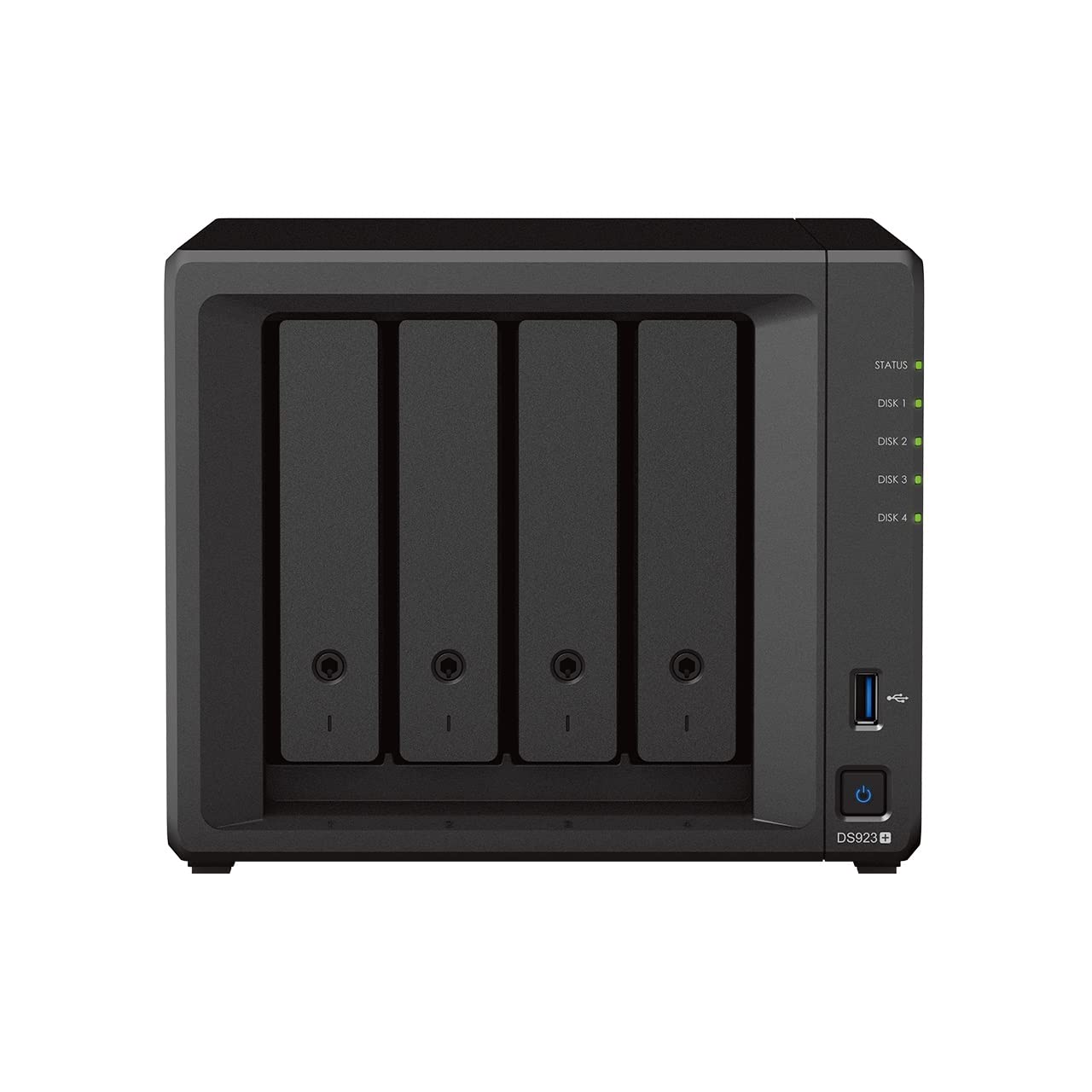
Flexible File Sharing And Storage For Homes And Small Business The Synology Ds923+ Is A Capable 4-Bay Nas Solution That Can Be Adjusted And Expanded As Your Needs Change, With Optional Support For Up To Nine Drives, Faster Networking, And Nvme Ssds For Caching Or Additional Storage Pools. Powered By Synology Diskstation Manager (Dsm), It Offers A Flexible All-In-One Solution For Data Sharing, Synchronization, Backup, And Surveillance
⚠️ WARNING (California Proposition 65): This product may contain chemicals known to the State of California to cause cancer, birth defects, or other reproductive harm. For more information, please visit www.P65Warnings.ca.gov.
Frequently Asked Questions
Q: What are the dimensions of the Synology DS923+?A: The Synology DS923+ has dimensions of eight point six six inches in length, seven point four eight inches in width, and six point three inches in height. This compact size allows for easy placement in home or office environments.
Q: What is the storage capacity of the Synology DS923+?A: The Synology DS923+ can support up to forty terabytes of storage. This is achieved with the included four ten terabyte WD Red Plus drives, perfect for extensive data needs.
Q: What type of RAM does the Synology DS923+ have?A: The Synology DS923+ is equipped with four gigabytes of RAM. This provides ample memory for efficient multitasking and data management.
Q: How do I set up the Synology DS923+?A: To set up the Synology DS923+, connect it to a power source and your network, then follow the on-screen instructions on Synology DiskStation Manager. It's designed for user-friendly installation and configuration.
Q: Can I expand the storage on the Synology DS923+?A: Yes, you can expand the storage on the Synology DS923+. It supports optional expansion up to nine drives, allowing for future storage needs.
Q: Is the Synology DS923+ suitable for home use?A: Yes, the Synology DS923+ is ideal for home use. It offers flexible file sharing and data management, making it great for families or small businesses.
Q: How do I keep the Synology DS923+ in good condition?A: To maintain the Synology DS923+, ensure it is placed in a well-ventilated area and periodically check for firmware updates. Avoid exposing it to extreme temperatures or moisture.
Q: What is the warranty on the Synology DS923+?A: The Synology DS923+ typically comes with a manufacturer's warranty of two years. This covers defects in materials and workmanship.
Q: Can I use the Synology DS923+ for video surveillance?A: Yes, the Synology DS923+ is designed for video surveillance. It can manage and protect physical assets through professional surveillance applications.
Q: What if my Synology DS923+ arrives damaged?A: If your Synology DS923+ arrives damaged, contact the retailer or manufacturer immediately for a return or replacement. It's important to retain all packaging for the return process.
Q: How does the Synology DS923+ protect my data?A: The Synology DS923+ features hardware and software designed to safeguard your data. It employs various data protection methods trusted by millions of users.
Q: Is the Synology DS923+ compatible with NVMe drives?A: Yes, the Synology DS923+ supports dual NVMe drives for caching or additional storage pools. This enhances performance significantly.
Q: What kind of networking does the Synology DS923+ support?A: The Synology DS923+ includes two RJ-45 one gigabit Ethernet LAN ports. You can also add faster networking options for improved data transfer speeds.
Q: Can I manage my files remotely with the Synology DS923+?A: Yes, you can manage your files remotely using Synology DiskStation Manager. This feature allows for easy access and synchronization from anywhere.
Q: Is the Synology DS923+ suitable for small businesses?A: Yes, the Synology DS923+ is well-suited for small businesses. Its flexible storage options and robust data management features cater to a variety of business needs.