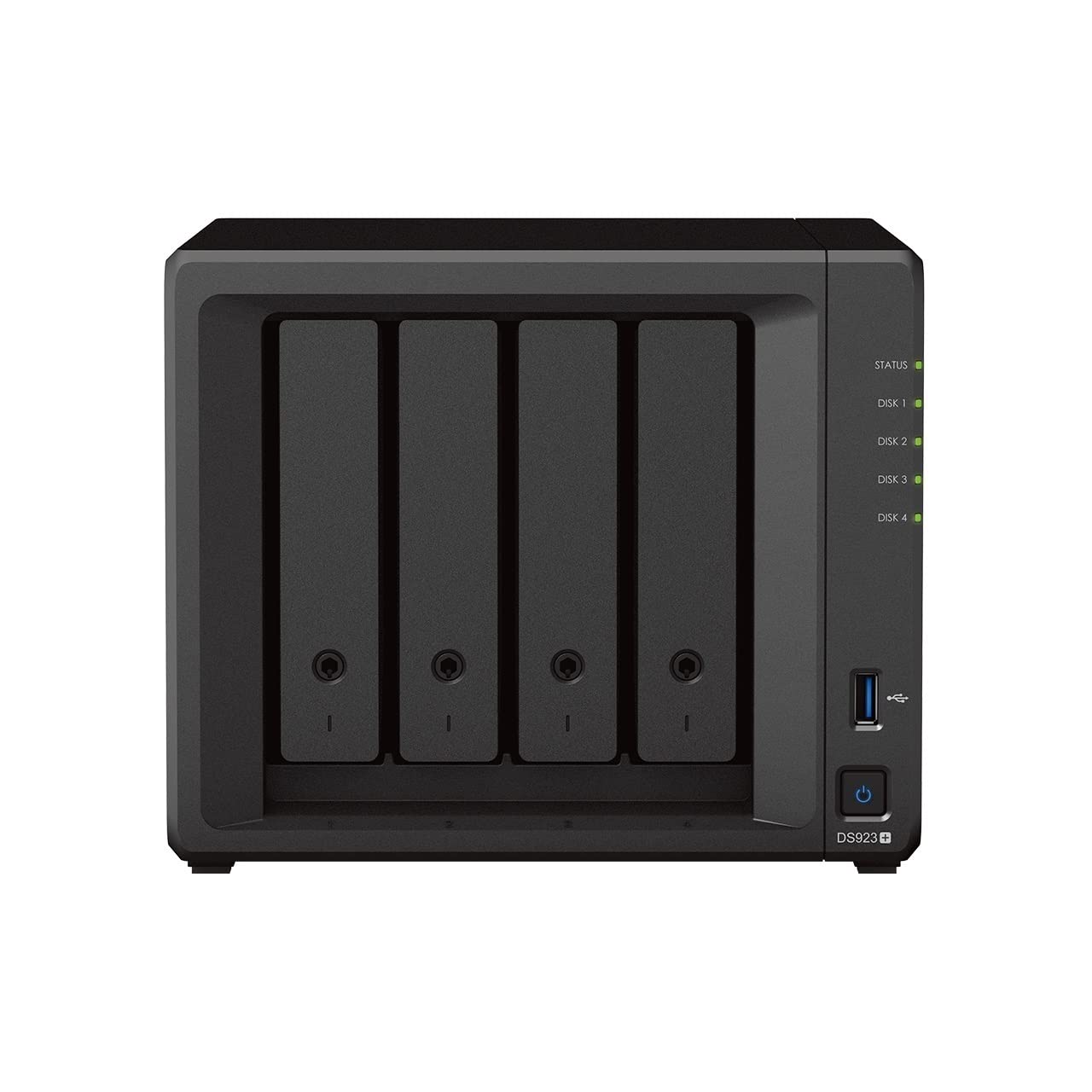
Flexible File Sharing And Storage For Homes And Small Business The Synology Ds923+ Is A Capable 4-Bay Nas Solution That Can Be Adjusted And Expanded As Your Needs Change, With Optional Support For Up To Nine Drives, Faster Networking, And Nvme Ssds For Caching Or Additional Storage Pools. Powered By Synology Diskstation Manager (Dsm), It Offers A Flexible All-In-One Solution For Data Sharing, Synchronization, Backup, And Surveillance
⚠️ WARNING (California Proposition 65): This product may contain chemicals known to the State of California to cause cancer, birth defects, or other reproductive harm. For more information, please visit www.P65Warnings.ca.gov.
Frequently Asked Questions
Q: What is the storage capacity of the Synology DS923+?A: The Synology DS923+ has a storage capacity of thirty-two terabytes. This bundle includes four eight-terabyte Seagate IronWolf drives.
Q: What are the dimensions of the Synology DS923+?A: The dimensions of the Synology DS923+ are eight point six six inches in length, seven point four eight inches in width, and six point three inches in height.
Q: What materials are used in the Synology DS923+?A: The Synology DS923+ is made primarily of metal. This sturdy construction ensures durability and longevity for the device.
Q: How do I set up the Synology DS923+?A: To set up the Synology DS923+, connect it to your network using the two one-gigabit Ethernet ports and power it on. Then, follow the on-screen instructions via Synology DiskStation Manager.
Q: Can I expand the storage of the Synology DS923+?A: Yes, the Synology DS923+ can be expanded to support up to nine drives. You can add additional drives as your storage needs grow.
Q: Is the Synology DS923+ suitable for home use?A: Yes, the Synology DS923+ is designed for both home and small business use. It provides flexible file sharing and data management capabilities.
Q: How do I keep the Synology DS923+ in good condition?A: To maintain the Synology DS923+, ensure it is kept in a cool, dry place and regularly update the software. Avoid blocking ventilation openings.
Q: Does the Synology DS923+ require special care?A: No, the Synology DS923+ does not require special care beyond routine maintenance like software updates and ensuring proper cooling.
Q: What is the warranty period for the Synology DS923+?A: The warranty period for the Synology DS923+ typically lasts for two years. Please check with the retailer for specific warranty details.
Q: Can I use the Synology DS923+ for video surveillance?A: Yes, the Synology DS923+ can be used for professional video surveillance. It is designed to manage and store video files securely.
Q: Is the Synology DS923+ compatible with third-party applications?A: Yes, the Synology DS923+ supports numerous third-party applications. This allows for enhanced functionality tailored to user needs.
Q: What should I do if the Synology DS923+ arrives damaged?A: If the Synology DS923+ arrives damaged, contact the retailer immediately for return instructions and a possible replacement or refund.
Q: Is the Synology DS923+ easy to use for beginners?A: Yes, the Synology DS923+ is user-friendly and suitable for beginners. Its intuitive interface makes it easy to manage files and settings.
Q: What type of networking does the Synology DS923+ support?A: The Synology DS923+ supports one-gigabit Ethernet networking, with the option to upgrade to ten-gigabit Ethernet for faster data transfer.
Q: Can I run virtual machines on the Synology DS923+?A: Yes, the Synology DS923+ can run virtual machines, allowing users to create isolated environments for testing or development.