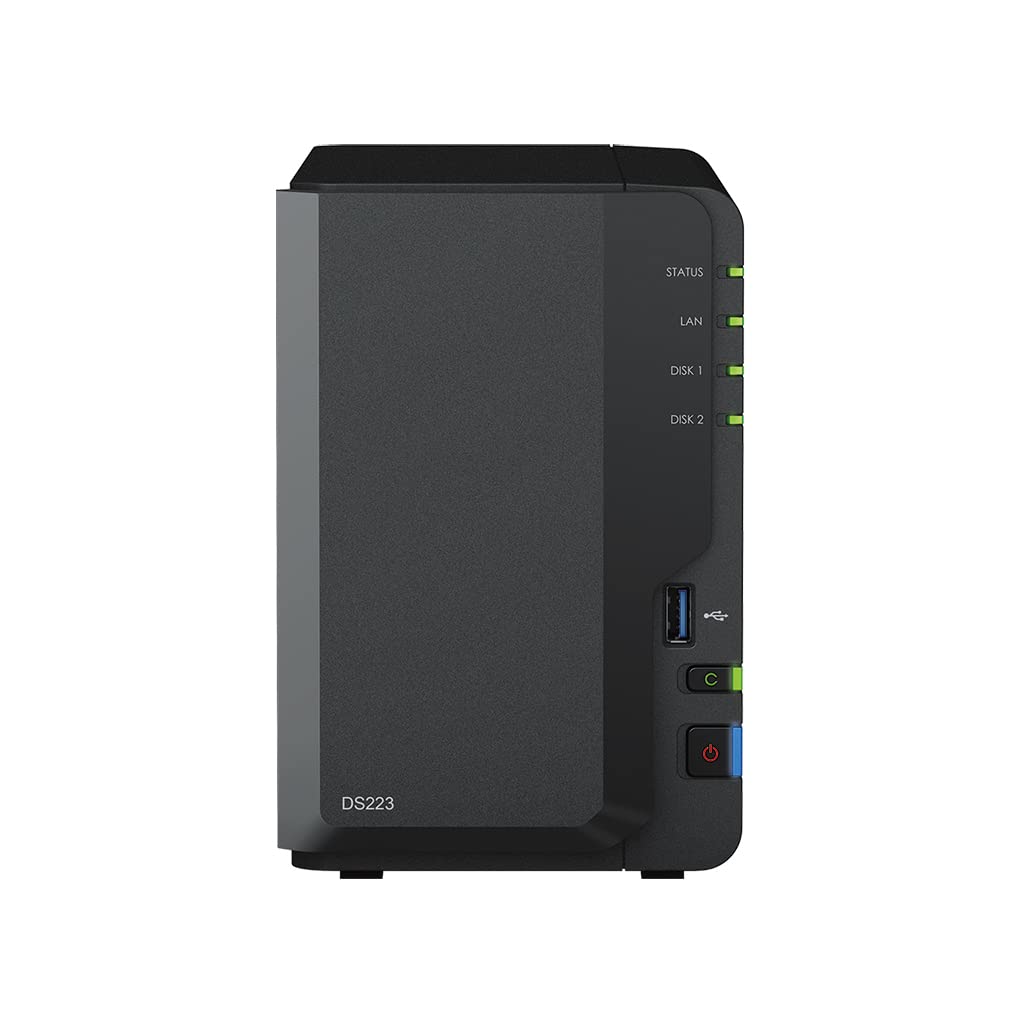
Get Your Data Under Control Consolidate Files From Various Sources Into Your Own Private Cloud. The Ds223 Keeps The Process Simple And Offers Everything You Need To Keep Your Data Safe And Organized. Private Cloud Made Easy Quickly And Easily Import Data From Pcs, Macs, And External Storage Devices, And Keep All Your Devices In Sync For Smoother File Management Access From Any Device Get To Your Files From Pc, Mac, Linux, Chromebook, Android, Ios, Or Any Device Equipped With A Browser. Keep Your Data Private Or Easily Share It Using Secure Links. Your Data Is In Safe Hands Not All Data Storage Is Created Equal. Synology Diskstation Manager (Dsm), The Operating System That Powers The Ds223, Leverages The Efficient Btrfs File System To Protect Your Data Against Data Corruption And Roll Back Any Accidental Or Malicious Changes Thanks To The Snapshot Technology. 1 Unit: Synology Ds223, 2Gb Ram, 1X Gb Lan, 2X 8Tb Seagate Ironwolf Sata (Total 16Tb)
⚠️ WARNING (California Proposition 65): This product may contain chemicals known to the State of California to cause cancer, birth defects, or other reproductive harm. For more information, please visit www.P65Warnings.ca.gov.
Frequently Asked Questions
Q: What are the dimensions of the Synology DS223 Diskstation NAS?A: The dimensions are nine point seventeen inches in length, four point twenty-five inches in width, and six point five inches in height.
Q: What materials is the Synology DS223 made of?A: The Synology DS223 is made from alloy steel, providing durability and strength for your data storage needs.
Q: How much storage does the Synology DS223 provide?A: The Synology DS223 offers a total storage capacity of sixteen terabytes with its two eight terabyte Seagate IronWolf drives.
Q: How do I set up the Synology DS223 Diskstation NAS?A: To set up the DS223, connect it to your router using the one RJ-45 LAN port, power it on, and follow the on-screen instructions.
Q: Can I access my files from different devices?A: Yes, you can access your files from any device including PC, Mac, Linux, Chromebook, Android, and iOS devices.
Q: Is the Synology DS223 suitable for home use?A: Yes, the DS223 is designed for home and small office use, making it perfect for personal data management.
Q: How do I keep my Synology DS223 safe and in good condition?A: To maintain your DS223, keep it in a cool, dry place, avoid exposing it to moisture, and ensure proper ventilation.
Q: What is the warranty period for the Synology DS223?A: The standard warranty period for the Synology DS223 Diskstation NAS is usually two years, but please check with the retailer for details.
Q: Can I expand the storage of the Synology DS223?A: No, the Synology DS223 comes as a two-bay unit, and the storage can only be expanded by replacing the drives with larger ones.
Q: What is the power consumption of the Synology DS223?A: The Synology DS223 typically consumes up to twenty-five watts during operation, ensuring energy efficiency.
Q: Is the Synology DS223 compatible with third-party apps?A: Yes, the DS223 supports a variety of third-party applications through its DiskStation Manager interface.
Q: How do I back up data on the Synology DS223?A: You can back up data by using Synology's built-in backup solutions or by using third-party software compatible with the DiskStation Manager.
Q: What file systems does the Synology DS223 support?A: The Synology DS223 primarily uses the Btrfs file system, which offers advanced data protection features.
Q: Does the Synology DS223 support RAID configurations?A: Yes, the DS223 supports various RAID configurations, including RAID 0, RAID 1, and more for data redundancy.
Q: How do I reset the Synology DS223 if needed?A: To reset the DS223, press and hold the reset button for about four seconds until you hear a beep, which will restore default settings.