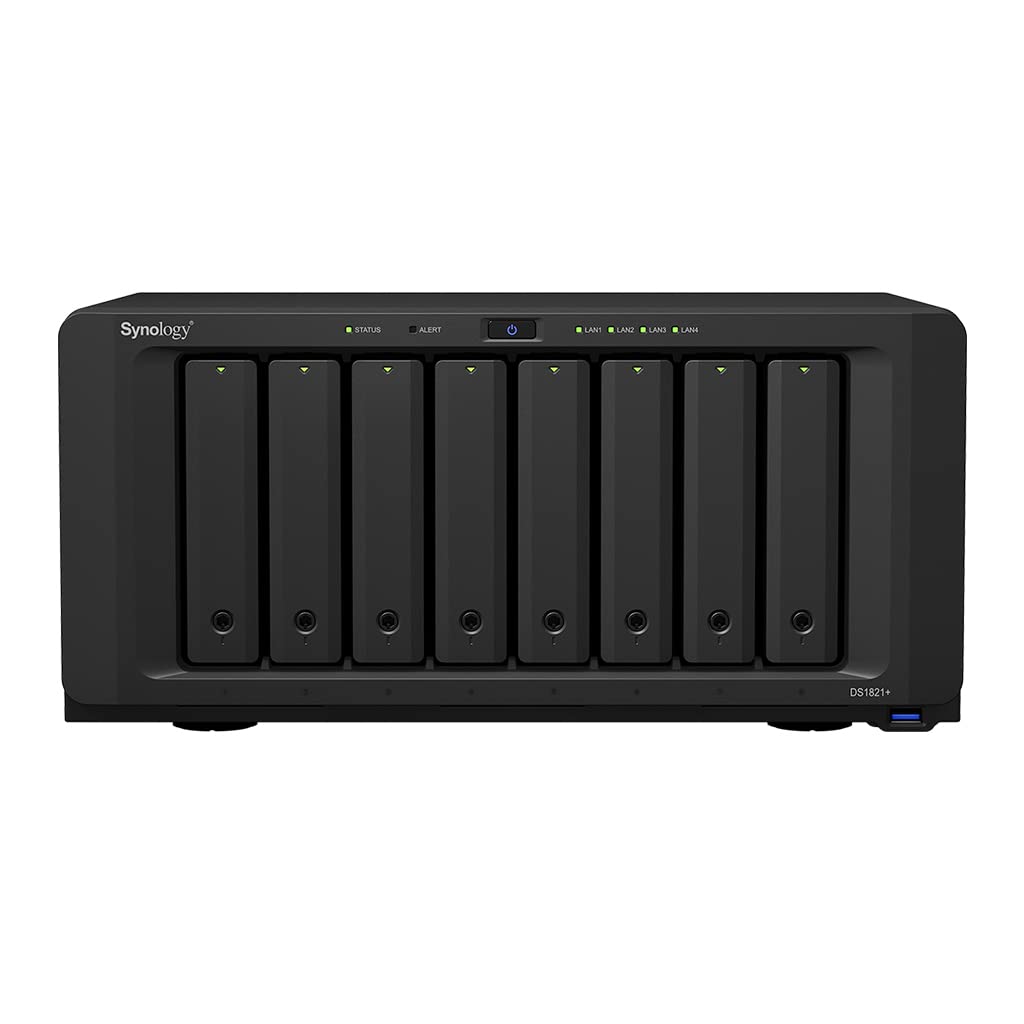
Designed For Scalability And Performance The 8-Bay Synology Ds1821+ Is Aimed At It Enthusiast And Smb Customers Looking For A Powerful And Scalable Storage Solution, Its Business-Grade Backup Solutions Keep Users Safe And Protected From Potential Data Loss, While Major Improvements To Compute Capabilities And Throughput Means Workloads Are Finished Faster Than Ever Before. Synology Iscsi Storage Fully Supports Most Virtualization Solutions To Enhance Work Efficiency With Easy Management Interface. Vmware Vsphere 6 And Vaai Integration Helps Offload Storage Operations And Optimizes Computation Efficiency. Windows Offloaded Data Transfer (Odx) Speeds Up Data Transfer And Migration Rate. Openstack Cinder Support Turns Your Synology Nas Into A Block-Based Storage Component. Ds1821+ Integrates Various Backup Applications Into An Intuitive User Interface, Offering Durable Storage Technologies To Safeguard Your Valuable Data On Any Device.
⚠️ WARNING (California Proposition 65): This product may contain chemicals known to the State of California to cause cancer, birth defects, or other reproductive harm. For more information, please visit www.P65Warnings.ca.gov.
Frequently Asked Questions
Q: What is the storage capacity of the Synology DS1821+?A: The Synology DS1821+ has a total storage capacity of forty-eight terabytes. This includes eight six-terabyte Seagate IronWolf drives, providing ample space for data.
Q: What are the dimensions of the Synology DS1821+?A: The dimensions of the Synology DS1821+ are thirteen point five inches in length, nine point six inches in width, and six point five inches in height. These measurements make it compact enough for various setups.
Q: What type of processor does the Synology DS1821+ use?A: The Synology DS1821+ is powered by an AMD Ryzen V1500B quad-core processor. This provides robust performance for demanding tasks like virtualization and multimedia streaming.
Q: How do I set up the Synology DS1821+?A: To set up the Synology DS1821+, connect it to your network, install the hard drives, and power it on. Follow the on-screen instructions via the Synology DiskStation Manager for configuration.
Q: Can I expand the storage on the Synology DS1821+?A: Yes, you can expand the storage on the Synology DS1821+ by connecting up to two DX517 expansion units. This allows you to increase the number of bays to a maximum of eighteen.
Q: Is the Synology DS1821+ suitable for virtualization?A: Yes, the Synology DS1821+ is designed for virtualization. It supports VMware vSphere integration and offers advanced iSCSI storage capabilities.
Q: How do I maintain the Synology DS1821+?A: To maintain the Synology DS1821+, ensure it is in a cool, dry place and periodically check for firmware updates. Regularly back up your data to prevent loss.
Q: What backup solutions are integrated into the Synology DS1821+?A: The Synology DS1821+ integrates various backup applications into an intuitive interface. This offers options for file sharing, backup, and data protection against loss.
Q: Is the Synology DS1821+ compatible with OpenStack?A: Yes, the Synology DS1821+ supports OpenStack Cinder. This functionality allows it to serve as a block-based storage component for cloud solutions.
Q: What does the Synology DS1821+ offer for data transfer?A: The Synology DS1821+ features Windows Offloaded Data Transfer, which significantly speeds up data transfer and migration rates. This enhances efficiency in data management.
Q: What is the maximum number of drives the Synology DS1821+ can support?A: The Synology DS1821+ can support up to eight drives initially. With expansion units, the maximum can increase to eighteen drives.
Q: Does the Synology DS1821+ come with any software applications?A: Yes, the Synology DS1821+ comes with a wide range of software applications for file sharing, backup, virtualization, and multimedia streaming, enhancing its usability.
Q: How does the DS1821+ handle data protection?A: The DS1821+ uses business-grade backup solutions to ensure data protection. This includes support for various RAID configurations to safeguard against data loss.
Q: Can the Synology DS1821+ be used for multimedia streaming?A: Yes, the Synology DS1821+ is well-suited for multimedia streaming. Its powerful CPU and ample storage allow seamless playback of high-definition content.
Q: What kind of networking options does the DS1821+ offer?A: The Synology DS1821+ features four one-gigabit Ethernet RJ-45 LAN ports. This provides flexible network connectivity for various setups.
Q: Is the Synology DS1821+ user-friendly for beginners?A: Yes, the Synology DS1821+ is designed with an intuitive user interface that makes it accessible for beginners while still offering advanced features for experienced users.