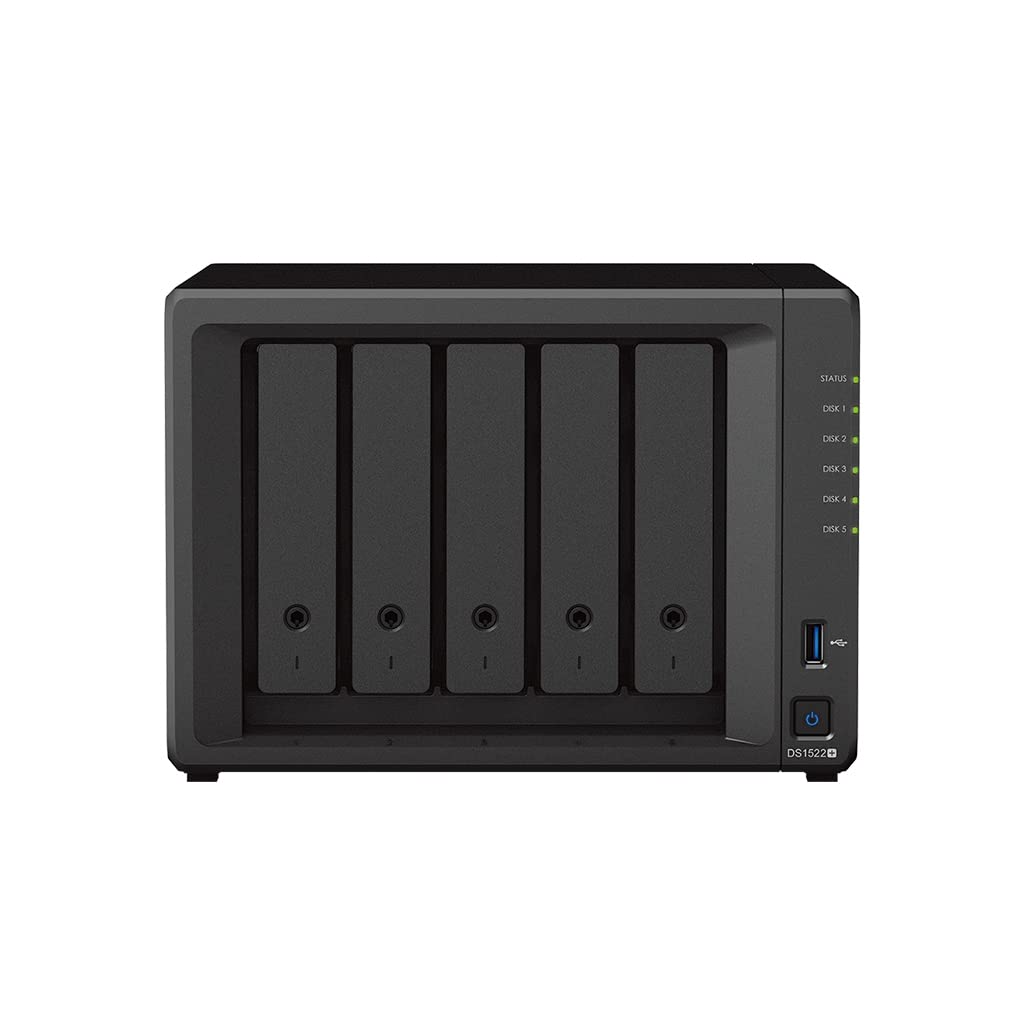
Flexible Data Management For Home Users And Small Businesses. Synology Diskstation Ds1522+ Has 5 Bays And Can Be Easily Scaled And Expanded As Needed With Optional Support For Up To 15 Drives, 10Gbe Networking, And Nvme Ssd Cache. With Synology Diskstation Manager (Dsm) Operating System, It Is A Flexible All-In-One Solution For Data Storage, Synchronization, Backup, And Video Surveillance.
⚠️ WARNING (California Proposition 65): This product may contain chemicals known to the State of California to cause cancer, birth defects, or other reproductive harm. For more information, please visit www.P65Warnings.ca.gov.
Frequently Asked Questions
Q: What is the storage capacity of the Synology DS1522+ NAS?A: The Synology DS1522+ has a total storage capacity of thirty terabytes. This is achieved with five six-terabyte WD Red Plus drives included in the bundle.
Q: What are the dimensions of the Synology DS1522+?A: The dimensions of the Synology DS1522+ are nine point zero six inches in length, eight point seven eight inches in width, and six point five three inches in height. This compact size makes it suitable for home and small business environments.
Q: What type of RAM does the Synology DS1522+ have?A: The Synology DS1522+ comes with eight gigabytes of RAM. This memory supports efficient performance for demanding applications and multiple concurrent users.
Q: How do I set up the Synology DS1522+ NAS?A: To set up the Synology DS1522+, connect it to your network using an Ethernet cable, power it on, and follow the on-screen instructions using the Synology DiskStation Manager software. The process is user-friendly and designed for quick installation.
Q: Is the Synology DS1522+ suitable for home use?A: Yes, the Synology DS1522+ is ideal for home users. It offers flexible data management, making it perfect for storing, syncing, and backing up personal data.
Q: Can the Synology DS1522+ handle multiple users?A: Yes, the Synology DS1522+ can handle a greater number of concurrent users compared to prior-generation systems. Its robust performance supports demanding application workloads.
Q: How do I keep my data safe with the Synology DS1522+?A: To keep your data safe, utilize the built-in hardware and software protection features. Synology's engineering ensures data integrity and security, trusted by millions of users worldwide.
Q: What is the warranty period for the Synology DS1522+?A: The standard warranty period for the Synology DS1522+ is typically two years. It may vary based on the retailer, so check the purchase details for specific warranty information.
Q: Can I expand the storage of the Synology DS1522+?A: Yes, the Synology DS1522+ can be expanded to support up to fifteen drives. This scalability allows you to increase storage as your needs grow.
Q: Is the Synology DS1522+ compatible with NVMe SSDs?A: Yes, the Synology DS1522+ supports NVMe SSD caching. This feature enhances performance by allowing faster data access and retrieval.
Q: What is the maximum number of drives I can install in the Synology DS1522+?A: You can install a maximum of five drives in the Synology DS1522+. With expansion options, it can support up to fifteen drives in total.
Q: How do I back up data on the Synology DS1522+?A: To back up data on the Synology DS1522+, utilize Synology's backup solutions within the DiskStation Manager. You can set up automated backups to ensure your data is securely saved.
Q: What network connectivity options does the Synology DS1522+ have?A: The Synology DS1522+ features four one-gigabit Ethernet ports. This allows for flexible networking options, including link aggregation for increased bandwidth.
Q: Is there a mobile app for the Synology DS1522+?A: Yes, Synology offers mobile apps that allow you to access and manage your NAS remotely. This enhances your ability to store and sync data from anywhere.
Q: What is the primary use case for the Synology DS1522+?A: The primary use case for the Synology DS1522+ is flexible data management for home users and small businesses. It excels in storage, synchronization, and backup applications.