⚠️ WARNING (California Proposition 65): This product may contain chemicals known to the State of California to cause cancer, birth defects, or other reproductive harm. For more information, please visit www.P65Warnings.ca.gov.
Frequently Asked Questions
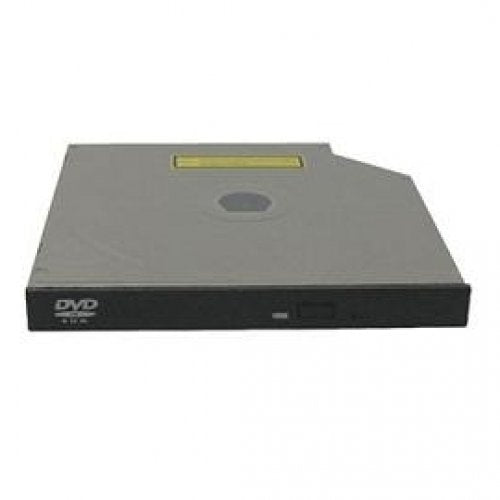
Q: What are the specifications of the SUPERMICRO DVM-TEAC-DVD-SBT?A: The SUPERMICRO DVM-TEAC-DVD-SBT is a slim DVD-ROM drive that uses SATA interface and comes in black. It is compatible with all versions of Windows.
Q: What is the model number of this DVD drive?A: The model number for this DVD drive is DVM TEAC DVD SBT. It is designed for internal use in computers.
Q: Is this DVD drive compatible with Windows?A: Yes, it is compatible with all versions of Windows, making it versatile for various users.
Q: How do I install the SUPERMICRO DVM-TEAC-DVD-SBT?A: To install it, simply connect the SATA cable to your motherboard and connect the power cable. It is designed for easy installation within a PC.
Q: Can I use this drive on a Mac?A: Yes, you can use this drive on a Mac as long as the operating system supports DVD drives. Check compatibility before installation.
Q: What kind of materials is this DVD drive made from?A: The SUPERMICRO DVM-TEAC-DVD-SBT is primarily made of durable plastic with electronic components inside. It is designed for longevity.
Q: How should I clean the SUPERMICRO DVM-TEAC-DVD-SBT?A: To clean the DVD drive, use a soft, dry cloth to wipe the exterior. Avoid using liquids or abrasive materials which can damage the surface.
Q: What is the warranty period for this product?A: The warranty period for the SUPERMICRO DVM-TEAC-DVD-SBT typically lasts for one year. Check with the seller for specific warranty details.
Q: Does this DVD drive require special software to operate?A: No, the SUPERMICRO DVM-TEAC-DVD-SBT does not require special software. It works with standard operating system drivers.
Q: Is this internal DVD drive suitable for gaming PCs?A: Yes, this internal DVD drive can be used in gaming PCs for reading games and media. Its fast performance enhances gaming experiences.
Q: What should I do if the drive is not recognized by my computer?A: If the drive is not recognized, check the connections and ensure it is properly installed. You may also need to update your drivers.
Q: Can I return this product if it’s not working?A: Yes, you can return the SUPERMICRO DVM-TEAC-DVD-SBT if it’s not working, but make sure to check the return policy of the seller.
Q: Is there a risk of damaging my DVDs with this drive?A: No, using the SUPERMICRO DVM-TEAC-DVD-SBT does not pose a risk of damaging your DVDs when used properly.
Q: What types of discs can I use with this DVD drive?A: You can use standard DVDs and CDs with the SUPERMICRO DVM-TEAC-DVD-SBT. It supports various disc formats.
Q: Can this DVD drive play Blu-ray discs?A: No, the SUPERMICRO DVM-TEAC-DVD-SBT cannot play Blu-ray discs as it is only compatible with standard DVDs and CDs.