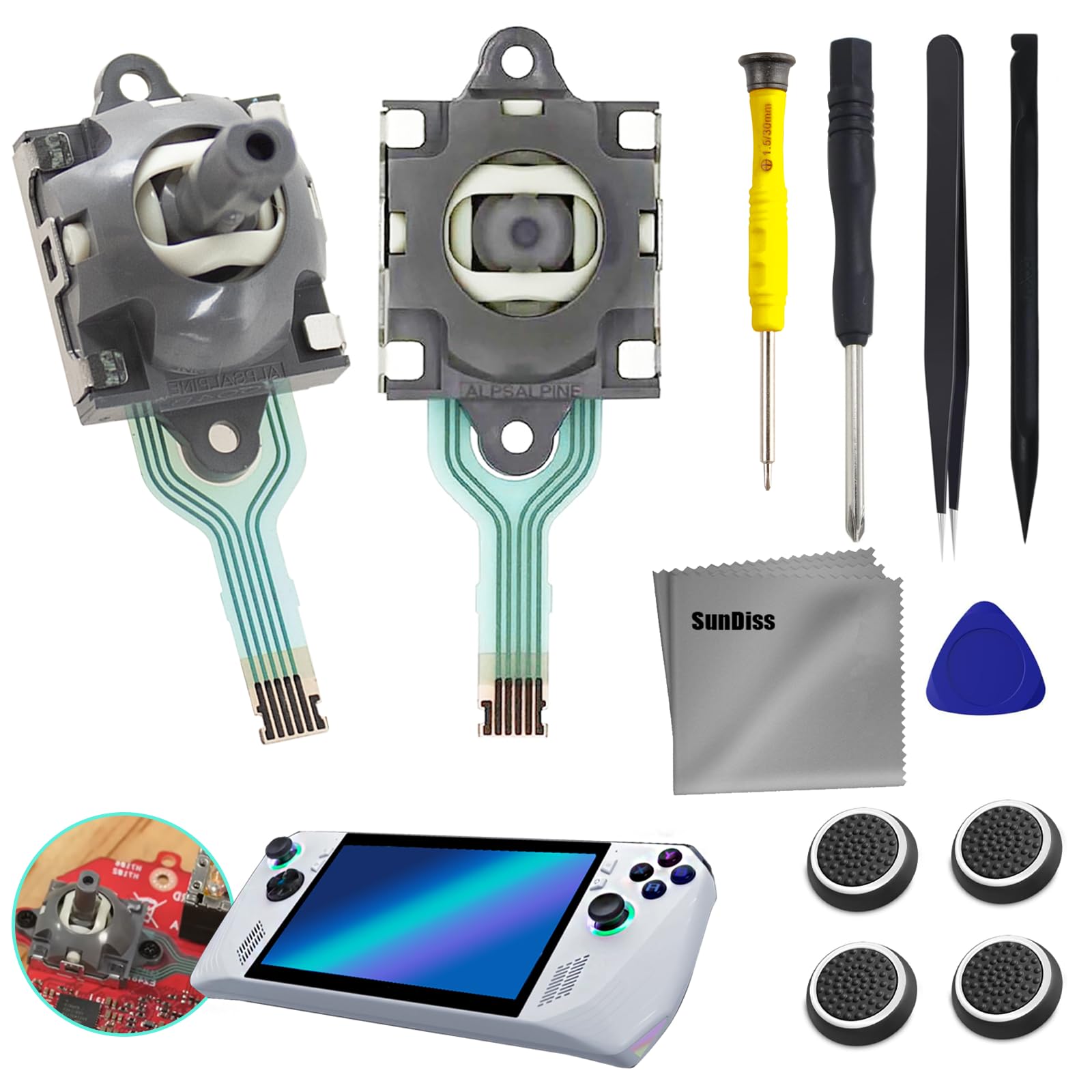
Applicable Model:For Gpd Win 3 Windows 10 And For Asus Rog Ally Rc71L Console If You Encounter Difficulties, You Can Contact Us In Time, Time To Help You Packaging Includes: Lease Make Sure The Joystick Replacement For Ally Rc71L/Windows 10 Package Is Good When You Received. Comes With Set Tool: Lease Make Sure The Joystick Replacement For Ally Rc71L/Windows 10 Package Is Good When You Received It 4Pcs Joystick Caps, 1 X Screwdriver(3.0), 1 X Screwdriver(1.5), 1 X Pry Tool Opening Tools ,2 X For Rog Ally Joystick , 1 X Tweezer.If You Have Any Problem About The Product, Please Leave A Message
⚠️ WARNING (California Proposition 65): This product may contain chemicals known to the State of California to cause cancer, birth defects, or other reproductive harm. For more information, please visit www.P65Warnings.ca.gov.
Frequently Asked Questions
Q: What is included in the SunDiss joystick replacement kit?A: The kit includes two joystick replacements for the ASUS ROG Ally RC71L and GPD Win 3, four joystick caps, one screwdriver of three millimeters, one screwdriver of one and a half millimeters, one pry tool, and one tweezer.
Q: What devices are compatible with this joystick replacement?A: This joystick replacement is compatible with the ASUS ROG Ally RC71L console and the GPD Win 3 running Windows 10. It is not suitable for other models.
Q: What are the dimensions of the joystick replacement?A: The joystick replacement does not have specified dimensions. However, it is designed to fit perfectly within the ASUS ROG Ally RC71L and GPD Win 3 consoles.
Q: How do I install the joystick replacements?A: To install the joystick replacements, carefully open the console using the pry tool, remove the old joystick, and solder the new joystick in place. If you are inexperienced, consider hiring a professional.
Q: Can I use these replacements for other gaming consoles?A: No, these joystick replacements are specifically designed for the ASUS ROG Ally RC71L and GPD Win 3. Please confirm compatibility with your model before purchasing.
Q: How do I calibrate the joystick after installation?A: After installation, if the joystick drifts or does not center, manual calibration may be needed. Follow the console's calibration instructions to ensure optimal performance.
Q: What tools are included for installation?A: The kit includes a three-millimeter screwdriver, a one and a half millimeter screwdriver, a pry tool, and a tweezer to assist with the installation process.
Q: How should I care for my joystick replacements?A: To care for your joystick replacements, avoid excessive force when using them and keep the console clean. Regularly check for signs of wear and tear.
Q: What if my joystick arrives damaged?A: If your joystick arrives damaged, you should contact the seller immediately to initiate a return or exchange. Ensure to provide photos of the damage.
Q: Is there a warranty on the joystick replacements?A: Yes, the joystick replacements typically come with a warranty. Be sure to check the seller's warranty policy for specific details.
Q: How do I troubleshoot joystick drift?A: If you experience joystick drift, ensure the installation was done correctly and attempt recalibration. If issues persist, consider consulting a professional.
Q: Can I replace the joystick myself?A: Yes, you can replace the joystick yourself, but it requires soldering skills. If you are unsure, it is recommended to seek help from a professional technician.
Q: What is the quality of the joystick replacements?A: The joystick replacements are made with high-quality materials that replicate the original joystick's performance, ensuring zero drift and dead zones.
Q: How do I contact support if I have issues?A: You can contact support by leaving a message through the seller's contact information provided with your purchase for prompt assistance.
Q: Are there any safety precautions I need to take during installation?A: Yes, ensure the console is powered off and unplugged before beginning installation. Use caution with soldering tools to avoid injury.