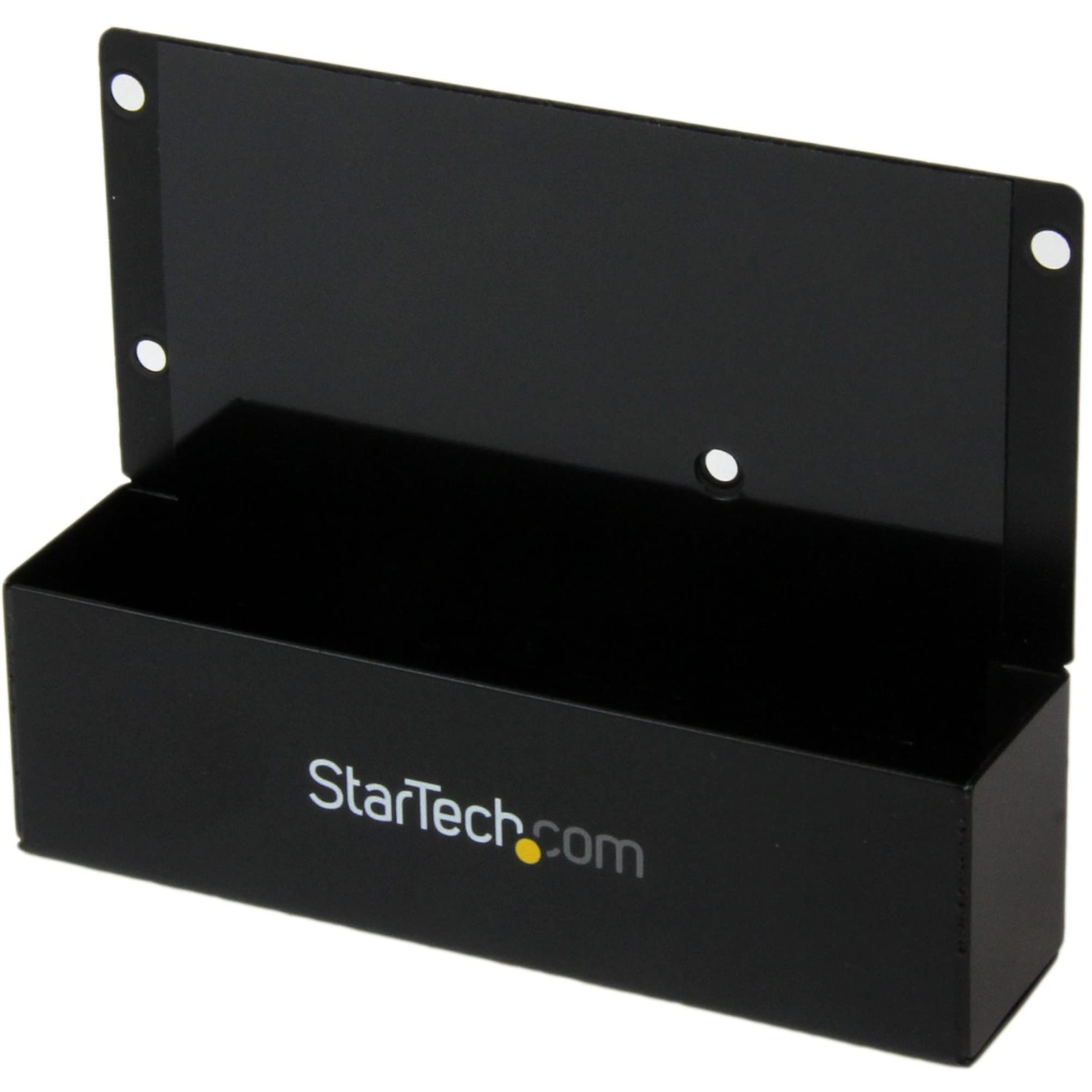
≪Br≫≪H3≫Model≪/H3≫≪Strong≫Brand: ≪/Strong≫Startech≪Br≫≪Strong≫Model: ≪/Strong≫Sat2Ideadp≪Br≫≪Br≫≪H3≫Spec≪/H3≫≪Strong≫Specifications: ≪/Strong≫Color: Black Connector Types: 1 - Ide 40 Pin Male Connector Types: 1 - Sata Data 7 Pin Plug Connector Types: 1 - Sata Power Plug Connector Types: 1 - Sp4 Male Enclosure Type: Steel Lba Support: 48-Bit Product Height: 1.02 In [26 Mm] Product Length: 3.98 In [101 Mm] Product Weight: 3.67 Oz [104 G] Product Width: 3.07 In [78 Mm] Humidity: 8% ~ 90% Rh Operating Temperature: 5C To 80C (41F To 176F) Storage Temperature: -40C To 70C (-40F To 158F) Chipset Id: Jmicron Jm20330 Os Compatibility: Os Independent; No Software Or Drivers Required≪Br≫≪Br≫≪H3≫Features≪/H3≫≪Strong≫Features: ≪/Strong≫Compatible With Most 3.5In Startech.Com Sata Hard Drive Docking Stations And Duplicators. Supports 40-Pin (3.5In) And 44-Pin (2.5In) Ide Hard Drives. Mounting Holes For Both 2.5In And 3.5In Form Factor Ide Hard Drives. Large Capacity Hard Drive Support, With 48-Bit Lba. Durable, Metal Construction. Compliant With Sata Revision 1.0. Compatible With Pata (Ide) 66/100/133 Mbps Hard Drives. Unique Design Allows Any 2.5/3.5In Ide Hard Drive To Be Used And Inserted (Upright) Into A Sata Hdd Docking Station Or Duplicator Drive Bay.≪Br≫
⚠️ WARNING (California Proposition 65): This product may contain chemicals known to the State of California to cause cancer, birth defects, or other reproductive harm. For more information, please visit www.P65Warnings.ca.gov.
Frequently Asked Questions
Q: What is the model number of the adapter?A: The model number is SAT2IDEADP. This identifier helps in specifying the exact product for compatibility and support.
Q: What materials is the StarTech adapter made of?A: The adapter is made of alloy steel. This material provides durability and strength for reliable performance.
Q: What are the dimensions of the adapter?A: The adapter measures three point nine eight inches in length, three point zero seven inches in width, and one point zero two inches in height. These dimensions make it compact and easy to use.
Q: How do I connect the IDE hard drive to the SATA docking station?A: To connect, simply insert the IDE hard drive into the adapter and plug the adapter into the SATA docking station. This allows seamless data transfer between different hard drive types.
Q: Is the adapter compatible with both 2.5-inch and 3.5-inch drives?A: Yes, the adapter supports both two point five inch and three point five inch IDE hard drives. This versatility allows you to use various hard drive sizes.
Q: Can I use this adapter with a PATA hard drive?A: Yes, the adapter is compatible with PATA (IDE) hard drives operating at speeds of sixty-six, one hundred, or one hundred thirty-three megabytes per second. This ensures support for older hard drive technology.
Q: How do I care for the StarTech SATA to IDE adapter?A: To care for the adapter, keep it in a dry place and avoid exposing it to extreme temperatures. Regularly check for any signs of wear to ensure longevity.
Q: Is this adapter backed by a warranty?A: Yes, it is backed by a two-year warranty. This warranty provides you with peace of mind and assurance of quality.
Q: What should I do if my adapter doesn't work?A: If the adapter does not work, first ensure that all connections are secure. If issues persist, refer to the manufacturer's technical support for assistance.
Q: Does the adapter support large capacity hard drives?A: Yes, it supports large capacity hard drives with forty-eight bit LBA. This feature allows for the use of modern high-capacity drives.
Q: Can I use the adapter with any SATA docking station?A: The adapter is compatible with most three point five inch StarTech SATA hard drive docking stations and duplicators. Always check specific compatibility with your docking station.
Q: What type of support does StarTech offer for this product?A: StarTech offers free lifetime technical support for this adapter. This service helps users resolve any issues they encounter.
Q: Is the adapter easy to install?A: Yes, the adapter is designed for easy installation. Simply connect the IDE hard drive to the adapter and insert it into the SATA docking station.
Q: Can this adapter be used for data duplication?A: Yes, it can be used in duplicator drive bays. This allows for efficient data transfer and backup processes.
Q: What color is the StarTech SATA to IDE adapter?A: The adapter is black. This color provides a sleek appearance that blends well with most electronic setups.