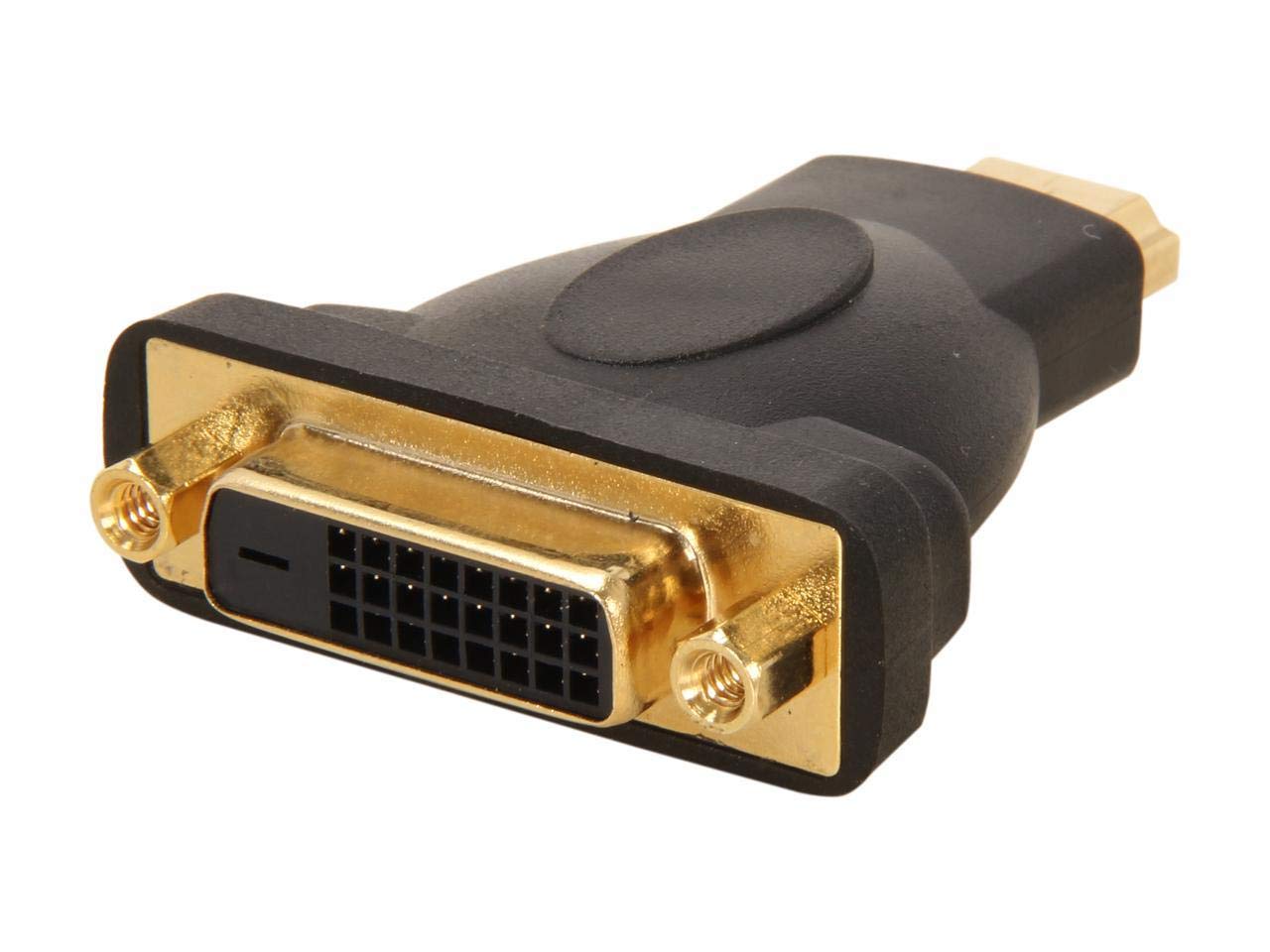
Features: Connect Dvi Capable Devices To Hdmi-Enabled Devices And Vice Versa, Connect Your Hdmi-Enabled Laptop Or Dekstop Computer To A Dvi Monitor, Swap Hdmi For Dvi - Hdmi To Dvi Adapter / Hdmi To Dvi Adapter Cable - Convert A Dvi Monitor To Hdmi, Eliminates The Need For Multiple Cables And Reduces Clutter By Providing Bi-Directional Connectivity Between Hdmi-Capable And Dvi-D Capable Devices, Gold-Plated Connectors, Guaranteed Reliability, Compatible With Hp Probook 450, The Hdmidvimf Hdmi To Dvi Cable Adapter Features One Hdmi Male Connector And One Dvi-D Female Connector, Which Enables A Bi-Directional Connection Between Hdmi-Capable Devices And Dvi-D Capable Devices To Overcome Compatibility Issues. Designed And Constructed To Provide A Dependable Hdmi To Dvi Connection, This High Quality Adapter Is Backed By Startech.Com'S Lifetime Warranty. Eliminates The Need For Multiple Cables And Reduces Clutter, Guaranteed Reliability,
⚠️ WARNING (California Proposition 65): This product may contain chemicals known to the State of California to cause cancer, birth defects, or other reproductive harm. For more information, please visit www.P65Warnings.ca.gov.
Frequently Asked Questions
Q: What are the dimensions of the StarTech HDMI to DVI-D Cable Adapter?A: The dimensions are three point twenty-three inches long, zero point seventy-nine inches wide, and five point ninety-one inches high. This compact size makes it easy to store and transport.
Q: What materials are used in the StarTech HDMI to DVI-D Cable Adapter?A: The adapter is primarily made of high-quality plastic and metal components. This ensures durability and reliable connections between devices.
Q: What is the model number for the StarTech HDMI to DVI-D Cable Adapter?A: The model number is HDMIDVIMF. This identification helps in locating specific product features and specifications.
Q: How do I connect the StarTech HDMI to DVI-D Cable Adapter?A: To connect the adapter, plug the HDMI end into your HDMI device and the DVI end into your DVI monitor. Ensure both devices are powered off during installation for safety.
Q: Is the StarTech HDMI to DVI-D Cable Adapter compatible with my devices?A: Yes, the adapter is compatible with DVI capable devices and HDMI-enabled devices. It allows seamless connections between different device types.
Q: Can I use the StarTech HDMI to DVI-D Cable Adapter with a laptop?A: Yes, you can connect your HDMI-enabled laptop to a DVI monitor using this adapter. It facilitates an easy transition between the two display types.
Q: How do I clean the StarTech HDMI to DVI-D Cable Adapter?A: To clean the adapter, use a soft, dry cloth to wipe down the exterior. Avoid using harsh chemicals or liquids that could damage the connectors.
Q: Is the StarTech HDMI to DVI-D Cable Adapter safe for prolonged use?A: Yes, it is safe for prolonged use when connected properly. The adapter is designed to handle typical operating temperatures and electrical loads.
Q: What should I do if the StarTech HDMI to DVI-D Cable Adapter does not work?A: If the adapter does not work, check the connections to ensure they are secure. If issues persist, try using the adapter with different devices to isolate the problem.
Q: What is the warranty period for the StarTech HDMI to DVI-D Cable Adapter?A: The adapter typically comes with a standard warranty period of one year. This warranty covers manufacturing defects but not user damage.
Q: Can I use the StarTech HDMI to DVI-D Cable Adapter for gaming?A: Yes, this adapter is suitable for gaming as it connects gaming consoles with HDMI outputs to DVI monitors. It supports high-quality video output.
Q: How does the StarTech HDMI to DVI-D Cable Adapter perform with high-definition content?A: The adapter performs excellently with high-definition content, supporting resolutions up to one thousand nine hundred twenty by one thousand two hundred.
Q: What types of devices can I connect using the StarTech HDMI to DVI-D Cable Adapter?A: You can connect devices like laptops, desktops, projectors, and monitors that support HDMI or DVI connections. This versatility enhances its usability.
Q: Does the StarTech HDMI to DVI-D Cable Adapter require any software installation?A: No, the adapter does not require any software installation. It is a plug-and-play device, making it user-friendly and easy to set up.
Q: Is there a risk of signal loss with the StarTech HDMI to DVI-D Cable Adapter?A: No, there is minimal risk of signal loss with this adapter when used correctly. It is designed to maintain video quality between devices.