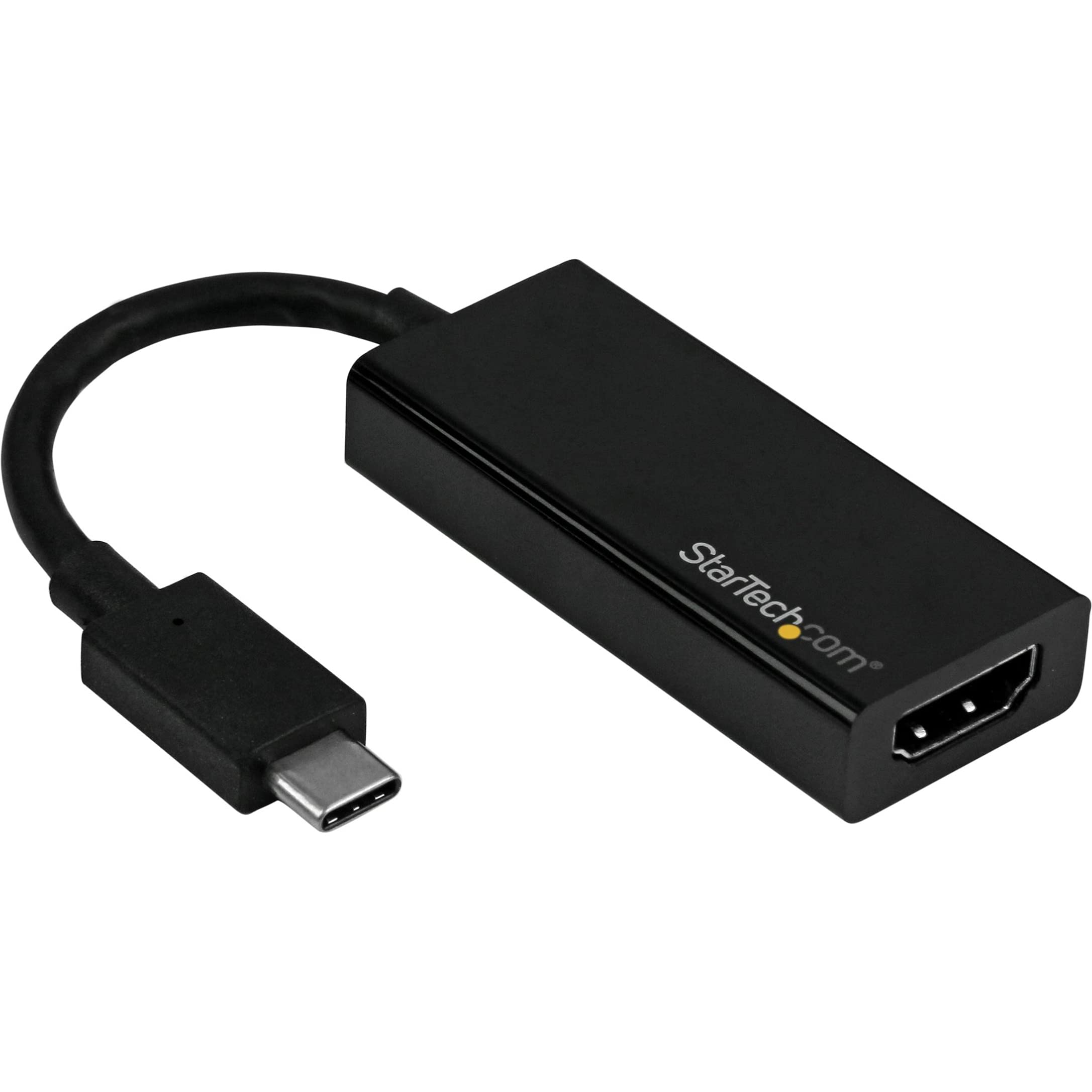
This Usb C To Hdmi Adapter Lets You Connect Your Usb Type-C Laptop Or Macbook To An Hdmi Monitor, Projector Or Display With Support For Ultra Hd 4K 60Hz. Astonishing Picture Quality The Usb C To Display Converter Lets You Harness The Video Capabilities That Are Built Into Your Usb-C Connection (Thunderbolt 3, Usb 3.1 Or Usb 3.0), To Deliver The Astonishing Quality Of Uhd To Your 4K Display And Supporting Resolutions Up To 3840 X 2160. Plus, The Adapter Is Backward Compatible With 1080P Displays, Which Makes It A Great Accessory For Home, Office Or Other Work Environments. Hassle-Free Connection With Usb Type C This Usb C Dongle Lets You Utilize The Versatile Usb Type-C Port On Your Portable Device. Usb Type-C Is A Reversible Connector, So It Doesn'T Matter Which Way You Plug It In. To Ensure Easy Operation And Installation, This Usb C To Displayport Cable Works With Both Windows And Mac Computers And Allows For Plug-And-Play Installation, Removing The Need For Any Additional Software Or Drivers. Ultimate Portability The Adapter Is The Perfect Accessory For Your New Slim Usb-C Device, Fitting Easily Into Your Laptop Bag Or Carrying Case, Which Is Great For Byod (Bring Your Own Device) Applications At The Office. 4K Hdmi Adapter Is Backed By A 3-Year Startech. Note: Your Usb-C Equipped Device Must Support Video To Work With This Adapter. For Mac Users: This Product May Experience Display Detection Issues With Certain Models Of Mac. If You'Re Experiencing Issues Please Contact Our Technical Support. For Hassle-Free Compatibility With Mac We Recommend Cdp2Hd4K60H.
⚠️ WARNING (California Proposition 65): This product may contain chemicals known to the State of California to cause cancer, birth defects, or other reproductive harm. For more information, please visit www.P65Warnings.ca.gov.
Frequently Asked Questions
Q: What are the dimensions of the StarTech.com USB C to HDMI Adapter?A: The dimensions are five point nine inches long, one inch wide, and zero point four inches high. This compact size makes it easy to carry.
Q: What type of resolution does this HDMI adapter support?A: This adapter supports Ultra HD four K resolution at sixty Hertz. It delivers stunning picture quality for compatible displays.
Q: Is the StarTech.com USB C to HDMI Adapter compatible with Thunderbolt 3?A: Yes, it is compatible with Thunderbolt 3 devices. This feature allows for high-speed data transfer and video output.
Q: How do I connect my laptop to an HDMI display using this adapter?A: To connect, simply plug the USB Type-C end into your laptop and the HDMI end into your display. It utilizes plug-and-play technology for easy setup.
Q: Can I use this adapter with a MacBook?A: Yes, it works with MacBooks that have a USB Type-C port. However, some models may experience display detection issues.
Q: What should I do if the adapter doesn't work with my Mac?A: If you encounter issues, try a different USB-C port or check for compatibility with your specific Mac model. You can also contact technical support.
Q: How should I keep the StarTech adapter in good condition?A: To maintain the adapter, store it in a protective case when not in use and avoid exposing it to moisture. Handle it gently to prevent damage.
Q: What is the warranty period for this product?A: The StarTech.com USB C to HDMI Adapter is backed by a three-year warranty. This coverage ensures you are protected against defects.
Q: Is this adapter compatible with Windows laptops?A: Yes, it is compatible with Windows laptops that have a USB Type-C port. It supports various Windows operating systems for easy use.
Q: Can I use this adapter for presentations?A: Yes, it is ideal for presentations as it connects laptops to projectors or external displays. The four K resolution provides clear visuals.
Q: What if the adapter arrives damaged?A: If the adapter arrives damaged, you can return it under the standard return policy. Ensure to contact customer service for assistance.
Q: How do I clean the USB C to HDMI adapter?A: To clean the adapter, gently wipe it with a soft, dry cloth. Avoid using any liquids or abrasive materials that could cause damage.
Q: Does this adapter support backward compatibility?A: Yes, it is backward compatible with one hundred eighty p displays. This feature makes it versatile for different display setups.
Q: What type of connection does this adapter use?A: The adapter uses a USB Type-C connection on one end and an HDMI connection on the other end. This design allows for seamless connectivity.
Q: Is there any driver software required for installation?A: No, there is no additional software or drivers required. The adapter is designed for plug-and-play simplicity for both Windows and Mac.
Q: Can I use this adapter for gaming?A: Yes, the adapter is suitable for gaming as it supports four K resolution at sixty Hertz, providing smooth visuals for gaming consoles and PCs.