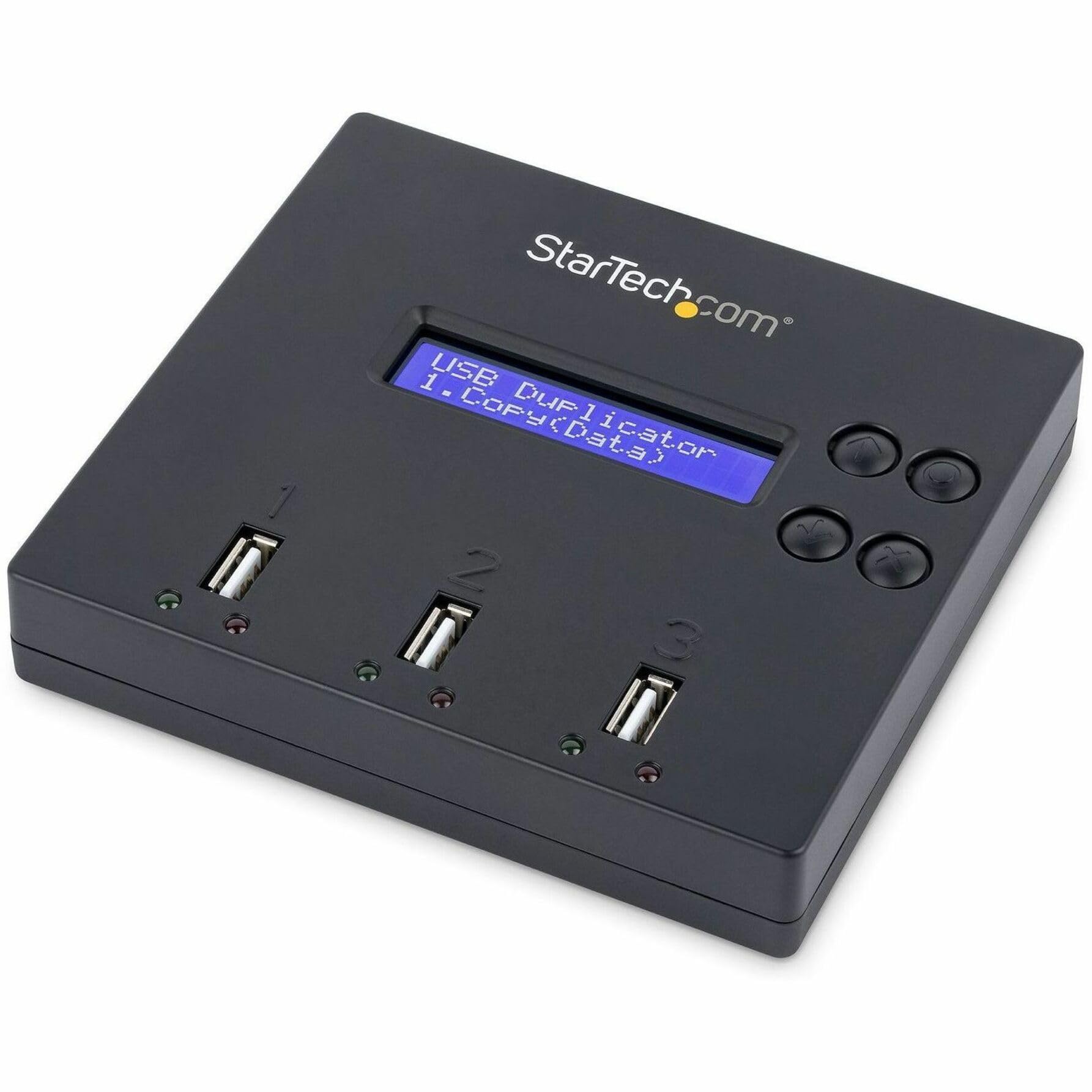
This Standalone Usb Duplicator Lets You Clone Or Erase Two Flash Drives Without Connecting To A Host Computer.1:2 Drive Duplicationthe Usb Cloner Lets You Copy Up To Two Drives Simultaneously. It Offers Asynchronous And Synchronous Duplication, With Speeds Of Up To 1.5Gb Per Minute. Asynchronous Duplication Lets You Remove And Replace A Drive While The Other Drive Continues To Copy.The Duplicator Features Two Duplications Modes: System And File Or Whole Drive. System And File Provides Reduced Duplication Times. It Copies Partitions And Stored Data But Ignores Any Sections With Empty Space. Whole Drive Takes More Time Because It Does A Sector-By-Sector (Mirror Image) Duplication Of The Drive. This Duplication Mode Is Ideal When You Need To Capture Everything On The Drive, Including Hidden Data.Erase Two Drives Simultaneouslythe Usb Flash Drive Duplicator Lets You Wipe Usb Drives Two At A Time And Supports Several Erase Modes Including: Quick-Erase, Full-Erase And Secure-Erase.Secure-Erase Meets Global Requirements, Including The New Nist (Sp 800-88 Rev1) Standards, Ensuring That All Drives Are Properly Wiped.Easy To Usethe Standalone Usb Duplicator Features An Lcd Display So That You Can Monitor Erasing And Duplication To Ensure Completion. It Also Has Four Shortcut Keys For Easy Operation.Usbdup12 Is Taa Compliant And Backed By A Startech.
⚠️ WARNING (California Proposition 65): This product may contain chemicals known to the State of California to cause cancer, birth defects, or other reproductive harm. For more information, please visit www.P65Warnings.ca.gov.
Frequently Asked Questions
Q: What are the dimensions of the StarTech.com USB duplicator?A: The dimensions are one inch high, five point one inches wide, and four point seven inches long. This compact size allows for easy storage and portability.
Q: What is the weight of the USB duplicator?A: The weight is not specified in the product details. However, it is designed to be lightweight for easy transport.
Q: What type of USB drives does this duplicator support?A: It supports USB three point zero and two point zero flash media thumb drives. It is also compatible with USB external storage devices.
Q: How do I use the USB duplicator?A: To use the USB duplicator, simply connect your USB drives and select the desired duplication mode. It allows for both synchronous and asynchronous operations.
Q: Can I erase USB drives with this duplicator?A: Yes, you can erase USB drives two at a time. It offers several erase modes including quick-erase, full-erase, and secure-erase.
Q: Is the USB duplicator easy to operate?A: Yes, it features an LCD display and four shortcut keys for straightforward operation. This design makes it user-friendly for technicians and IT professionals.
Q: How do I keep the USB duplicator in good condition?A: To maintain the USB duplicator, keep it in a dry place and avoid exposure to extreme temperatures. Regularly check for firmware updates to ensure optimal performance.
Q: What is the shelf life of the duplicator?A: The shelf life is not explicitly stated, but proper care and maintenance can extend its usability. Regular updates may also enhance performance longevity.
Q: Is this USB duplicator safe to use?A: Yes, the USB duplicator is designed with safety features, including compliance with TAA standards. It also follows global secure erase standards.
Q: Can I use this duplicator for data recovery?A: No, this device is not intended for data recovery. It is designed primarily for duplication and erasure of USB drives.
Q: What is the warranty period for this product?A: The warranty period is not specified in the product details. It's advisable to check with the manufacturer for warranty information.
Q: What should I do if my USB duplicator arrives damaged?A: If the USB duplicator arrives damaged, contact the retailer for return instructions. Most retailers have a return policy for damaged goods.
Q: How does this duplicator compare to other models?A: This model offers simultaneous duplication of two drives and various erase modes, making it suitable for professionals. Compare features like speed and capacity with other models to find the best fit.
Q: Is this duplicator suitable for beginners?A: Yes, the user-friendly interface and LCD display make it suitable for beginners. However, basic knowledge of USB drives is helpful.
Q: Does this USB duplicator require a computer?A: No, the USB duplicator operates standalone without needing a host computer. This feature allows for greater flexibility in usage.