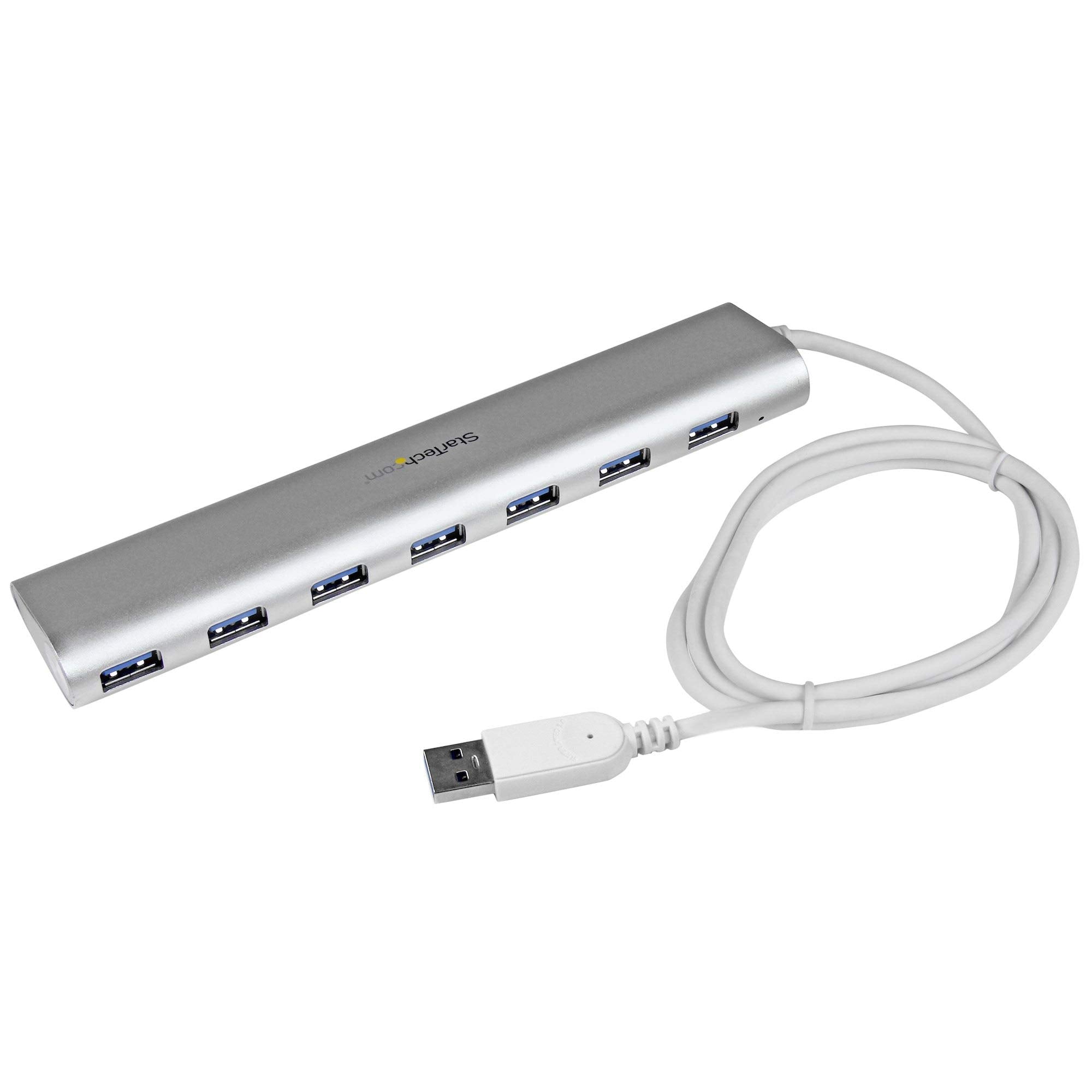
This Portable 7-Port Usb 3.0 Hub Is Tailored To Match The Stylish Design Of Your Macbook Or Laptop With A Similar Matte Silver Finish. It Features A Sleek, Silver Sandblasted Housing That Looks Great Next To Your Apple Laptop. With A Solid-Aluminum Casing, It Provides Lightweight Durability Thats Ideal For Travel Or Desktop Usage.The Usb Hub Features A Built-In, 98 Cm (38 In.) Cable. This Extended-Length Cable Gives You The Flexibility To Place The Hub And Your Devices Exactly Where You Want Them.Expand Your Laptops Connectivitythis High-Quality Usb Hub Lets You Expand Your Macbook Connectivity, Providing Seven Usb 3.0 Ports To Utilize Your Usb Peripherals.Portable And Ruggedthis Compact Hub Features Seven Ports With Plenty Of Space Between Each Port. With Extra Port Spacing, You Can Connect Devices And Cables That Have Larger Connectors, Without Sacrificing The Hubs Small Footprint Design. With A Rugged Aluminum Housing, The Hub Offers Dependable Protection, Ideal For Back-And-Forth Trips Between Home And Office.Save Money And Timethis Bus-Powered Hub Is Plug-And-Play And Hot-Swap Compatible, So You Can Install It Quickly, With No Additional Drivers Or Software Required. You Can Also Avoid The Cost Of Purchasing New Devices By Using The Usb 3.0 Hub With Your Current Usb 2.0 And 1.X Devices.St73007Ua Is Backed By A Startech.Com 2-Year Warranty And Free Lifetime Technical Support.
⚠️ WARNING (California Proposition 65): This product may contain chemicals known to the State of California to cause cancer, birth defects, or other reproductive harm. For more information, please visit www.P65Warnings.ca.gov.
Frequently Asked Questions
Q: What are the dimensions of the StarTech.com 7-Port USB Hub?A: The dimensions are eight point eight six inches long, four point four one inches wide, and two point one seven inches high. This compact size makes it portable and easy to fit into any setup.
Q: What material is the StarTech.com USB Hub made from?A: The USB hub is made from aluminum. This material provides durability and a sleek design that complements modern laptops.
Q: How many USB ports does the StarTech.com hub provide?A: The hub features seven USB-A ports. This allows you to connect multiple peripherals simultaneously from a single USB-A port.
Q: How do I connect devices to the StarTech.com USB Hub?A: You connect devices by plugging them into the USB-A ports on the hub. The hub uses a built-in cable for easy installation and connectivity.
Q: Is the StarTech.com USB Hub compatible with all operating systems?A: Yes, it is compatible with all major operating systems, including Windows, macOS, Linux, ChromeOS, and Android. This makes it versatile for various devices.
Q: Can I use this hub with USB 2.0 and older devices?A: Yes, the hub is backwards compatible with USB 2.0 and USB 1.x devices. This allows you to use your existing peripherals without needing to upgrade.
Q: How do I keep the StarTech.com USB Hub clean and in good condition?A: To clean the hub, use a soft, dry cloth to wipe the surface. Avoid using harsh chemicals that could damage the aluminum finish.
Q: What is the warranty on the StarTech.com USB Hub?A: The USB hub comes with a two-year warranty. Additionally, it includes free lifetime technical support for any issues you may encounter.
Q: Can I use this hub for powering high-demand devices?A: Yes, it can be used as a self-powered hub with the included power adapter. This is ideal for connecting high-power USB devices like SSD drives.
Q: Is this hub suitable for travel?A: Yes, the compact and lightweight design makes it ideal for travel. Its durable aluminum casing protects it during transport.
Q: What safety features does the StarTech.com USB Hub have?A: The hub includes Overcurrent Protection (OCP) to safeguard connected devices from power surges. This enhances the safety of your peripherals.
Q: How do I troubleshoot if the hub is not recognized by my computer?A: First, ensure the hub is properly connected and powered. If issues persist, try connecting it to a different USB port or restart your device.
Q: What should I do if the USB Hub arrives damaged?A: If the hub arrives damaged, contact StarTech.com support for assistance. They can help you with the return process or provide a replacement.
Q: Does the StarTech.com USB Hub require additional software to install?A: No, the hub is plug-and-play and hot-swap compatible, meaning you can use it without installing additional drivers or software.
Q: Is the USB Hub designed for both desktop and laptop use?A: Yes, it is designed for both desktops and laptops, making it a versatile option for various computing environments.