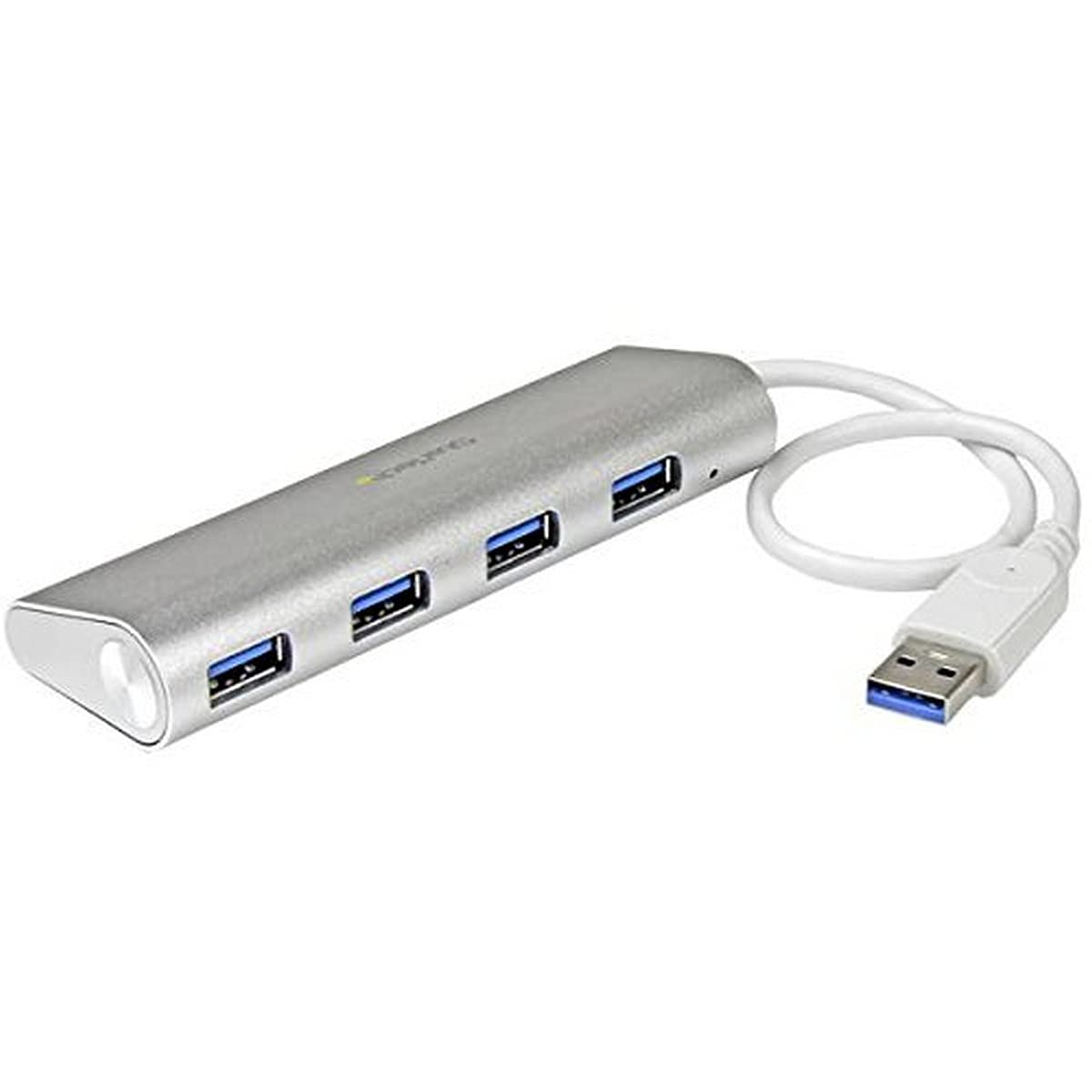
The Startech.Com St43004Ua 4-Port Portable Usb 3.0 Hub With Built-In Cable, Offers Plug-And-Play Convenience With Over-Current Protection. This Is A Travel-Friendly Usb Hub, With A Compact, Rugged, Lightweight Aluminum Casing. The Sleek And Stylish Design With A Silver Sandblasted Finish, Matches Your Macbook And Performs Well With Its 5 Gbps Data Transfer Rate.- Portable Usb 3.0 Hub Plus Gigabit Ethernet Allows To Add Four Usb 3.0 Ports (5Gbps) And A Gbe Port To Your Macbook.- 5 Gbps Maximum Data Transfer Rate.- Interfaces/Ports: 4 X Usb 3.0.- Dimensions: 0.7''H X 1.4''W X 4.4''L.- Power Source: Usb Powered.- Weee, Rohs, Green Compliant.- Bus Type: Usb 3.0, Chipset Id: Genesys Logic - Gl3520.- Industry Standards: Usb 3.0 Backward Compatible With Usb 2.0/1.1.- Os Compatibility: Os Independent.- System And Cable Requirements: Host Computer With A Usb 3.0 Port.- Led Indicators: 1 X Power.- Operating Temperature: 0 - 40 Deg C, Humidity: 10 - 90 % Rh (Non-Condensing).- Cable Length: 10.6'', Color: Silver/White, Enclosure Type: Aluminum/Plastic, Form Factor: Compact.- Weight: 2.7 Oz.- Sold As 1 Each.
⚠️ WARNING (California Proposition 65): This product may contain chemicals known to the State of California to cause cancer, birth defects, or other reproductive harm. For more information, please visit www.P65Warnings.ca.gov.
Frequently Asked Questions
Q: What are the dimensions of the StarTech.com 4-Port USB Hub?A: The dimensions of the StarTech.com 4-Port USB Hub are five point thirty-nine inches in length, four point forty-five inches in width, and two point thirty-six inches in height.
Q: What is the weight of the StarTech.com 4-Port USB Hub?A: The weight of the StarTech.com 4-Port USB Hub is lightweight, making it portable and ideal for travel.
Q: What material is the StarTech.com USB Hub made from?A: The StarTech.com USB Hub is constructed with a solid-aluminum casing, providing durability and a sleek appearance.
Q: How do I connect devices to the StarTech.com USB Hub?A: Connect devices by using the four USB-A ports on the hub, which allow you to expand connectivity from a single USB-A port.
Q: Is the StarTech.com USB Hub compatible with all operating systems?A: Yes, the StarTech.com USB Hub is compatible with all operating systems including Windows, macOS, Linux, ChromeOS, and Android.
Q: Can I use my existing USB 2.0 devices with the hub?A: Yes, the hub is backward compatible, allowing you to connect and use existing USB 2.0 and 1.x devices.
Q: How do I install the StarTech.com USB Hub?A: The hub features plug-and-play installation, allowing you to connect it quickly without needing additional drivers or software.
Q: What is the power source for the StarTech.com USB Hub?A: The StarTech.com USB Hub is bus-powered, meaning it draws power from the computer it is connected to.
Q: How do I ensure the safety of my devices while using the hub?A: The hub includes overcurrent protection, which safeguards your devices during use.
Q: What types of devices can I connect to the StarTech.com USB Hub?A: You can connect various peripherals such as keyboards, mice, USB SSDs, and thumb drives to the hub.
Q: Is the hub suitable for travel?A: Yes, the hub's lightweight design and compact size make it an ideal companion for travel.
Q: How should I clean the StarTech.com USB Hub?A: To clean the USB Hub, use a soft, dry cloth to wipe the surface, avoiding any harsh chemicals.
Q: What if my StarTech.com USB Hub arrives damaged?A: If the hub arrives damaged, you should contact the retailer for information on their return policy.
Q: Does the hub support high-speed data transfer?A: Yes, the hub supports USB 3.2 speeds of up to five gigabits per second for rapid data transfer.
Q: How many devices can I connect simultaneously to the hub?A: You can connect up to four devices simultaneously using the four USB-A ports available on the hub.