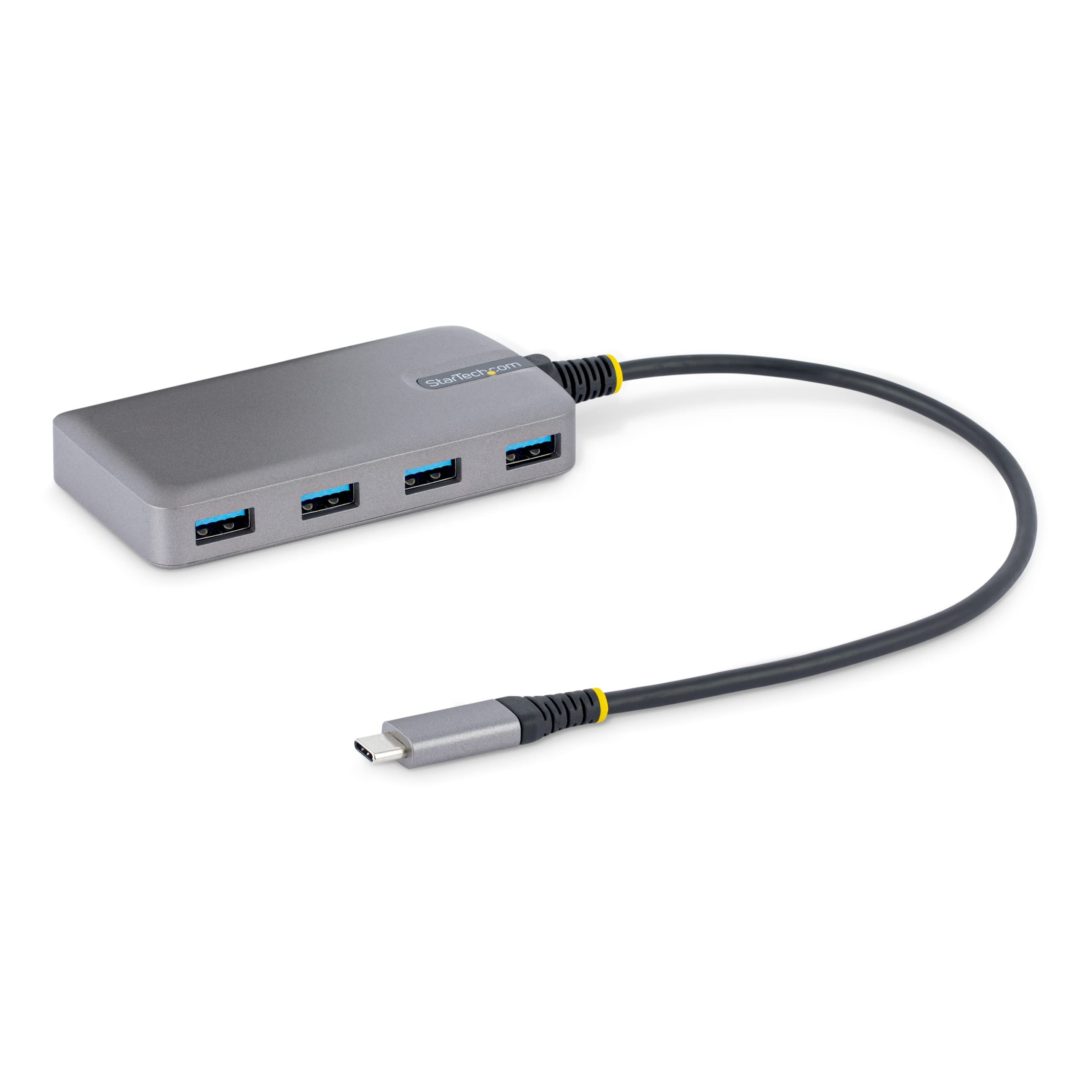
Descriptionthe 4-Port Usb 3.2 Gen 1 (5Gbps) Hub Adds Four Usb-A Ports By Connecting To A Single Usb-A Port On Your Computer. The Usb Hub Is Backward Compatible With Usb 2.0 (480Mbps) Devices, Ensuring Support For A Wide Range Of Modern And Legacy Usb Peripherals (E.G., Thumb Drives, External Hdds/Ssds, Hd Cameras, Mice, Keyboards, Webcams, And Audio Headsets). The Usb Hub Can Operate With Bus Power Alone, But Features A Micro Usb Power Input That Can Be Connected To A Usb Power Adapter (Not Included), Providing Up To 4.5W (5V/0.9A) Of Power In Addition To The 4.5W Of Bus Power From The Usb Host. This Flexibility Is Ideal For Applications Where Additional Power May Be Required, Such As Connecting A High-Powered Usb Device, Like An External Ssd Drive, While Using The Other Ports To Connect Lower Powered Devices. For Added Protection To This Usb Hub And The Connected Host Device, The Usb Hub Features Overcurrent Protection (Ocp). Ocp Prevents Faulty Usb Peripherals From Drawing More Power Than Is Safely Allocated. Os Independent Compatible With All Operating Systems, Including Windows, Macos, Chromeos, And Android. The Built-In Extra Long 1 Ft. (30 Cm) Usb-A Host Cable Ensures Easy Setup And Reduces Connector Strain On 2-In-1 Devices Such As The Surface Pro 7 And Laptops On Riser Stands. Developed To Improve Performance And Security, Startech.Com Connectivity Tools Is Available For Download With This Product. The Applicable Software For This Product Is The Usb Event Monitoring Utility. Use This Utility To Track And Log Any Connected Usb Devices.
⚠️ WARNING (California Proposition 65): This product may contain chemicals known to the State of California to cause cancer, birth defects, or other reproductive harm. For more information, please visit www.P65Warnings.ca.gov.
Frequently Asked Questions
Q: What are the dimensions of the StarTech.com 4-Port USB-C Hub?A: The dimensions are sixteen point five centimeters in length, two point one centimeters in width, and zero point six centimeters in height.
Q: What materials is the USB hub made from?A: The USB hub is made from carbon material, providing durability and a sleek design.
Q: What is the maximum data transfer speed of this USB hub?A: The maximum data transfer speed is five gigabits per second, supporting USB 3.2 Gen 1.
Q: How do I connect the USB hub to my computer?A: You connect the USB hub using the built-in one foot host cable that connects to a USB-C port on your computer.
Q: Can I use this hub with devices that have USB 2.0 ports?A: Yes, it is backward compatible with USB 2.0, allowing you to connect various USB peripherals.
Q: Is this USB hub suitable for high-power devices?A: Yes, the hub features an auxiliary power input that provides an additional four point five watts, ideal for high-power devices like external SSDs.
Q: How do I ensure the safety of my connected devices?A: The USB hub has Overcurrent Protection, which prevents peripherals from drawing too much power, ensuring safe operation.
Q: What operating systems are compatible with this USB hub?A: The hub is OS independent, compatible with Windows, macOS, ChromeOS, iPadOS, and Android.
Q: How do I install the USB hub on my computer?A: Installation is automatic upon connection to a host computer, requiring no additional software or drivers.
Q: What should I do if the hub does not work after connecting?A: Check the USB-C connection and ensure that your device is powered on. If issues persist, try a different USB-C port.
Q: Can I use the hub while charging my device?A: Yes, the auxiliary power input allows you to charge connected devices while using the hub.
Q: Is there a warranty on this USB hub?A: Yes, the product typically comes with a manufacturer warranty, but you should check the specific details at the point of purchase.
Q: How should I store the USB hub when not in use?A: Store the USB hub in a cool, dry place, ensuring that it is not exposed to extreme temperatures or moisture.
Q: What type of cable do I need for auxiliary power input?A: You will need a Micro USB cable to connect a power adapter for auxiliary power input, which is not included.
Q: Can I monitor connected devices with this hub?A: Yes, a USB Event Monitoring utility is available for download to track and log any connected USB devices.