

Cart
0


Startech.Com 4 Port Usb 2.0 Over Cat5/6 Extender Up To 130 Feet With Compact Usb Extension (Usb2004Extv)
Vendor: Startech.Com
Type: Network Cables
Sku: WBECCB07CQ9HSR8
Availability: In Stock
Couldn't load pickup availability
Guarantee safe checkout

Sold by Electroeshop, an authorized reseller.
Returns accepted within 30 days | support@electroeshop.com
Shipping Information
- Free Standard Shipping — United States only
- Processing Time: 1–3 business days
- Estimated Delivery: 3–5 business days after dispatch
- Double-boxed, fully insured & discreetly packaged
- Tracking number sent via email once dispatched
- Orders over $250 require signature upon delivery. Taxes calculated at checkout.
Returns & Refund
Returns accepted within 30 days of delivery.
Damaged or Defective Item
Free return shipping + replacement or full refund
Wrong Item Received
Free return shipping + replacement or full refund
Change of Mind
Return shipping at customer's expense · 25% restocking fee applies
All returns require a Return Authorization (RA) number before sending.
View Full Return & Refund Policy
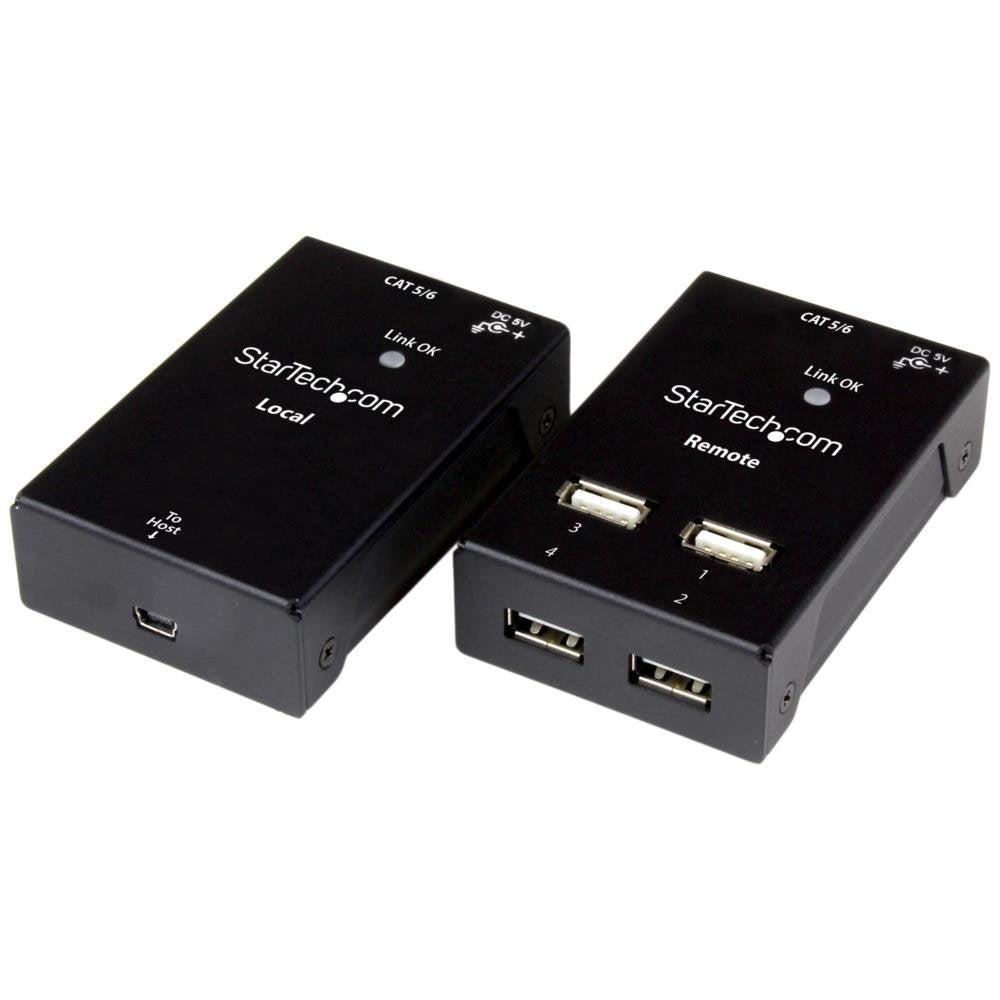
Startech.Com 4 Port Usb 2.0 Over Cat5/6 Extender Up To 130 Feet With Compact Usb Extension (Usb2004Extv)
$219.89

Frequently Asked Questions
- Q: What are the dimensions of the StarTech.com USB extender? A: The dimensions are nineteen point six nine inches in length, nineteen point six nine inches in width, and eleven point zero two inches in height. This compact size allows for easy placement in various setups.
- Q: What is the maximum distance this USB extender can reach? A: The maximum distance is one hundred thirty feet. This capability allows for extended connectivity in larger spaces.
- Q: Is the StarTech.com USB extender compatible with USB 3.0 devices? A: No, this extender is only compatible with USB 2.0 devices. It is designed specifically for USB 2.0 connections.
- Q: How do I set up the StarTech.com USB extender? A: To set it up, simply connect the USB device to the extender and then run a Cat5 or Cat6 cable to the desired location. It’s a straightforward plug-and-play installation.
- Q: Can I use this extender with multiple devices at once? A: Yes, it supports up to four USB devices simultaneously. This feature is convenient for connecting multiple peripherals.
- Q: Is this USB extender suitable for outdoor use? A: No, it is not designed for outdoor use. It is intended for indoor environments only.
- Q: How should I clean the StarTech.com USB extender? A: To clean it, use a soft, dry cloth. Avoid using any liquids or harsh chemicals to maintain the device's integrity.
- Q: Does this extender have any warranty? A: Yes, it comes with a limited warranty. This provides peace of mind in case of manufacturing defects.
- Q: What should I do if the extender doesn't work after setup? A: First, check all connections to ensure they are secure. If it still doesn't work, refer to the troubleshooting section in the user manual.
- Q: Is the StarTech.com USB extender hot-swappable? A: Yes, it is hot-swappable, allowing you to connect and disconnect devices without powering down. This feature enhances convenience during use.
- Q: Can this extender support high-bandwidth devices? A: Yes, it can support high-bandwidth USB 2.0 devices, but note that it will not support USB 3.0 speeds. Ensure your devices are USB 2.0 compliant.
- Q: What type of cable is recommended for best performance? A: Using a quality Cat5 or Cat6 cable is recommended for optimal performance. This ensures that data transmission remains stable over long distances.
- Q: Is it possible to use longer than one hundred thirty feet of cable with this extender? A: No, exceeding one hundred thirty feet may lead to signal loss. It's important to adhere to this limitation for reliable operation.
- Q: Does the USB extender require any additional power supply? A: No, the extender does not require an additional power supply. It draws power from the connected USB devices.
- Q: What kind of materials are used in the construction of this extender? A: The extender is primarily made of durable plastic materials. This ensures it is lightweight yet robust for everyday use.
- Q: Can I connect this extender to a computer and a printer at the same time? A: Yes, you can connect both a computer and a printer simultaneously, as it supports multiple devices through its four ports.