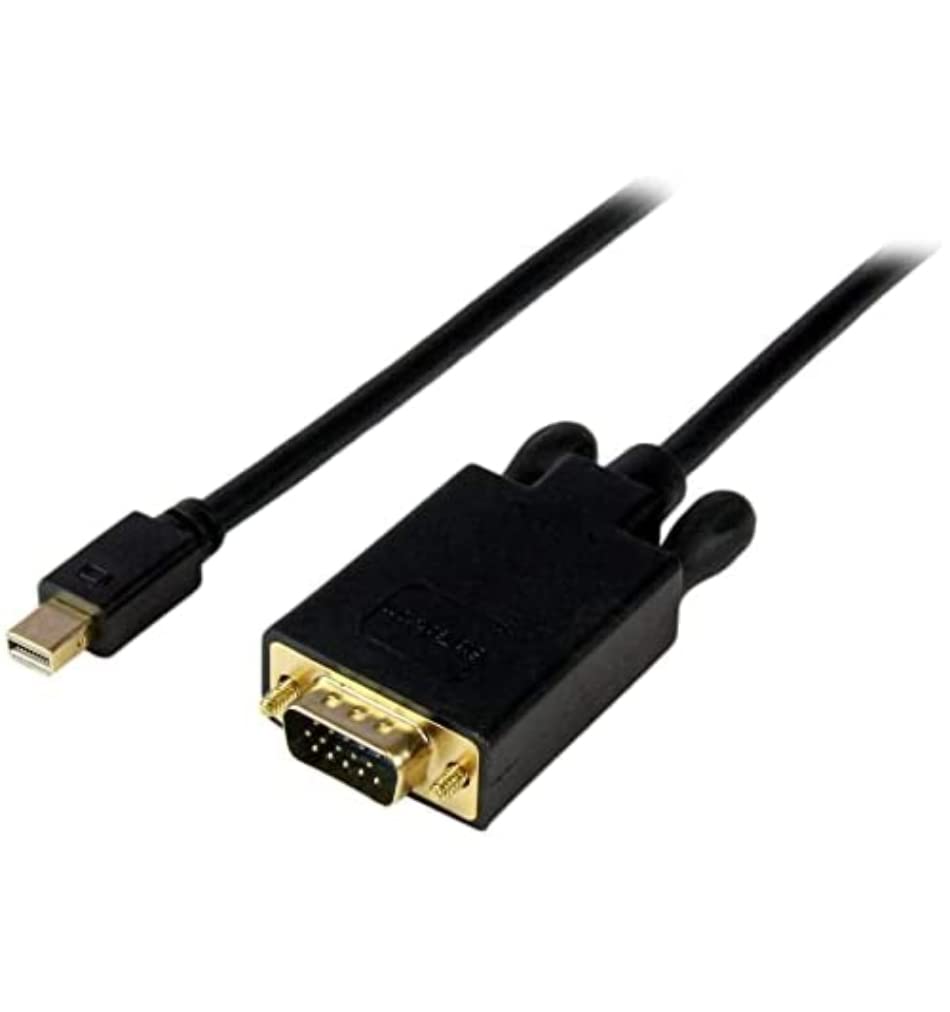
The Mdp2Vgamm15B Active Mini Displayport To Vga Converter Cable Lets You Connect Your Mini Displayport-Equipped Desktop Or Laptop Directly To A Vga Monitor Or Projector At A Longer Distance Than A Standard-Length Cable Would Support, While Saving The Expense Of Additional Adapters. The Mini Displayport Adapter Is The Perfect Accessory For Any Of Your Microsoft Surface Pro Devices With Mdp.The Adapter Cable Is Compatible With Intel Thunderbolt, When Connected Directly To A Supporting Displayport Over Thunderbolt I/O Port. Plus, Because The Converter Cable Supports Video Resolutions Up To 1920X1200 You Can Convert A Displayport Video Source To Vga Without Sacrificing Video Quality.The Mdp2Vgamm15B Is Backed By A 3-Year Startech.
⚠️ WARNING (California Proposition 65): This product may contain chemicals known to the State of California to cause cancer, birth defects, or other reproductive harm. For more information, please visit www.P65Warnings.ca.gov.
Frequently Asked Questions
Q: What is the length of the StarTech.com Mini DisplayPort to VGA Adapter Cable?A: The cable is fifteen feet long. This length allows for greater flexibility in connecting devices to monitors or projectors.
Q: What materials are used in the construction of this adapter cable?A: The adapter cable is made of copper. Copper is known for its excellent conductivity and durability in electronic components.
Q: What resolutions does the Mini DisplayPort to VGA Adapter support?A: It supports video resolutions up to one thousand nine hundred twenty by twelve hundred. This ensures clear and high-quality video output.
Q: How do I connect my laptop to a VGA monitor using this adapter?A: Simply plug the Mini DisplayPort end into your laptop and the VGA end into the monitor. This adapter allows for a straightforward connection without additional converters.
Q: Is this adapter compatible with my Microsoft Surface Pro?A: Yes, this adapter is compatible with all Microsoft Surface Pro devices equipped with Mini DisplayPort. It is designed to work seamlessly with Surface docking stations as well.
Q: Can I use this adapter with my Intel Thunderbolt port?A: Yes, the adapter works with Intel Thunderbolt ports when connected directly. This feature enhances versatility in device connectivity.
Q: How should I clean and maintain this adapter cable?A: To maintain the cable, wipe it with a soft, dry cloth. Avoid using any harsh chemicals or abrasive materials that could damage the connectors.
Q: What is the warranty period for the StarTech.com Mini DisplayPort to VGA Adapter?A: The adapter is backed by a three-year warranty. This warranty provides peace of mind regarding product quality and performance.
Q: Is there a risk of video quality loss when using this adapter?A: No, there is no significant loss of video quality when using this adapter. It is designed to maintain high video quality up to the supported resolution.
Q: Can I use this adapter with older VGA monitors?A: Yes, the adapter is compatible with all VGA monitors, including older models. It provides a reliable connection for various VGA devices.
Q: What should I do if my adapter does not work?A: First, ensure all connections are secure. If the issue persists, check for compatibility with your devices or contact customer support for assistance.
Q: Does this adapter require any additional drivers or software to work?A: No, the adapter does not require additional drivers or software. It is a plug-and-play device that works with compatible systems immediately.
Q: Is this adapter suitable for use with projectors?A: Yes, it is suitable for use with projectors that have VGA inputs. This makes it ideal for presentations and multimedia displays.
Q: Can I use this adapter for gaming purposes?A: Yes, it can be used for gaming when connecting a Mini DisplayPort-equipped device to a VGA monitor. It supports high resolutions suitable for gaming.
Q: What color is the StarTech.com Mini DisplayPort to VGA Adapter Cable?A: The cable is black in color. This neutral color typically fits well with most electronic devices and setups.