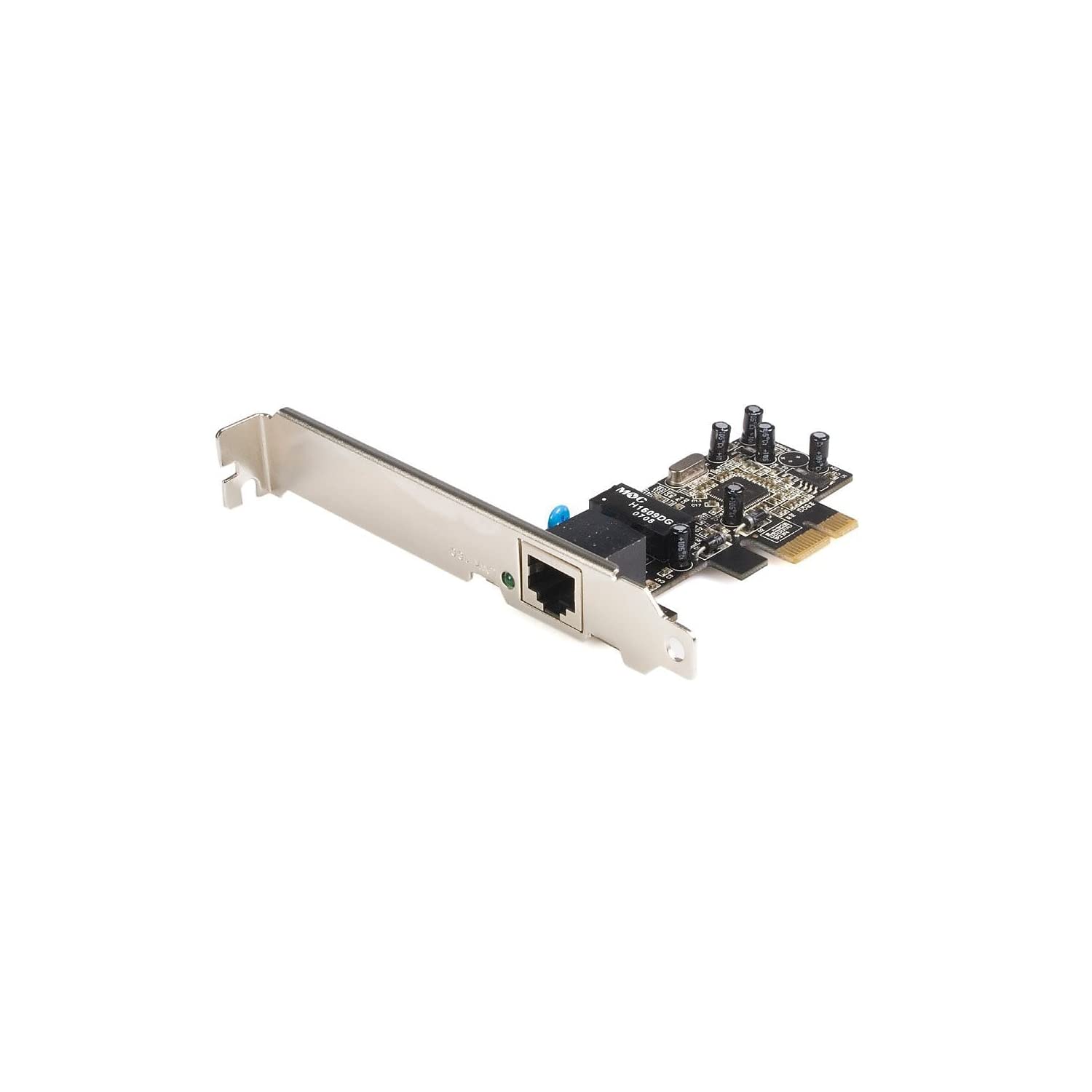
Add A 10/100Mbps Ethernet Port To A Desktop Computer Through A Pci Express Slot. This Pci Express Based 10/100 Ethernet Card Provides A Simple Way To Connect A Pcie Enabled Server Or Workstation To A 10/100 Ethernet Network And Offers A Broad Range Of Features And Functions, Including Support For Both Full And Half Duplex Operation As Well As Wake On Lan (Wol) Power Management.The Pex100S Ethernet Card Includes Both Standard And Low Profile Brackets And Is Compatible With Most Matx (Slimline) And Atx System Form Factors, And Features Auto Mdi/Mdix Automatic Configuration, Which Helps To Simplify Installation And Configuration.
⚠️ WARNING (California Proposition 65): This product may contain chemicals known to the State of California to cause cancer, birth defects, or other reproductive harm. For more information, please visit www.P65Warnings.ca.gov.
Frequently Asked Questions
Q: What are the dimensions of the StarTech PCI-E 10/100 card?A: The card measures six point seven three inches in length, four point seven inches in width, and zero point eight inches in height.
Q: What type of material is used for the StarTech PCI-E card?A: The StarTech PCI-E card is primarily made of electronic components and does not specify a particular material.
Q: What is the maximum data throughput speed of the StarTech PCI-E card?A: The maximum data throughput speed is two point five gigabits per second.
Q: How do I install the StarTech PCI-E 10/100 card?A: To install the card, insert it into an available PCI Express slot on your motherboard and secure it with screws.
Q: Is the StarTech PCI-E card compatible with my system?A: Yes, it is compatible with most mATX and ATX system form factors.
Q: Does the card support Wake On LAN functionality?A: Yes, the StarTech PCI-E card supports Wake On LAN for power management.
Q: How do I ensure the StarTech PCI-E card works properly?A: Make sure to install the correct drivers, which can usually be found on the manufacturer's website.
Q: Can I use the StarTech PCI-E card for gaming?A: Yes, you can use it for gaming, but it is primarily designed for network connectivity rather than high-performance gaming.
Q: What should I do if the card does not fit in my computer?A: If the card does not fit, ensure that you are using the correct PCI Express slot and check for any obstructions.
Q: What is the warranty on the StarTech PCI-E card?A: The warranty period for the card typically lasts for one year from the date of purchase.
Q: How do I clean the StarTech PCI-E card?A: To clean the card, use a dry, lint-free cloth and avoid using any liquids.
Q: Is the StarTech PCI-E card RoHS compliant?A: Yes, the card is RoHS compliant, ensuring it meets environmental standards.
Q: What if the card arrives damaged?A: If the card arrives damaged, contact the retailer for a return or replacement option.
Q: Can I use the card with a Mac system?A: The card is primarily designed for Windows and Linux systems, and compatibility with Mac systems may vary.
Q: How many Ethernet ports does the StarTech PCI-E card have?A: The card has one Ethernet port for connectivity.
Q: Does the StarTech PCI-E card support Auto MDI/MDIX?A: Yes, it features Auto MDI/MDIX for automatic configuration, simplifying installation.