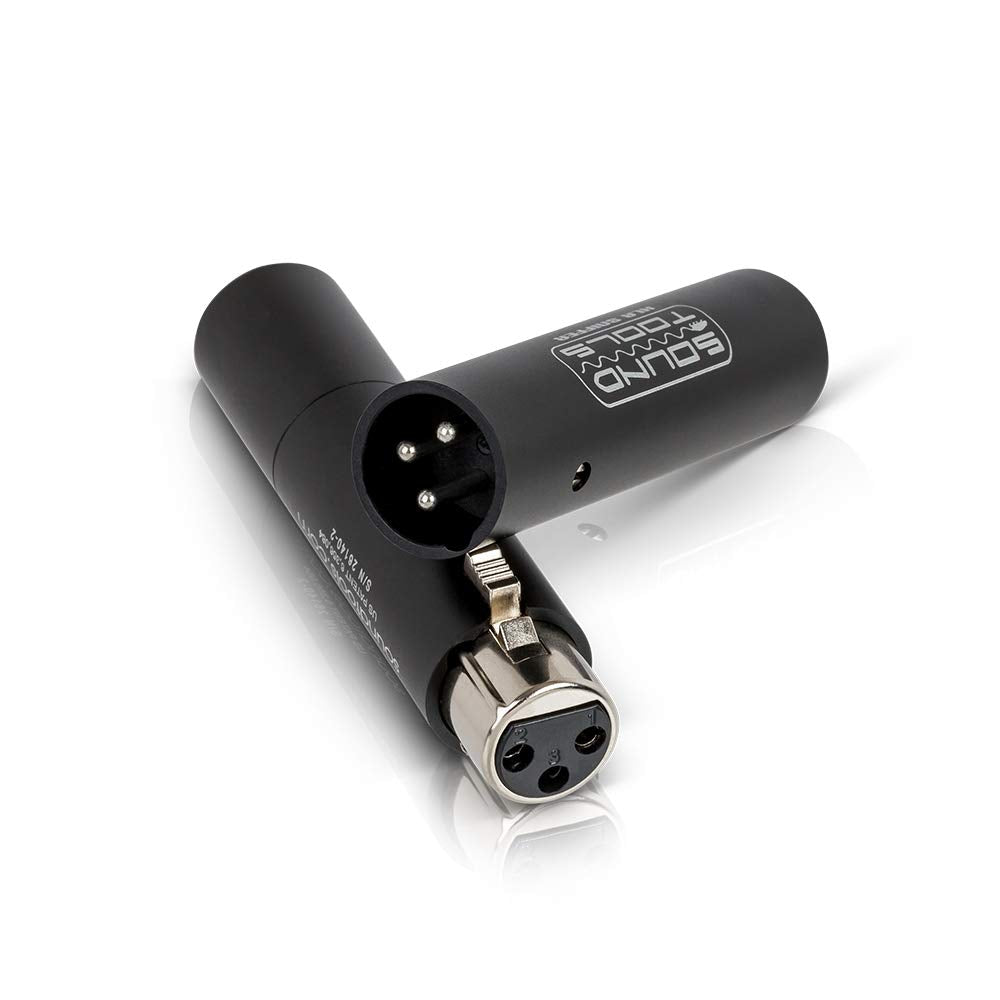
Isnt There An Easier Way To Do This? Thats The Question That Leads To Every Soundtools Product. For The Xlr Sniffer/Sender, Dave Rat Of Rat Sound Systems Asked That Question About Issues He Had With The Lead Mic Before A Rage Against The Machine Show In 1996. After A Nightmare Night Of Trial-And-Error And Back-And-Forth Calls Before Fixing The Issue, Dave Realized That There Had To Be A Better Tool To Help Troubleshoot Mic Line Issues. The Xlr Sniffer/Sender Is That Better Tool. Road-Tested In The Worlds Toughest Festival Tour Environments (And Run Over With A Car, Just For Kicks), The Xlr Sniffer Sender Can Take An Absolute Beating And Still Survive To Get You Through The Next Show. When You Need To Know Quickly Whether Its The Mic Or The Line, The Xlr Sniffer/Sender Duo Will Give You An Instant Result. Test 50+ Channels From A Snake System In Minutes With The Sniffer Unit Using Phantom Power From The Console, Or Use The Sender Unit To Provide Phantom Power When Needed. The Sniffer Unit Has 3 Led Lights. When Attached To An Xlr Cable That Is Powered By A Phantom Power Source (Either A Console Or The Sender Unit), The Sniffer Will Light Up In Either Green Or Red Leds To Show Whether The Line Is Good (All Green) Or Has Errors (All Red Or A Combination Of Red And Green). The Xlr Sniffer Sender Can Even Test For A Pin 2-3 Short. Every Unit Comes In A Sturdy, Reusable Box With A Sticker Guide Defining The Led Readout.
⚠️ WARNING (California Proposition 65): This product may contain chemicals known to the State of California to cause cancer, birth defects, or other reproductive harm. For more information, please visit www.P65Warnings.ca.gov.
Frequently Asked Questions
Q: What type of microphone cable is the SoundTools XLR Sniffer/Sender?A: The SoundTools XLR Sniffer/Sender is a microphone cable designed for testing. It helps ensure proper signal flow and functionality for XLR connections.
Q: What is the model of the SoundTools cable tester?A: The model of the SoundTools cable tester is XLR Sniffer/Sender. This model is specifically built for microphone cable testing.
Q: What category does the SoundTools cable belong to?A: The SoundTools cable belongs to the category of microphone cables. It is specifically designed for audio professionals.
Q: How do I use the SoundTools XLR Sniffer/Sender?A: To use the SoundTools XLR Sniffer/Sender, connect it between the microphone and the audio interface. It will indicate whether the signal is functioning properly.
Q: Is the SoundTools cable tester suitable for beginners?A: Yes, the SoundTools cable tester is suitable for beginners. It offers a straightforward way to check microphone cables without technical expertise.
Q: Can the SoundTools XLR Sniffer/Sender test all XLR cables?A: Yes, the SoundTools XLR Sniffer/Sender can test all XLR cables. It is compatible with standard XLR connections used in audio equipment.
Q: How should I store the SoundTools XLR Sniffer/Sender?A: Store the SoundTools XLR Sniffer/Sender in a dry, cool place. Avoid exposing it to moisture or extreme temperatures to ensure longevity.
Q: Is there any special care needed for the SoundTools cable tester?A: No special care is needed for the SoundTools cable tester. Regularly check for any physical damage and keep it clean.
Q: What if the SoundTools XLR Sniffer/Sender arrives damaged?A: If the SoundTools XLR Sniffer/Sender arrives damaged, contact customer support for a replacement or return. They will guide you through the process.
Q: Does the SoundTools cable tester come with a warranty?A: Yes, the SoundTools cable tester typically comes with a warranty. Check the packaging or manufacturer's website for specific warranty details.
Q: How do I troubleshoot the SoundTools XLR Sniffer/Sender if it doesn't work?A: If the SoundTools XLR Sniffer/Sender doesn't work, check the connections and ensure they are secure. Replace the cable if issues persist.
Q: Is the SoundTools XLR Sniffer/Sender easy to transport?A: Yes, the SoundTools XLR Sniffer/Sender is lightweight and compact, making it easy to transport. It fits conveniently in most audio gear cases.
Q: What features does the SoundTools cable tester offer?A: The SoundTools cable tester offers features for testing signal flow and identifying faults in the cable. It provides clear indications for audio professionals.
Q: Can I use the SoundTools XLR Sniffer/Sender for live events?A: Yes, you can use the SoundTools XLR Sniffer/Sender for live events. It helps ensure all microphone connections are working before performances.
Q: What is the primary function of the SoundTools XLR Sniffer/Sender?A: The primary function of the SoundTools XLR Sniffer/Sender is to test microphone cables for signal integrity. It identifies issues quickly and efficiently.